The Harness Cursor Plugin now works on Cursor for iOS. Check pipeline status, security posture, and deployment health from your phone, governed by RBAC.

Key takeaways:
- The Harness Cursor Plugin now works inside Cursor's new iOS app, with the same natural-language access to pipelines, security, and deployments as desktop.
- Reading works the same on iOS as on desktop. Write actions, like triggering a pipeline, are denied by default unless they pass confirm:true and the right RBAC role.
- Setup: connect the plugin's Cloud environment on desktop and enable Cloud Agents on your GitHub or GitLab repos.
---
The Harness Cursor Plugin now works on Cursor for iOS. Check pipeline status, security posture, and deployment health from your phone.
In April, Harness announced the Harness Cursor Plugin, a native integration that lets developers manage CI/CD pipelines, deployments, and security posture using natural language inside Cursor, governed by the same RBAC, OPA policies, and audit trails already enforced across the Harness platform. That experience has, until now, lived entirely at a desk.
If a pipeline failed, a security scan flagged something, or an approval needed clearing while a developer was away from a laptop, checking in meant waiting to get back to one. An on-call engineer paged about a failing deployment, for example, could do little more than acknowledge the alert until reaching a desk.
What This Unlocks
Cursor for iOS isn't about replacing the desktop experience. It's about removing unnecessary waiting. Whether you're reviewing the health of a deployment before boarding a flight, checking why a pipeline failed between meetings, or pulling security scan results before a release window closes, you no longer lose visibility simply because you aren't sitting in front of your laptop.
Introducing Harness on Cursor for iOS
Cursor's iOS app lets developers launch and track coding agents, review completed work, and merge pull requests from their phone. The Harness Cursor Plugin now works inside it too, using the same natural-language interface already available on desktop.
Here's how it works:
- On the desktop, open the Harness plugin's configuration and connect its Cloud environment, separate from the Local one already in use. Then enable Cloud Agents on the GitHub or GitLab repositories you want to reach from your phone.
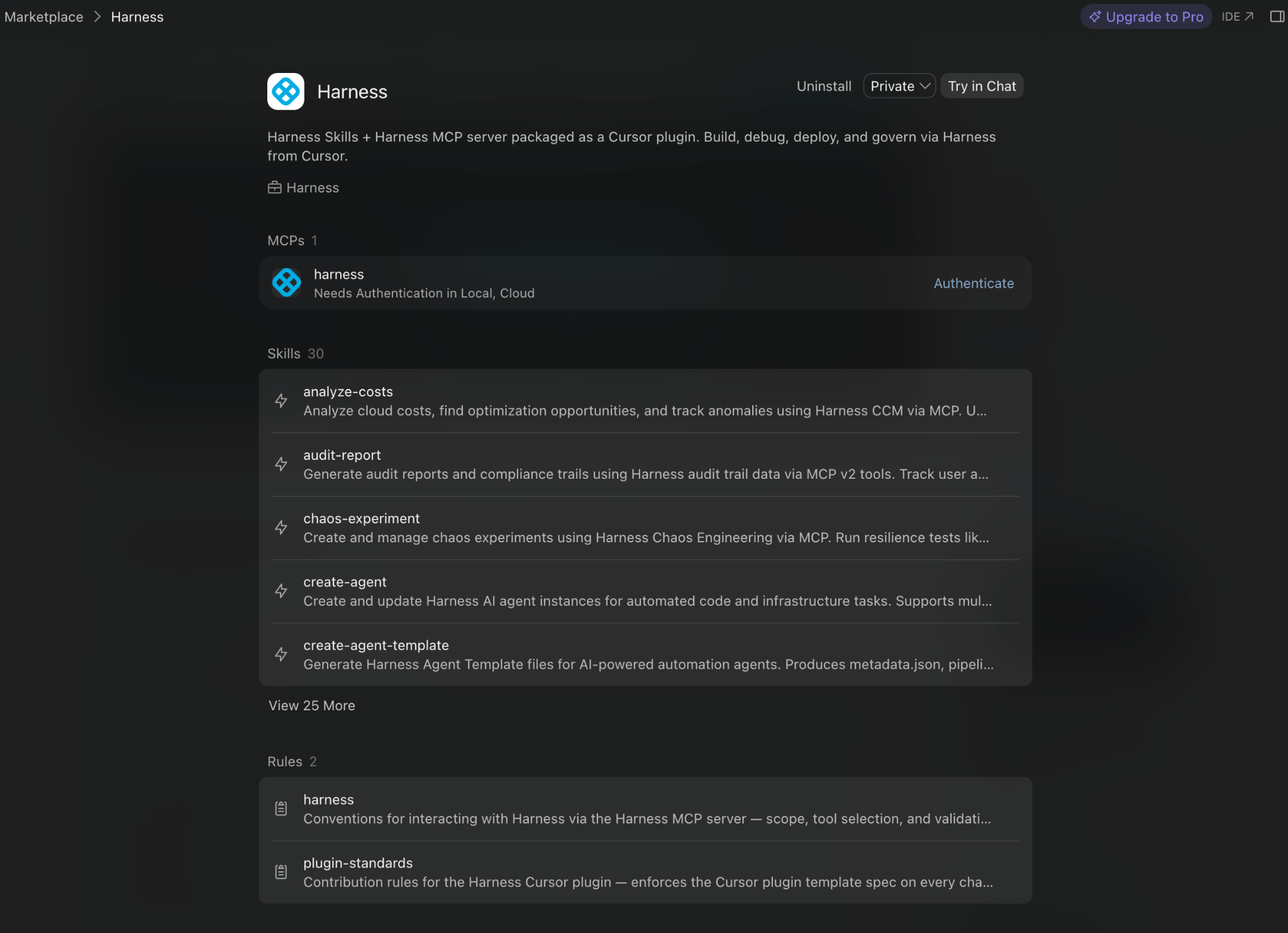
- Open Cursor for iOS and ask Harness what you'd ask on the desktop: pipeline status, deployment health, security posture. Read requests are answered live from the Software Delivery Knowledge Graph, the same source the desktop plugin uses.
- To take an action, like triggering a pipeline or promoting a deployment, confirm intent explicitly. Cursor's desktop app shows an on-screen prompt before running actions like these; iOS doesn't yet. So, without that prompt, Harness denies write requests by default unless you pass an explicit confirm:true parameter, and even then, the request only executes if the user's RBAC role permits that specific action.
The Paradox Doesn't Stay at the Desk
Harness's governance covers every surface a developer works from, not just the desktop. RBAC, approval gates, and audit trails are enforced at the pipeline and policy layer, no matter where the request comes from.
That consistency matters because of what Harness calls the AI Velocity Paradox: teams ship faster with AI, but the systems meant to catch problems before release haven't kept up. 63% of organizations now ship code to production faster since adopting AI. Only 41% are confident their governance processes can catch issues before release, and 72% have already had a production incident caused by AI-generated code.
Coding is already becoming untethered from any one device, and that pace isn't slowing down. If governance stayed deskbound while coding didn't, the paradox would only get worse. That's why Harness on Cursor for iOS keeps RBAC, approval gates, and audit trails traveling with the same pipeline, no matter where the request originates.
Getting Started
To use Harness inside Cursor for iOS:
- If you haven't already, install the Harness Cursor Plugin from the Cursor Marketplace and authenticate with OAuth.
- On the desktop, open the plugin's configuration and connect to the Cloud environment.
- Enable Cloud Agents on the GitHub or GitLab repositories you want to access from your phone.
- Download Cursor for iOS from the App Store.
- Ask Cursor any questions specific to your Harness delivery pipelines.
AI has already changed how software gets built. Now it's changing how software gets delivered. Extending Harness to Cursor for iOS isn't just about supporting another device. It's about making governed software delivery available wherever developers work, without compromising the security, policy enforcement, or visibility platform teams depend on.
For more on the underlying integration, see the Harness Cursor Plugin documentation or read the original launch announcement.