AI Budgets turns an AI cost policy into a limit customers can watch hold in real time, so overspend gets caught within days instead of surfacing on next month's invoice.

With AI Budgets, the Cost Management Agent turns your AI cost policy from a document everyone signed once and forgot into a limit you can see working.
In our last post, we showed why 73% of organizations have an AI cost policy, but only 13% can tell whether it's working. Most teams have written the rule, but almost none can say on any given day whether it’s holding. A policy can’t catch the developer who spun up an oversized model or the retry loop that quietly tripled a bill overnight, and it won’t know a budget was crossed until the invoice says so.
It’s the same visibility and enforcement problem FinOps teams have been solving for cloud spend for years. Today, Harness is opening access to AI Budgets inside the Harness Cost Management Agent, the enforcement mechanism that puts your policy to work.
What's new: AI Budgets
AI Budgets set a real limit on AI spend, scoped to whatever unit your organization actually manages against: team, developer, model, or project. Once a budget is live, every dollar is attributed, every threshold fires on time, and the audit trail fills itself.
AI Budgets runs in the same Cost Management Agent that already attributes cloud, AI, and engineering spend to an owner and a reason. A budget only means something if the agent already knows, down to the session or the model, where the money is going, so budgets are accurate from day one. Every warning, block, and approved increase is logged to the same audit trail Harness uses across FinOps, DevOps, and security governance, and that record is ready to export for SOC 2, ISO 27001, or your next FinOps review.
How it works
- Set the budget at the level that matters. Scope budgets to the unit your organization actually manages spend against, whether that’s a team, developer, model, or project.
- A weekly cadence. A monthly budget lets someone burn the whole forecast in week one. A weekly reset keeps the feedback loop tight and makes a breach cheap to recover from.
- Graduated notification. At 90% of budget, spend moves into a WARN tier: the person is notified, but nothing is restricted yet. That first signal is just a nudge.
- A real limit past 100%. Once weekly spend crosses the budget, access pauses until the next weekly reset or until someone approves a request for more.
- Self-service requests, tiered by amount. Raising a budget is a same-day, in-product request rather than a ticket. Small increases clear quickly, and larger ones go to the person with the authority to approve them.
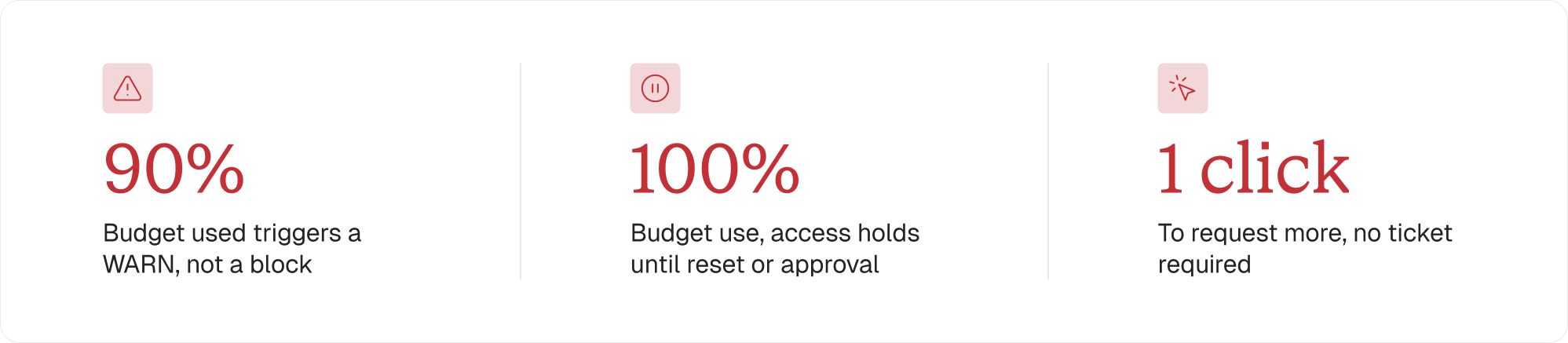
A warning at 90%, a hold at 100%, and a one-click path back to access, no ticket required.
What this means for your organization
- Within 48 hours of setup: the first budget alert fires, and a developer who didn’t know they were overspending gets a heads-up before any limit applies.
- Within one week: your FinOps team stops being the “AI police” and becomes the team that enabled safe AI adoption. The budget acts as the guardrail, so no one has to be the person saying no.
- Within one month: cost per million tokens becomes a metric engineering leadership tracks alongside velocity.
Visibility first, enforcement second
Before any budget goes live, the Cost Management Agent attributes spend by user, provider, model, and token type, and surfaces a single number worth tracking: cost per million tokens. Total spend tells you how much was used. Cost per million tokens tells you how well it was used. A team can double its usage and still cut its bill if it's using the right model for the job.
The agent also surfaces token-level detail, input, output, cached, and reasoning tokens, so cache behavior that's quietly driving hidden cost is visible instead of buried in a monthly total.
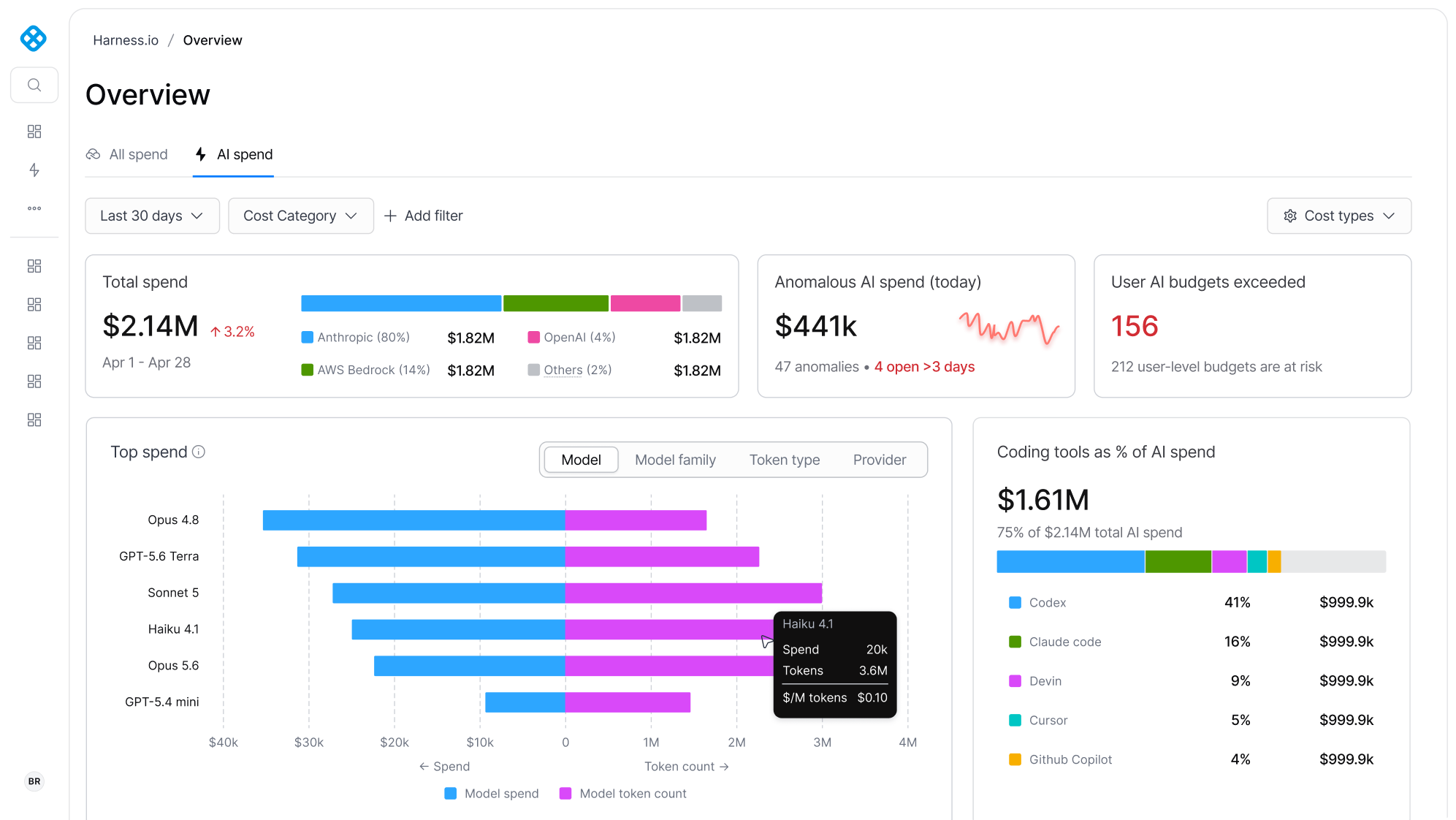
Cost Explorer breaks AI spend down by provider, model, and token type, with cost per million tokens as the number to watch.
Multi-provider coverage
AI Budgets isn’t limited to one tool or one provider. It ingests cost and usage data from every major AI provider into a single view, so nobody has to check five dashboards to understand one bill.

Who this is for
FinOps practitioners: this is the enforcement mechanism the policy was missing, a way to act on the limits you already agreed to without waiting on engineering to sign off on every exception.
Engineering leadership: this is the guardrail that lets you say yes to more AI adoption, with a ceiling everyone can see.
We tested this on ourselves first
Before we opened early access, we ran AI Budgets on our own AI tooling bill. The results were immediate. Average weekly AI spend per developer fell from $184 to $115, about 37% lower. Cost per million tokens held near $1.80 through most of June and July, then dropped to $0.80, about 55% lower, the week governance went live.
In the next post, we cover the full story: what changed for our developers, the six things we learned, and the number that mattered more than total spend.
Better together: one policy engine, every dollar
AI Budgets runs on the same budget and policy engine the Cost Management Agent already uses for your cloud spend, now covering AI too. If your FinOps team already has cloud budgets, alerts, and approval workflows configured in Harness, AI spend runs through that same engine instead of a second one you have to build and maintain in parallel.
That shared engine also reaches into the Software Delivery Agent. A budget doesn’t have to live only in a dashboard, it can become a gate in the pipeline. A deployment that would break a budget is held before the spend happens. Cost governance and delivery governance run on the same policy framework, so cost problems and security problems get caught the same way: before they ship.
Availability
The first wave of AI cost policy was about writing the rule. The next wave is about proving it holds; that's the question finance will keep asking long after this launch is old news.
AI Budgets is available now inside the Harness Cost Management Agent. If you're already tracking AI spend in Harness, turn on budgets. If you're not, this is where to start.
Request a walkthrough to see how budgets and thresholds map to your team's setup, or talk to your account team to get it turned on.
Stat sources: 2026 State of AI in FinOps Report