Harness CLI 3.0 is now in public beta: one binary, one grammar, and one auth flow across pipelines, CD, Code, IaCM, and more. Built for humans and AI agents.

---
Key Takeaway: Today, we're launching the public beta of the Harness CLI: the single, officially supported command-line tool for the entire Harness platform. It replaces the older per-module CLIs with one binary, one grammar, and one auth flow across pipelines, CD, code, artifacts, IaCM, feature flags, governance, and audit. Designed for secure DevSecOps and enables terminal workflows for developers and deterministic execution for AI agents.
---
For most developers, the terminal isn't just a tool: it's home. It's where builds get triggered, deployments get approved, execution logs streamed, and the hard problems of shipping software get worked out one command at a time. That reliance isn't going away. If anything, with AI agents now doing real work alongside developers, the terminal matters more than ever, because agents live there too.
But the terminal experience across Harness has been fragmented until now. A CLI per module. Different flags. Different auth patterns. Different output shapes. Every new capability meant another binary on your PATH and another set of conventions to learn.
That's why we're introducing the Harness CLI 3.0, now in public beta - a single, official command line for the entire Harness platform, designed from the ground up to be fast for humans, drivable by agents, and forward-compatible with every product Harness will ever ship.
Why one CLI, and why now
Harness has grown into a platform of 15+ products. That growth was good for customers. However, for terminals, it meant: a different CLI for each module, different flag conventions, different auth patterns, different output shapes.
At the same time, the persona driving the terminal is changing. Half the shell commands that hit a Harness API in an average customer account this week weren't typed by a human - they were produced by a coding agent working on behalf of one. Those agents don't tolerate CLI inconsistency the way humans do: an agent that can't confidently predict what a command will output can't reliably chain it into a workflow.
So we rebuilt. One official CLI. One grammar. First-class support for humans and agents.
Meet ./harness
“harness” is now the command-line tool for Harness. It's a single binary. It ships from the same team that ships the platform. It's Apache-2.0 open source at github.com/harness/cli.
Every command follows the same shape:
harness <verb> <noun> [identifier] [flags]
Six core verbs - list, get, create, update, delete, execute - plus push/pull for artifacts. Every module in Harness plugs its resources ("nouns") into that grammar. Learn one command, and you've learned all of them.
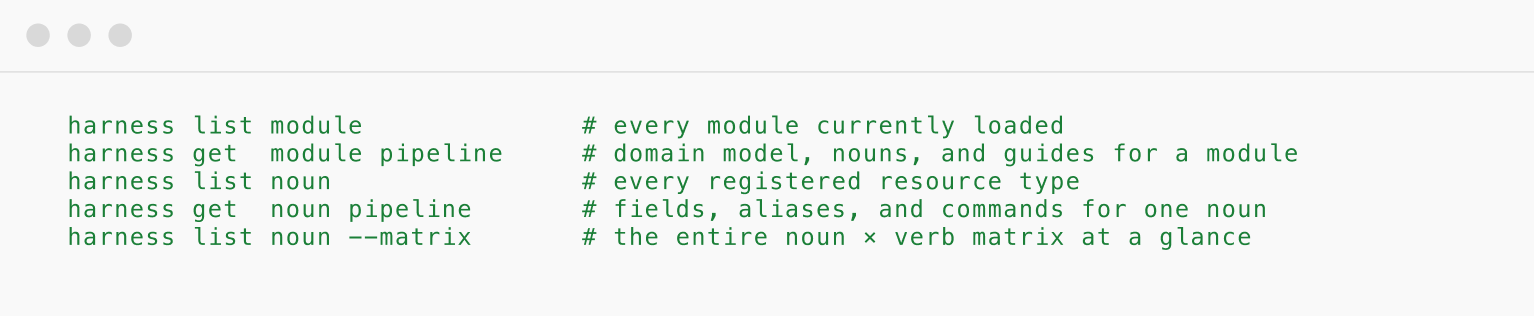
Ask the binary what it knows:

Built-in discovery - the CLI teaches itself
Forgot the noun? Wondering what verbs it supports? Ask the CLI.
The list noun view is the most useful command in the CLI. It prints every resource type Harness supports, the module it lives in, and every verb the CLI provides on it in one screen. Every command supports --help at every level. Every mistype gets a Levenshtein-based "did you mean…?" suggestion.
Nothing is hidden. Nothing fails silently. The CLI is a self-describing surface, out of the box.
The full software delivery lifecycle, in your terminal
Here's what shipped in the beta today:
- Core: Authentication, profile management, install, version, discovery.
- Platform: Orgs, projects, users, roles, connectors, secrets, delegates.
- Pipeline: CI/CD pipelines, executions, logs, triggers, templates, freezes.
- CD: Services, environments, infrastructure, and service overrides.
- Harness Code: Repositories, pull requests, branches, commits, and tags.
- Harness Artifact Registry: Harness Artifact Registry - push and pull across every major package format.
- IaCM: Terraform and OpenTofu workspaces and operations.
- Harness Feature Management: Feature Management & Experimentation - flags and targeting definitions.
- Governance: OPA policies, policy sets, and policy evaluations.
- Audit: The full audit trail across every resource and action.
10+ products and capabilities (more to come). One install. One upgrade train. The day a new Harness product ships, its resources light up in the CLI you already have - no new tool on your PATH, no new auth flow, no new flag conventions.
Why "Built for Humans and Agents" matters
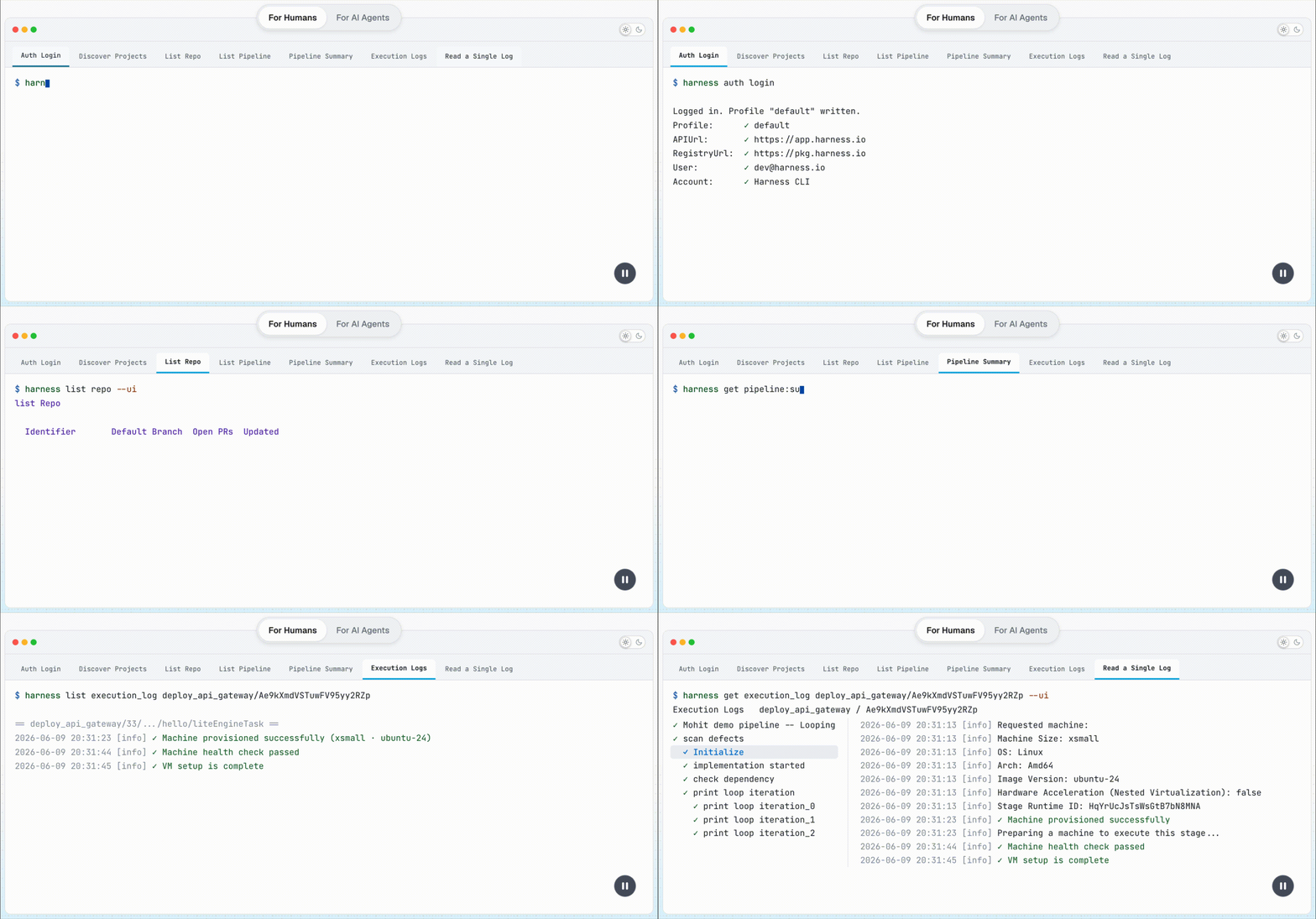
Half the shell commands hitting a modern DevOps platform aren't typed by a person anymore. They're emitted by a coding agent: Claude Code, Cursor, Copilot CLI, Codex, working on someone's behalf. Every one of those agents has been fighting the same problem: a CLI they can't confidently predict, output they can't reliably parse, and permissions they can't guarantee.
The Harness CLI is designed to close that gap.
For humans:
- One grammar to learn. Six verbs. Twelve modules - streamlined scripting from the terminal.
- Live-API tab-completion- real execution ids, real pipeline names, in real time.
- Interactive TUI for auth and scope. Beautiful tables. Piped output that plays well with jq, awk, xargs, and everything else you already know.
For agents:
- A closed grammar that an agent can enumerate exhaustively.
- A self-describing surface -
harness list noun --format jsonreturns the entire action graph as structured data. - Stable output contracts - every command supports
--format, and every list command supportstable | json | jsonl | csv | tsv | markdown. - Deterministic exit codes - no ambiguity about whether a command succeeded.
- The same audit trail as the UI - every CLI call, whether typed by a human or emitted by an agent, flows through the same Harness RBAC and audit path.
What does that mean for your team
Beyond a nicer terminal, the Harness CLI unlocks concrete business outcomes:
- Ship faster. From
harness auth loginto a live production deploy in under sixty seconds. - Cut the platform tax. Replace the wrapper scripts, glue tools, and one-off Python helpers most teams maintain across their CI systems with a single, supported binary.
- Stay audit-clean. One audited path in and out of Harness - for developers, for scripts, and for every AI agent your organization deploys.
- Future-proof your automation. New Harness modules add up automatically in the CLI you already have. Your CI never needs a "CLI upgrade day" again.
- AI-ready by default. Every AI agent, every runbook agent your platform team writes - they all get first-class access without you writing a single line of adapter code.
A tour of the CLI, by the user workflow
Here's how the CLI feels in five real workflows.
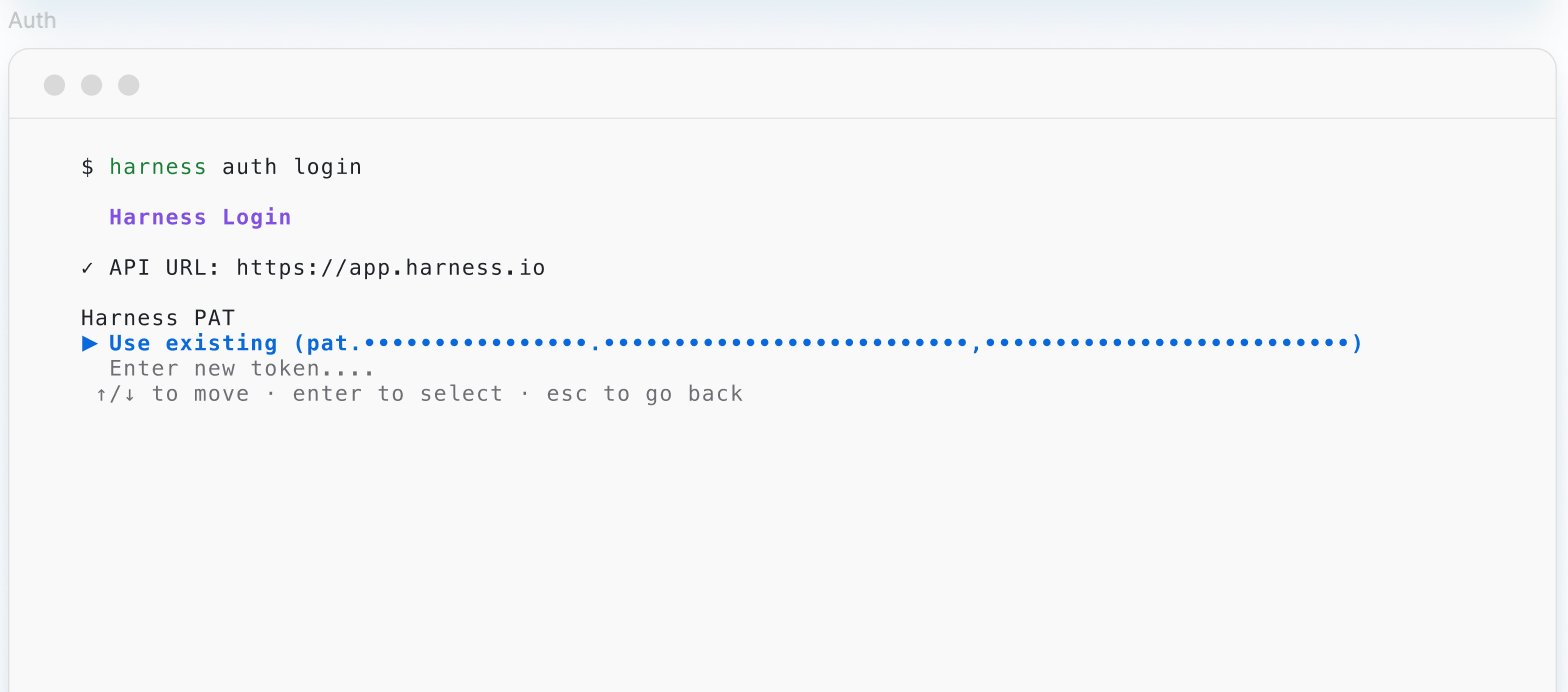
1. Auth once, work everywhere
Named profiles make it easy to hold multiple accounts side-by-side, and the same auth story works locally and in CI.

2. Discover the surface without leaving the terminal
harness list noun is the single most useful discovery command. It prints every resource type, the module it lives in, and every verb the CLI supports on it. This powers the Agents to perform operations consuming less tokens and reduced context window.
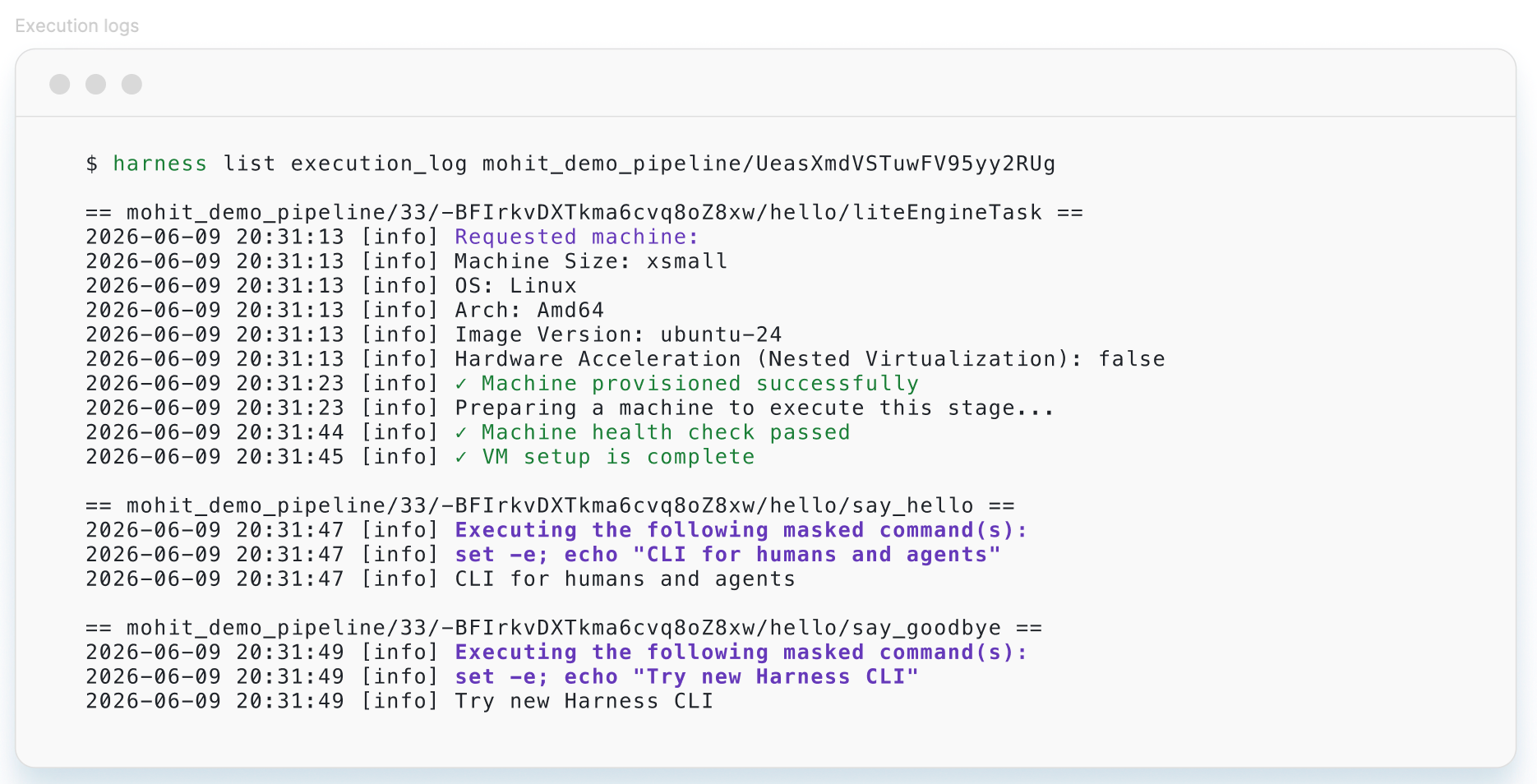
3. Ship a build, watch it, debug it
Pipelines are the core execution primitive. The full lifecycle - trigger, watch, inspect steps, tail logs, abort if needed - is a handful of commands.
Or push and scan an artifact:
Same grammar. Same auth. Same output formats. Every module.
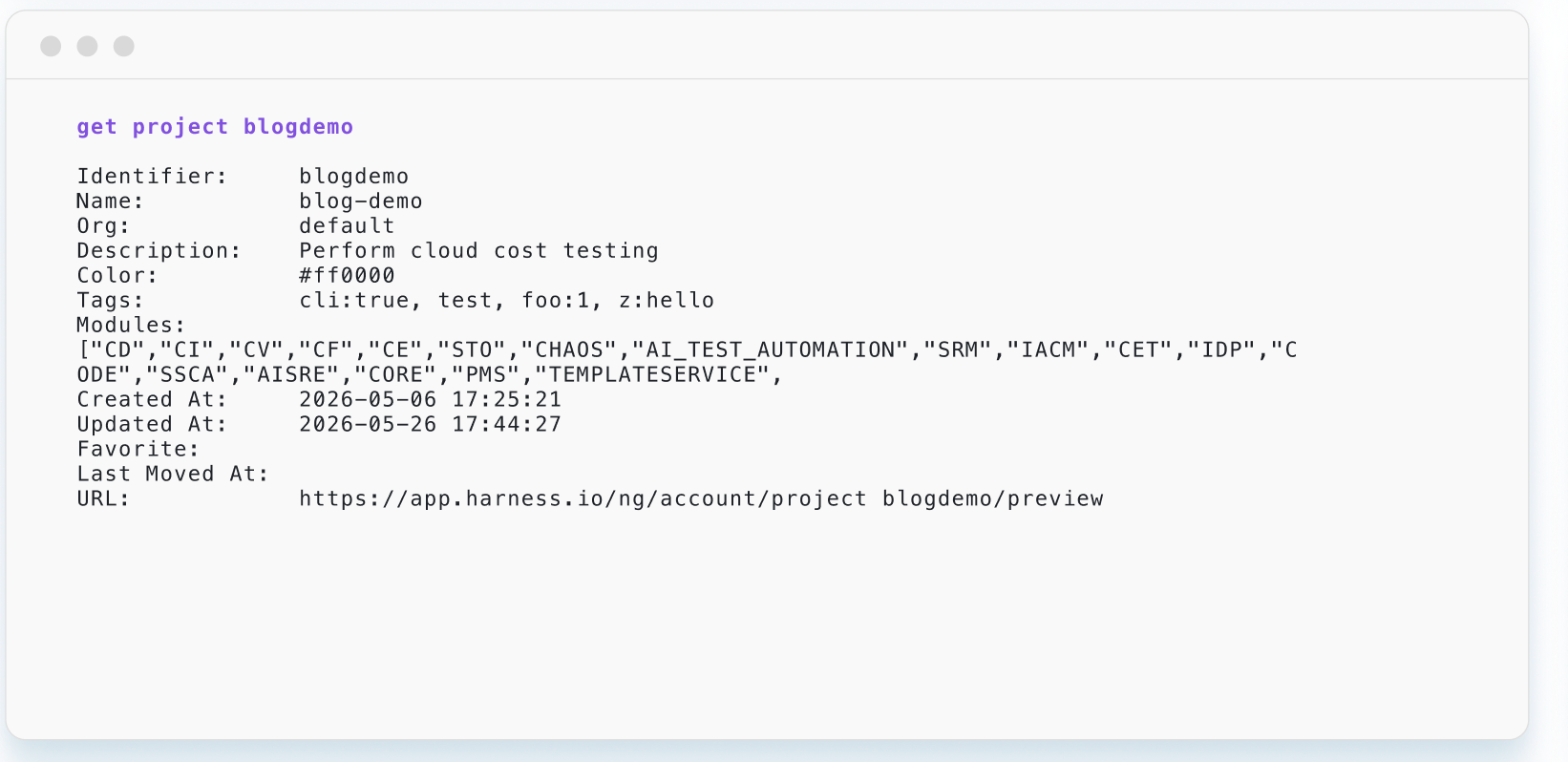
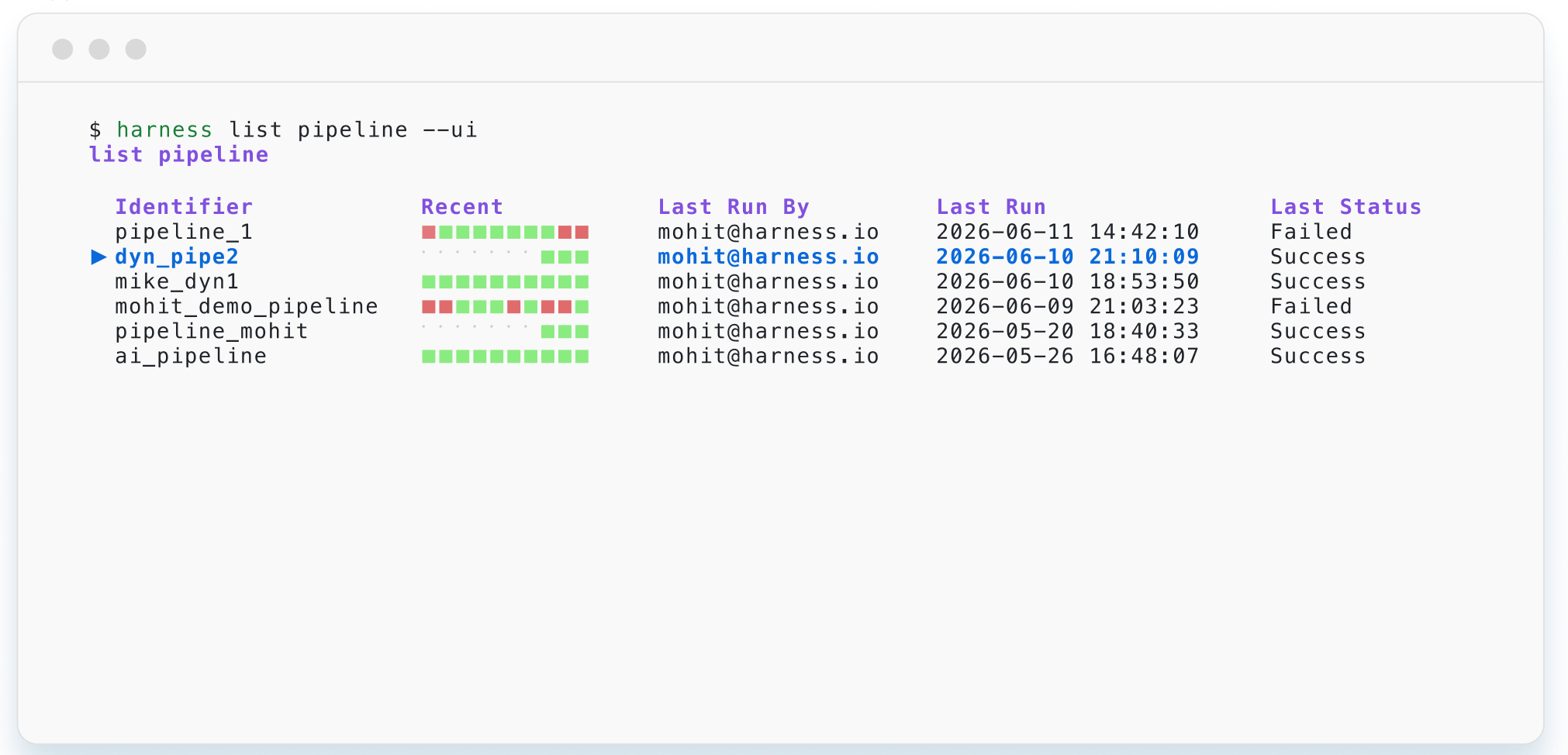
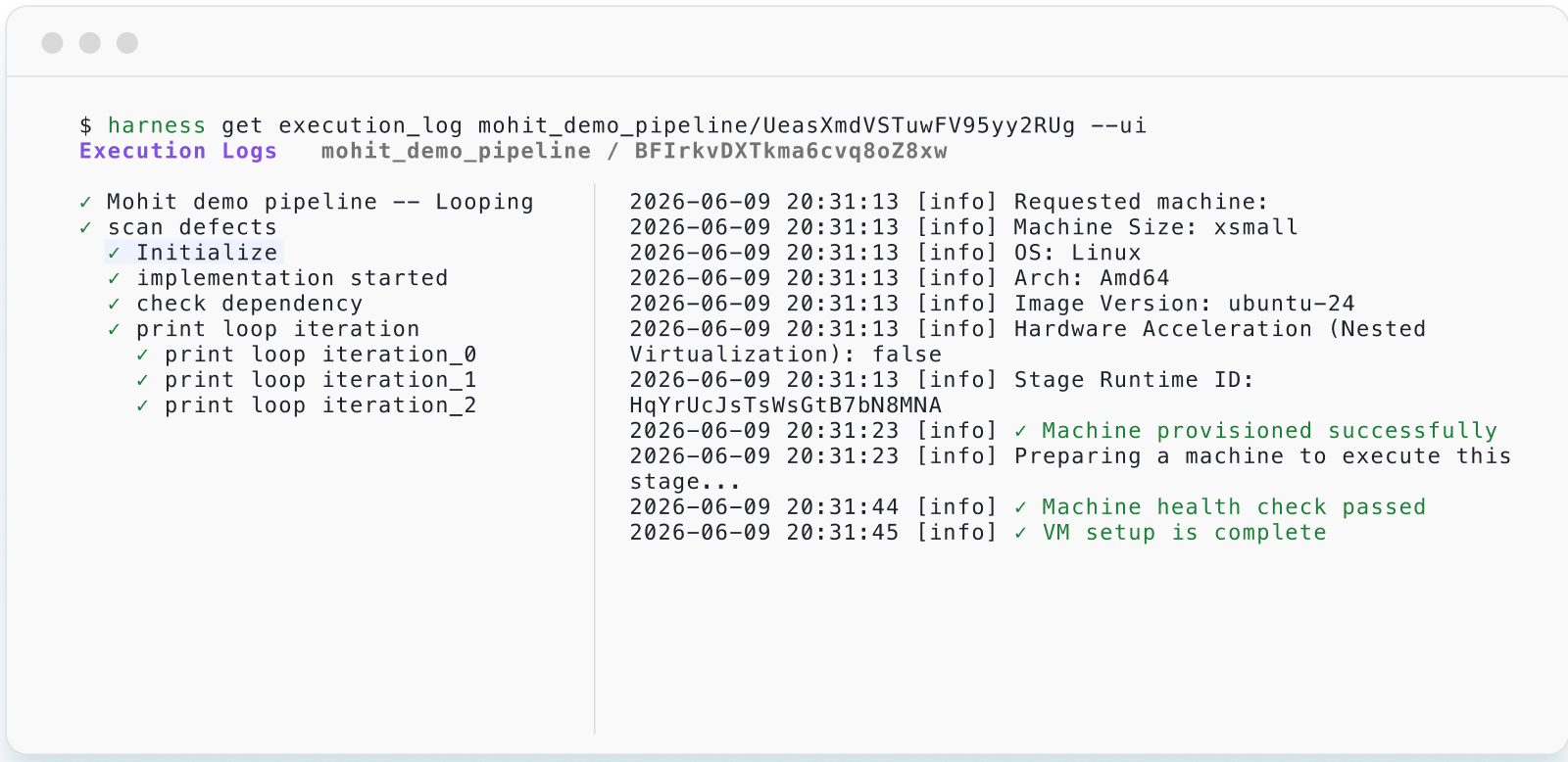
4. UI capabilities in the CLI: Add --ui
Sometimes you don't want JSON, you want to browse. Every paged list command and a handful of get commands support --ui, which drops you into an interactive terminal UI: scroll, filter, drill in, and pick without leaving the shell.
5. Self-upgrading
The CLI upgrades itself.
6. Built for agents from day one
The self-describing surface, the stable output contracts, the closed grammar, the deterministic exit codes, the --help everywhere - every one of those decisions was tested against a real coding agent driving the CLI end-to-end.
7. Open source
Apache 2.0 at github.com/harness/cli. Every spec file, every command definition, every release tag. Reproducible builds, SBOMs, and Cosign signatures ship with every release.
Open source and open by design
The Harness CLI is fully open source under Apache 2.0. Every spec file, every command definition, every release tag is public on GitHub at github.com/harness/cli.
We think that matters for three reasons:
- Trust. When you pipe our installer into sh, you should be able to read what it does. Reproducible builds, SBOMs, and Cosign signatures ship with every release.
- Verifiability. Your security team can match the binary to the source.
- Extensibility. The plugin SDK works best when the core is open. The Artifact Registry already ships as an external module (harness-har) using the exact plugin pattern we'll open to the community next.
We fully expect (and welcome!) a global community of contributors - filing issues, proposing new nouns, writing spec files for their own tools. The specs are declarative YAML and adding a new command doesn't require a Go compiler. For more information, refer to the Command Reference Wiki.
Easy to get started
Sixty seconds from zero to the first pipeline run.
macOS (Intel and Apple Silicon) and Linux (amd64 and arm64) are supported today. Homebrew, yum, and Windows Installer are on the roadmap.
Feedback shapes the roadmap
This is a public beta.
- GitHub Issues: harness/cli/issues for bugs, feature requests, and "what does this flag do?" questions.
- GitHub Discussions: harness/cli/discussions for ideas and design conversations.
If you build something interesting with the CLI - an agent runbook, a CI consolidation, a jq one-liner that saved your on-call - send it our way. We're collecting show-and-tell submissions for the GA launch later this year.
We've spent nine years making Harness the platform enterprises trust to ship software. The next chapter - where developers and AI agents operate that platform together, at the same terminal, with the same guarantees- starts today.
One binary. Six verbs. Every product. Built for Humans and Agents.
Use Harness CLI today
- Now available on GitHub at github.com/harness/cli
- Command Reference available here: Github
FAQs
What is the Harness CLI?
It's the single, officially supported command-line tool for the entire Harness platform, replacing the previous per-module CLIs. It's one binary covering pipelines, CD, Harness Code, artifacts, IaCM, feature flags, governance, and audit.
Why did Harness replace the per-module CLIs?
As Harness grew to 15+ products, each module shipped its own CLI with different flags, auth patterns, and output shapes. That fragmentation got harder to manage for both humans and, increasingly, AI agents that need predictable behavior to chain commands reliably.
What's the core command structure?
Every command follows the pattern harness <verb> <noun> [identifier] [flags]. There are six core verbs (list, get, create, update, delete, execute) plus push/pull for artifacts. Every module plugs its resources into that same grammar.
Why is it described as "built for humans and agents"?
Half the shell commands hitting a modern DevOps platform today come from coding agents (Claude Code, Cursor, Copilot CLI, Codex, etc.) rather than people. The CLI is designed with a closed, enumerable grammar, a self-describing surface (harness list noun --format json), stable output contracts (table | json | jsonl | csv | tsv | markdown), and deterministic exit codes, so agents can predict and parse output reliably. Every call, human or agent, flows through the same Harness RBAC and audit path.
Is the CLI open source, and how do I get started?
Yes, fully open source under Apache 2.0 at github.com/harness/cli. Then harness auth login and harness list noun to explore. macOS and Linux are supported today; Homebrew, yum, and Windows are on the roadmap.