Automate incident intake with Harness AI SRE runbooks: auto-create tickets, open Slack channels, start Zoom bridges, and cut response time to seconds.

Manual intake eats the first 10 to 30 minutes of an incident. Harness AI SRE runs it as automation and gives those minutes back to your responders.
The first minutes go to setup
When an alert fires, most teams spend 10 to 30 minutes on coordination before anyone looks at the problem. The pattern repeats on every incident:
- An alert arrives from PagerDuty, Datadog, or another monitor
- Someone opens a Jira or ServiceNow ticket
- Someone spins up a Slack channel and pulls in responders
- Someone starts a Zoom bridge and pastes the link
- Someone hunts down the runbook or the last incident's notes
None of that work changes between incidents, and the delay compounds on every high-severity page.
Runbooks turn intake into a triggered workflow
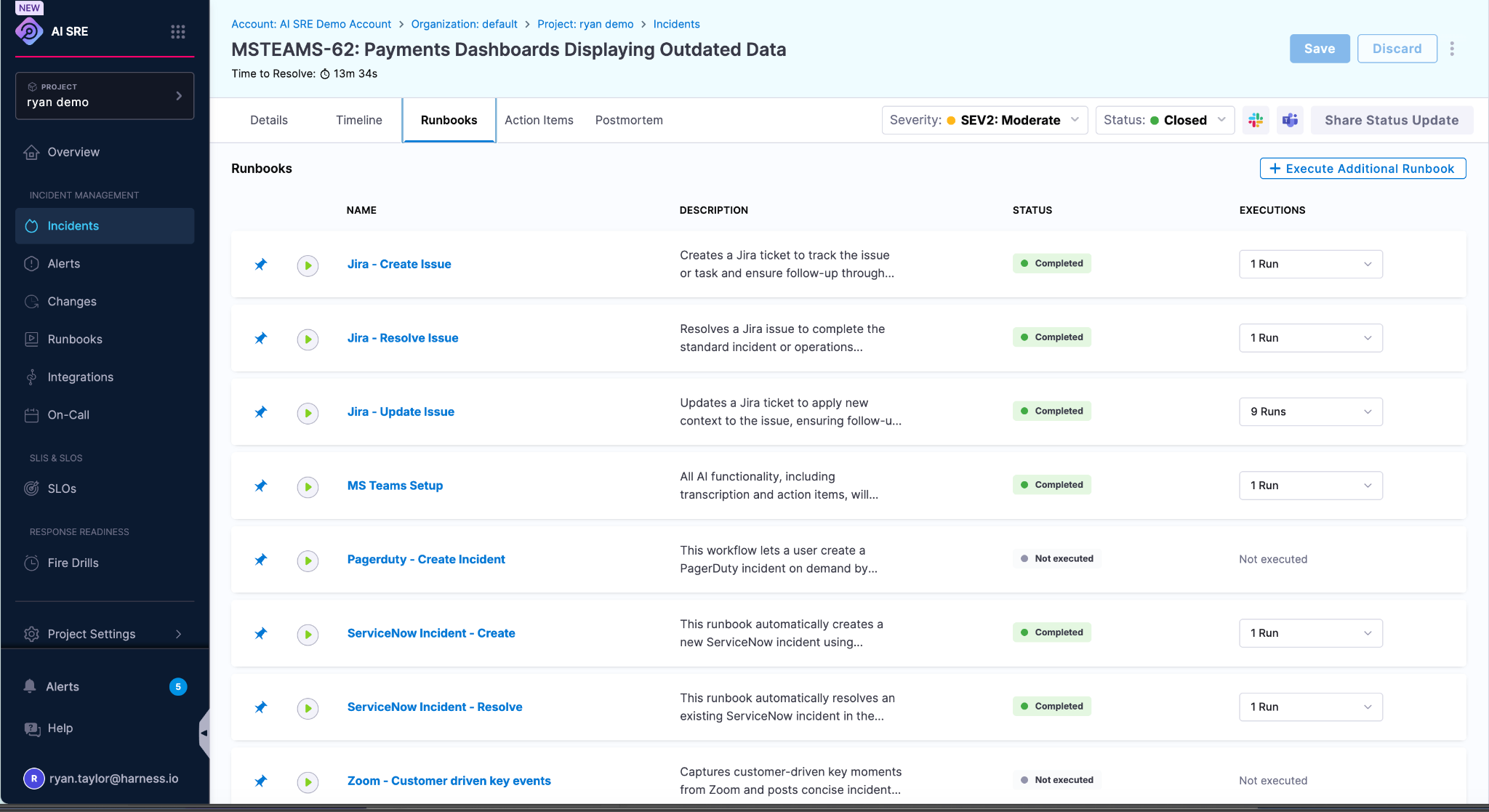
In AI SRE, a runbook is an automated workflow that runs when a trigger fires. You build it in a visual workflow editor instead of writing glue code, with more than 50 pre-built integrations for its action steps. When the trigger condition is met, the runbook executes its steps in order and records each one.
A single intake runbook can:
- Create a ticket in Jira or ServiceNow
- Open a Slack channel and invite the right responders
- Start a Zoom bridge and post the join link to the channel
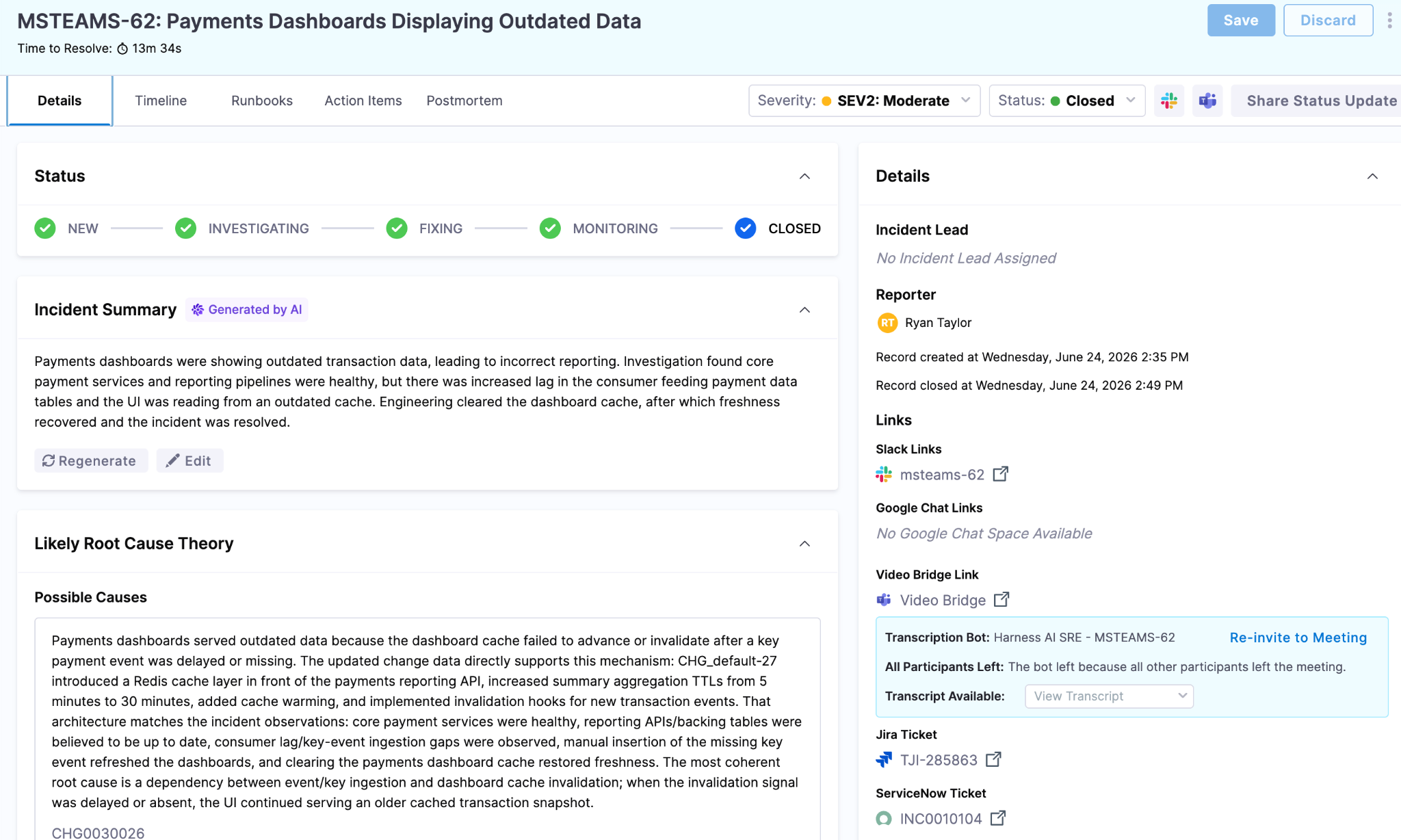
- Set severity, category, and impacted-service fields on the incident
- Write every action to the incident timeline as it happens
Setup that used to take 15 minutes runs in seconds, and the timeline leaves an ordered record for the post-incident review.
What sets the trigger off
A runbook fires on any of three signals:
- An inbound webhook from a monitoring or alerting tool. On the intake side, AI SRE ships ingestion templates for more than 20 alert sources, including Datadog, PagerDuty, BigPanda, Grafana, New Relic, Sentry, and Opsgenie, plus a generic template for any tool that posts JSON.
- Manual creation of an incident or alert, or an on-demand run of the runbook.
- A change to an existing incident, such as severity, status, or impacted services.
You scope which alerts launch a runbook with conditions. A trigger can filter on fields, tags, or thresholds through a rule builder or a CEL expression, so a Sev3 CPU blip and a Sev1 outage take different paths. Inside the runbook, a conditional step branches further: when severity is critical, page the secondary on-call team; otherwise the standard logging path runs.
The difference: response sits on your change data
Most incident tools begin with no context. They register that an alert fired and little else.
Platform teams already produce the answer. You build artifacts, deploy them through pipelines, and merge pull requests, and that record is the first place to look when something breaks. AI SRE reads it directly through the Deploy Change Investigator, which connects three streams:
- Build events carrying artifact version, commit SHA, and repository
- Deploy events carrying the services, environment, and versions that shipped
- The pull requests merged into the deployed branch
Once those are linked, the platform can name the deploy that was live when the incident started and diff the pull requests between the last healthy release and the current one. An AI agent reasons over that change history alongside recent feature-flag changes and related alerts. It then surfaces the deploys, PRs, and flags most likely behind the incident, each with a confidence level. It answers the first question in any incident, what changed, from data you already generate.
Runbook actions can act on that answer, too. A step can trigger a Harness pipeline directly (for example, to roll back the suspect deployment), so the same workflow that opened the incident can start the fix.
How to set one up
- Build the runbook. Lay out the intake steps in the visual editor and pick the integration each step uses.
- Add triggers. Point the runbook at the webhook sources and incident events that should launch it, then add conditions so only the right alerts qualify.
- Add actions. Define what runs on trigger: create the ticket, open the channel, start the bridge, set the fields, page the on-call. Every action lands on the timeline.
Start with intake, then keep going
Automating intake removes the fixed coordination cost from the start of every incident and gets responders to investigation in seconds. Because AI SRE sits on the build, deploy, and change data your pipelines already produce, it does more than open the channel faster. It hands the team a first read on what changed.
Human-in-the-loop stays the default. Automation clears the setup and surfaces the likely cause; people decide and drive the resolution.
See how Harness AI SRE automates incident intake or build your first runbook today.