Learn how an ephemeral environment accelerates CI/CD with fast, isolated testing, lower costs, and Harness pipelines that spin up on demand.

TL;DR
- An ephemeral environment is a temporary, isolated version of your app that starts up when needed and is removed once you're done using it.
- Ephemeral environments make CI/CD faster by allowing each branch to be tested separately, giving quicker feedback, and making releases safer without the hassle of sharing a staging environment.
- Harness CI and CD let you automatically create, test, and manage ephemeral environments as part of strong, production-ready pipelines.
The world of DevOps today is shifting from “one shared staging box” to on‑demand, production‑like environments for every change. Gone are the days when manual testing and deployment used to take days to complete. CI/CD pipelines now automate most of that work, but increasing velocity is still difficult when staging is overloaded, environments drift, and every change needs manual setup.
Typically, when an application is created, it’s plugged into a continuous integration (CI) platform that builds and tests the code before it moves toward deployment. On paper, that sounds simple. In practice, developers end up fighting for a single shared staging environment, waiting on ticket‑ops, and spending too much time configuring infrastructure instead of shipping features.
This is where ephemeral environments help. Rather than using one long-lasting staging environment, each branch or pull request gets its own temporary, isolated copy of your app that is created, tested, and then removed automatically.
With Harness, these ephemeral environments are backed by hosted build infrastructure and intelligent pipelines, so you can test and scale your deployments without worrying about VM setup, cleanup, or provisioning.
What are Ephemeral Environments?
An ephemeral environment is a temporary, isolated environment created on demand to build, test, and validate a specific change, then automatically destroyed. It might exist for minutes (the lifecycle of a CI pipeline) or for the duration of a sprint, but the principle is the same: create, use, discard.
In practice, a good ephemeral environment:
- Mirrors production as closely as practical (same services, APIs, configs, and dependencies, but usually scaled down).
- Is fully isolated from other environments, so a breaking change or destructive test doesn’t impact your teammates.
- Is created automatically from change events (for example, every pull request or branch) rather than by manual tickets.
- Has a clearly defined lifecycle and TTL (time‑to‑live), so it doesn’t hang around and burn cloud budget.
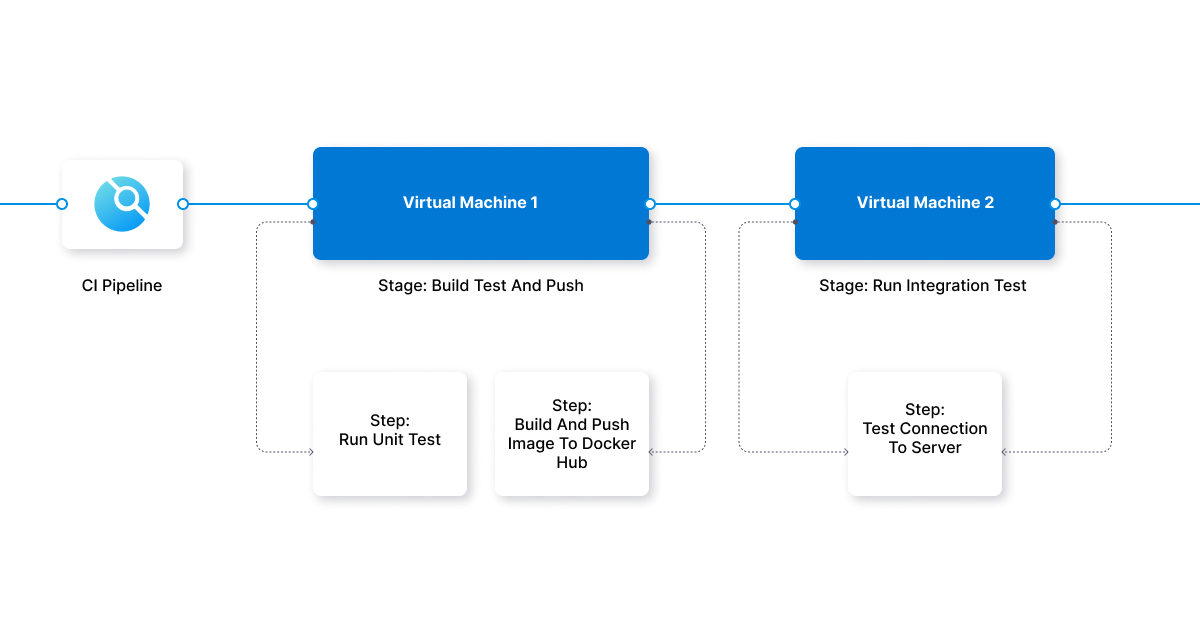
When you configure an ephemeral environment, you can choose:
- Operating system and runtime (Linux, macOS, Windows).
- The services and databases deployed with your application.
- CPU, memory, and storage profiles appropriate for that test.
Once you define the environment, your CI/CD system gathers the needed files and settings into deployable packages, then starts the ephemeral environment to run builds, tests, and checks.
The entire process can be automated so that:
- Environments are created when a PR opens, an image is built, or a pipeline starts.
- Tests, security scans, and quality gates run before promotion.
- The ephemeral environment is torn down when the PR is merged or closed.
Key Characteristics of a Modern Ephemeral Environment
Today’s teams want more from an ephemeral environment than just “a temporary VM”. At the very least, you should look for:
- Isolation: No shared dependencies with other environments, and a limited blast radius for bugs or regressions.
- Full‑stack parity: The environment includes your application, backing services, config, and routing, so tests resemble real‑world behavior.
- GitOps automation: Environments are declared as code and synchronized automatically from your Git source of truth.
- Short‑lived lifecycle: Environments are created just‑in‑time and destroyed when they’re no longer useful, cutting costs and preventing drift.
- CI/CD integration: Builds, tests, and deployments use the same pipelines you rely on for production, not ad‑hoc scripts.
Harness CI and CD give you these characteristics out of the box with hosted build infrastructure, powerful pipelines, and deployment strategies that work the same way in ephemeral and long‑lived environments.
Advantages of Ephemeral Environments
Overall, ephemeral environments provide a robust, on-demand, production-like platform for quickly testing and previewing new features without waiting in line for staging. Here are the main advantages:.
Asynchronous Collaboration
- Each PR gets its own ephemeral environment, so reviewers, designers, QA, and product managers can see changes in a live URL without coordinating time.
- Distributed teams can review and test when it suits their time zone, without stepping on each other’s work or resetting a shared staging environment.
Cost Efficiency
- Ephemeral environments run only when needed, then disappear. That means you’re not paying 24/7 for multiple idle staging environments.
- Cloud costs drop because environments scale to zero between test runs, and you avoid over‑provisioned, long‑lived test clusters.
With Harness CI, incremental builds and intelligent caching further cut compute time per environment.
Agility and Flexibility
- Developers can spin up an ephemeral environment with the exact specs they need for a given test: specific branch, feature flag, or dependency version.
- You can run multiple environments in parallel for different branches or experiments, then discard them when you’re done.
- This reduces waiting for a “free” staging slot and lets you run broader test matrices (e.g., different OS, runtimes, or service versions).
Reliability and Security
- Ephemeral environments are isolated from each other and from production, making them ideal for destructive tests, migration drills, and resilience experiments.
- Because the environment definition is codified, you reduce configuration drift and get consistent, repeatable test results.
With Harness CD’s AI‑assisted deployment verification and governance, you can combine ephemeral tests with monitored rollouts into production.
Common Use Cases for Ephemeral Environments
Teams usually start with simple PR previews and then expand to broader workflows. Popular use cases include:
- Per‑PR preview environments: Every pull request spins up a full‑stack ephemeral environment so reviewers can click through the feature before merge.
- Integration and end‑to‑end tests: Run full test suites (API, UI, contract, smoke tests) against production‑like infrastructure on every change.
- Performance regression checks: Use ephemeral environments to benchmark new versions before they hit staging or production.
- Resilience and destructive testing: Safely run failure drills (e.g., breaking dependencies, chaos experiments) in an environment that will be discarded.
- Demos and stakeholder reviews: Give product, sales, or customers a dedicated URL tied to a specific branch or feature set.
How to Create an Ephemeral Environment Using Harness
Harness CI gives you ephemeral build and test environments on demand using hosted virtual machines (VMs) or Kubernetes infrastructure. You focus on pipelines; Harness handles the underlying compute. At a high level, here’s how to create an ephemeral environment for your CI pipeline in Harness:
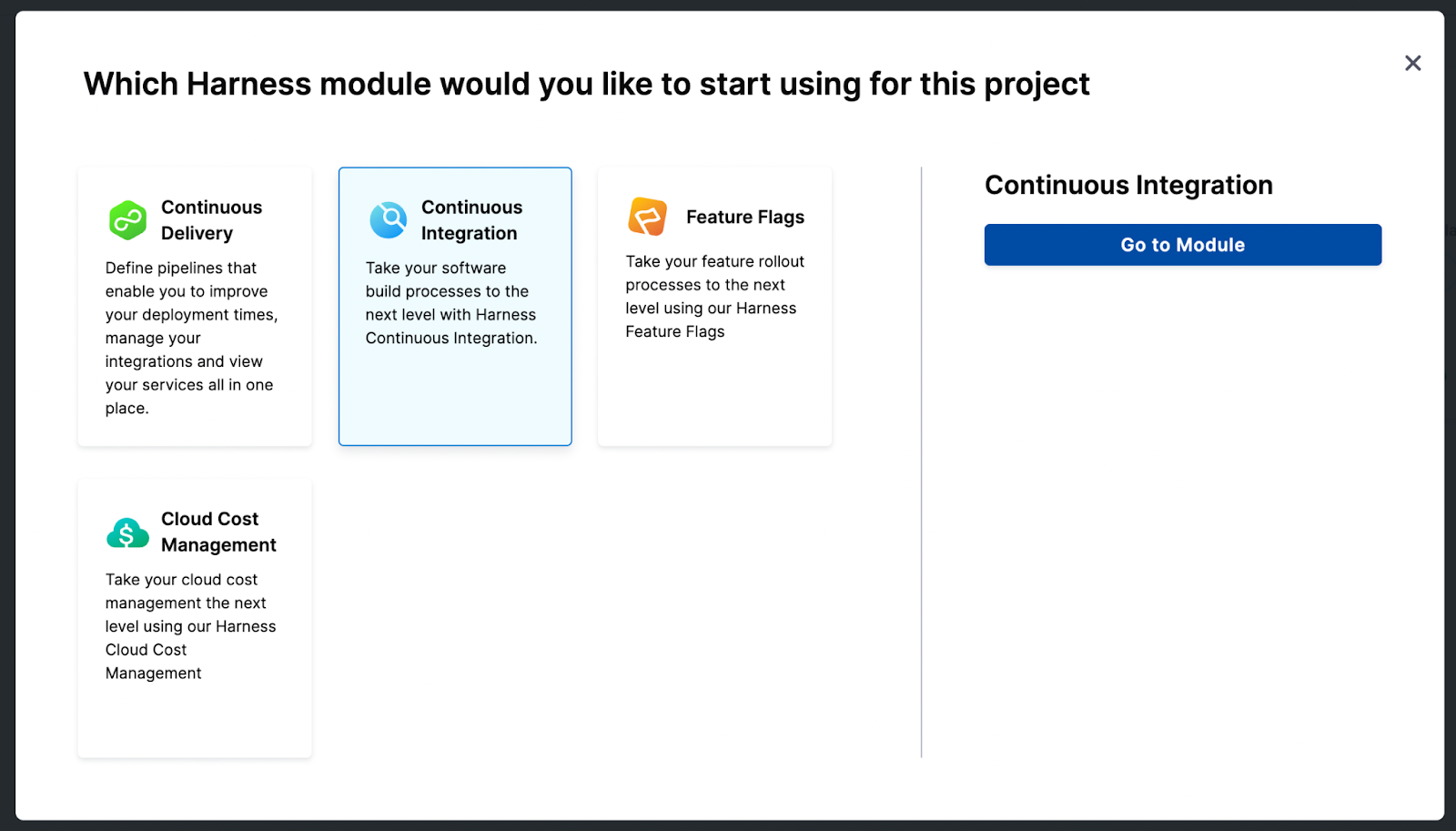
First, sign up for the Harness free account, create a project, and select the CI module.
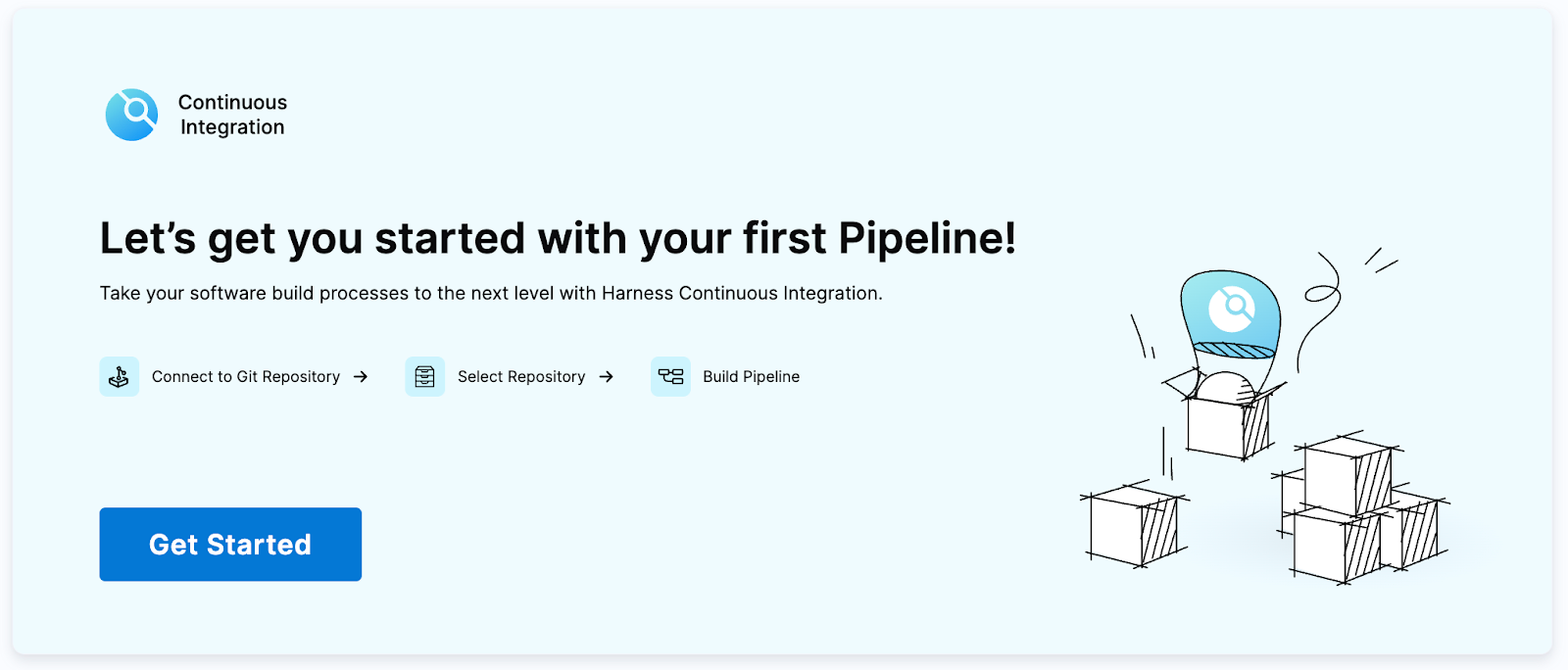
Click on Get Started to create your pipeline.
Connect your code repository.
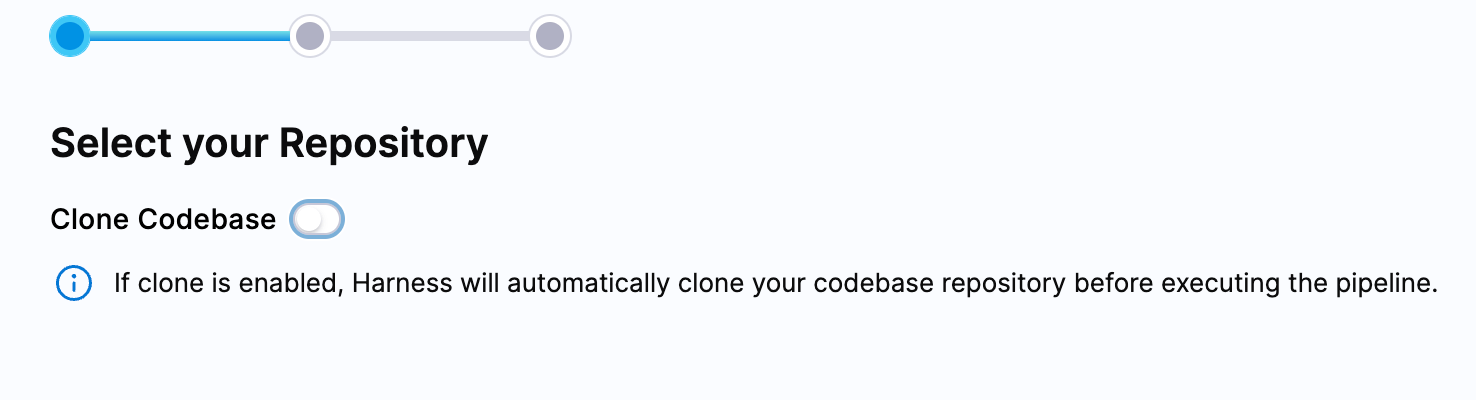
(I am using this Simple-Node-App repository. You can fork the same and use it in this tutorial. It has a simple test case.)
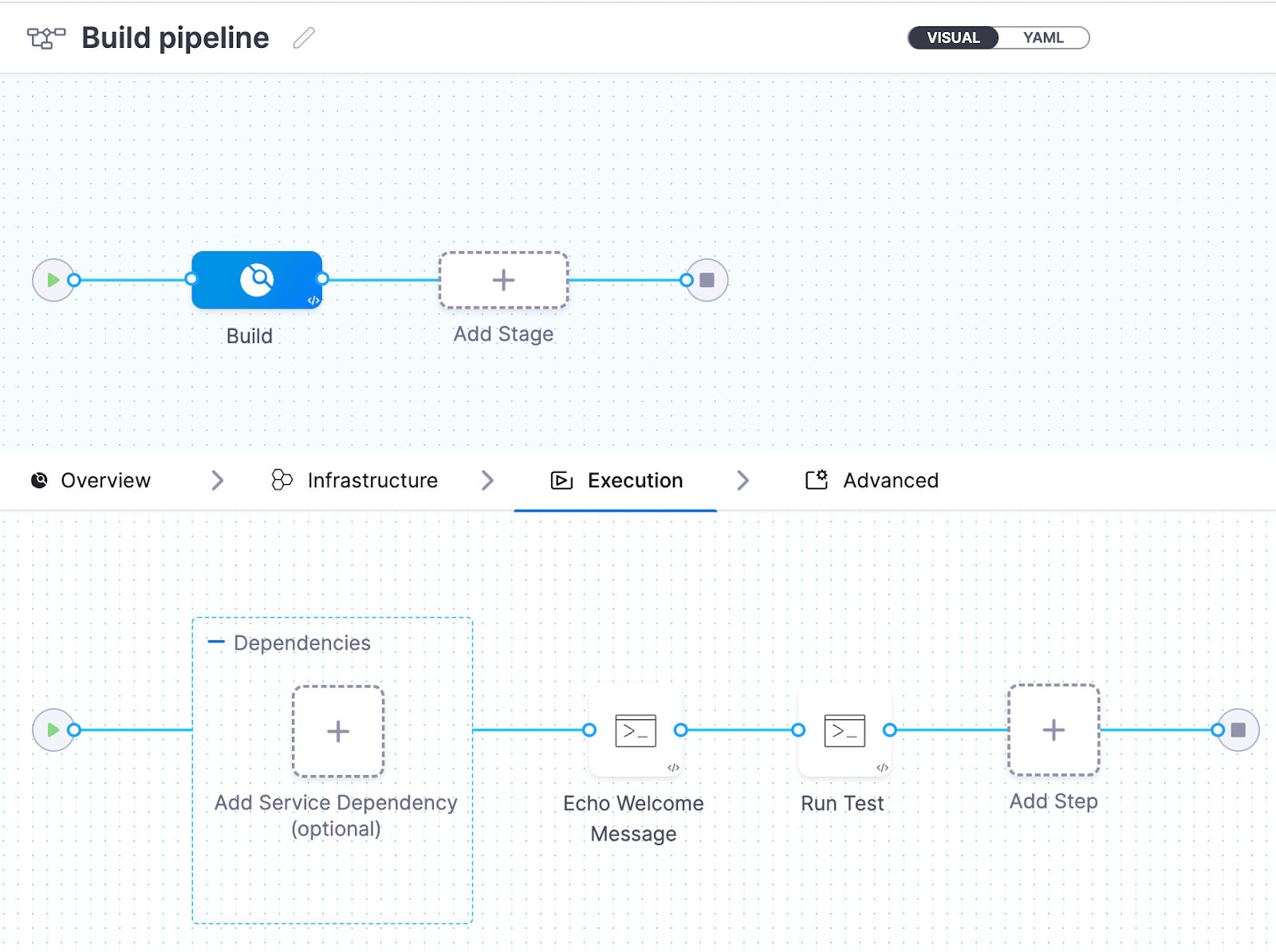
By default, the pipeline is configured for you with a simple Echo Welcome Message in the execution step.
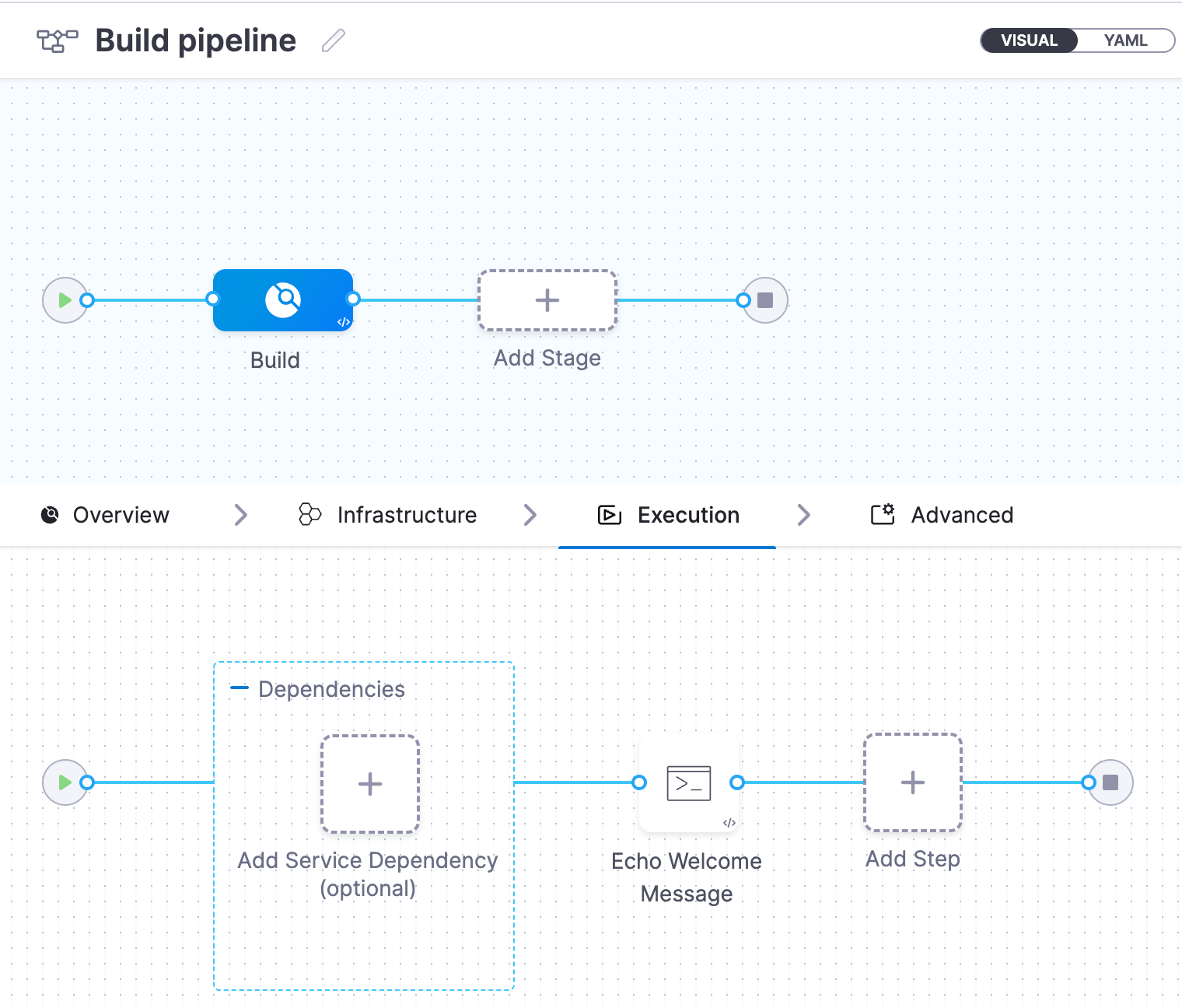
If you click on the Echo Welcome Message step, you will see the configuration.
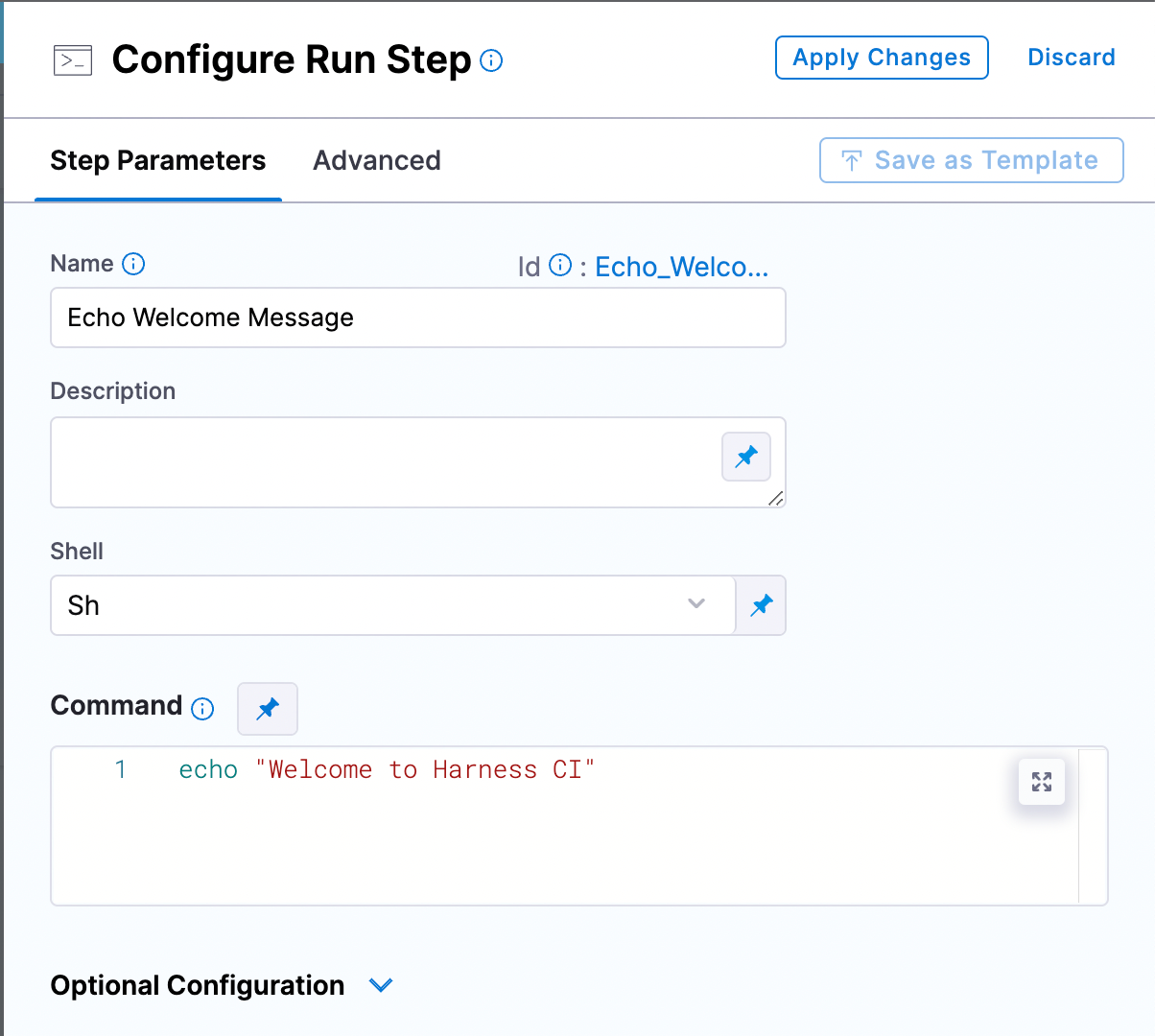
Now you have your ephemeral environment to test our application.
If you click on the Infrastructure tab, you can see the options: VMs and Kubernetes.
We will select VMs as our choice since we are going to use them as our infrastructure to test and build our application. You can select from the range of operating systems available, such as Linux, macOS, and Windows. We have selected Linux for our tutorial here.
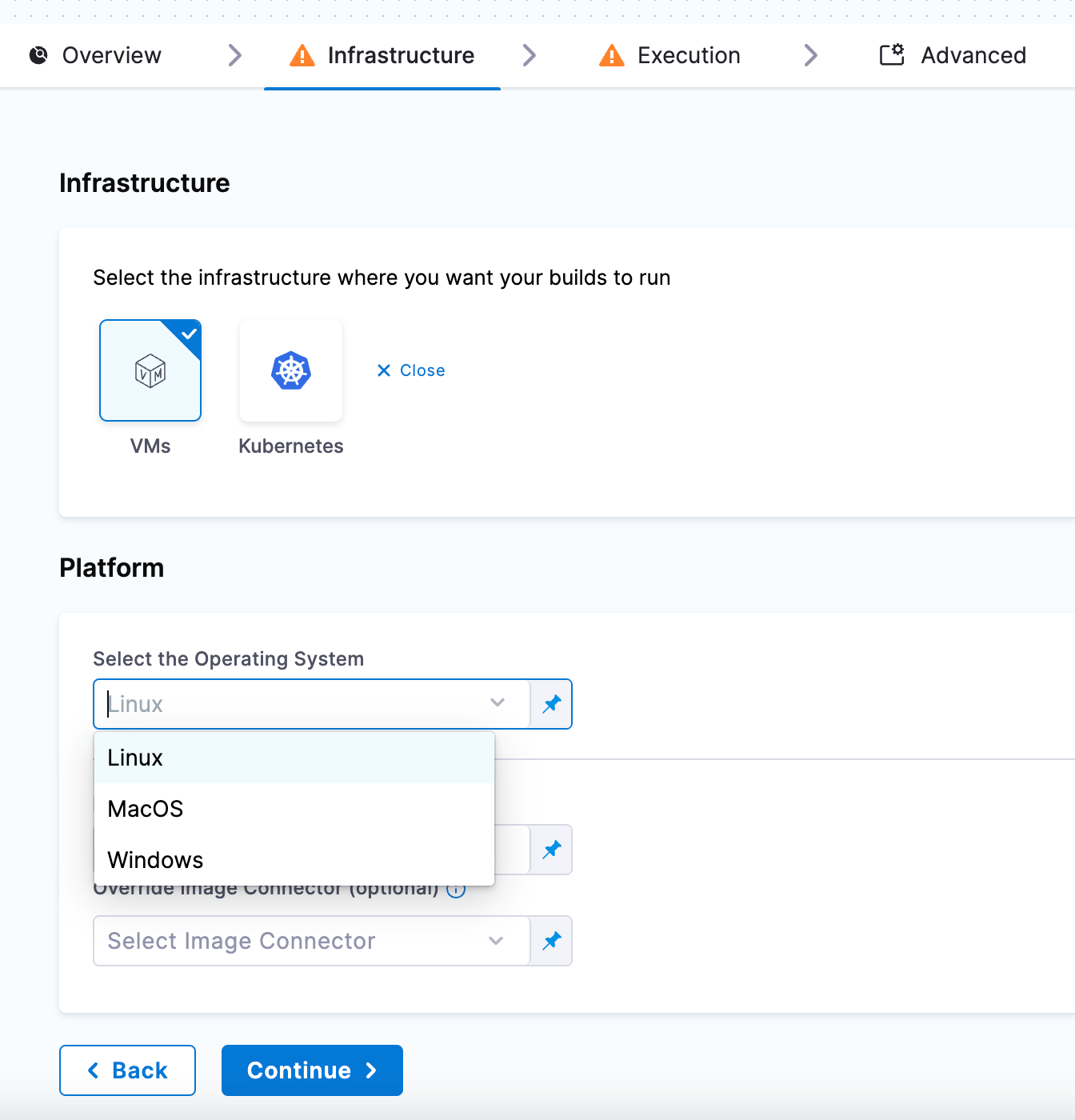
Click Continue and save the pipeline.
When you save and execute this pipeline, you will see the output that prints Welcome to Harness CI.
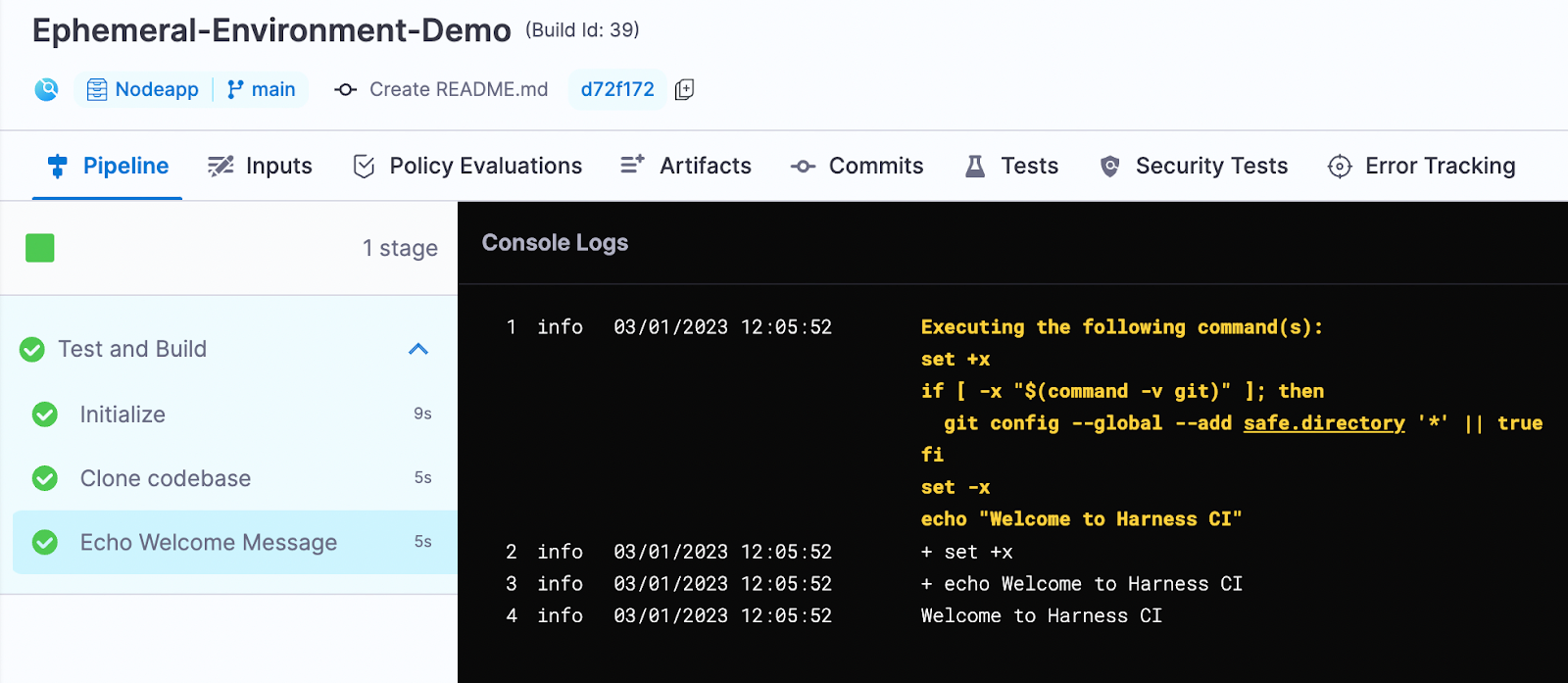
You can edit the pipeline to add the ‘run test’ step under execution. We will see how a run step can be configured using the ephemeral environment.
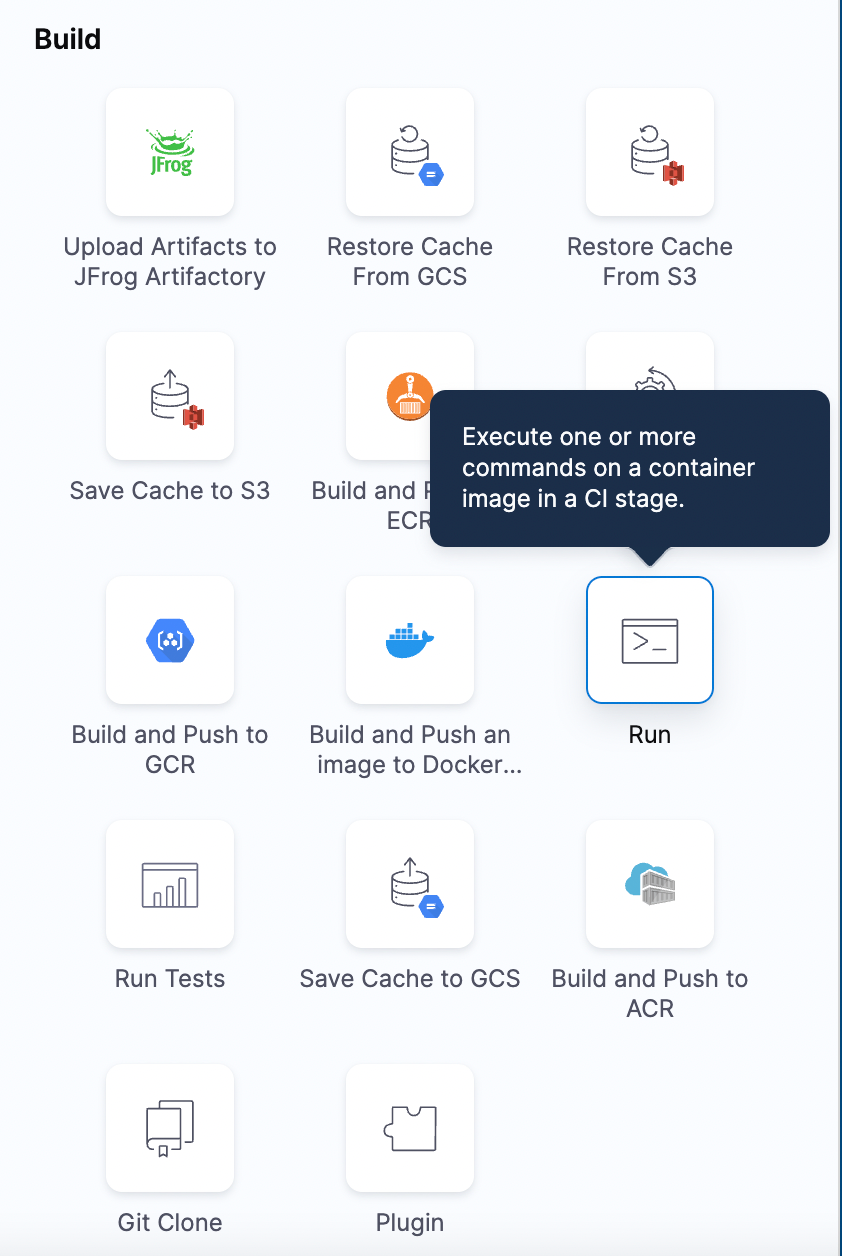
Add a step and select the ‘Run’ step.
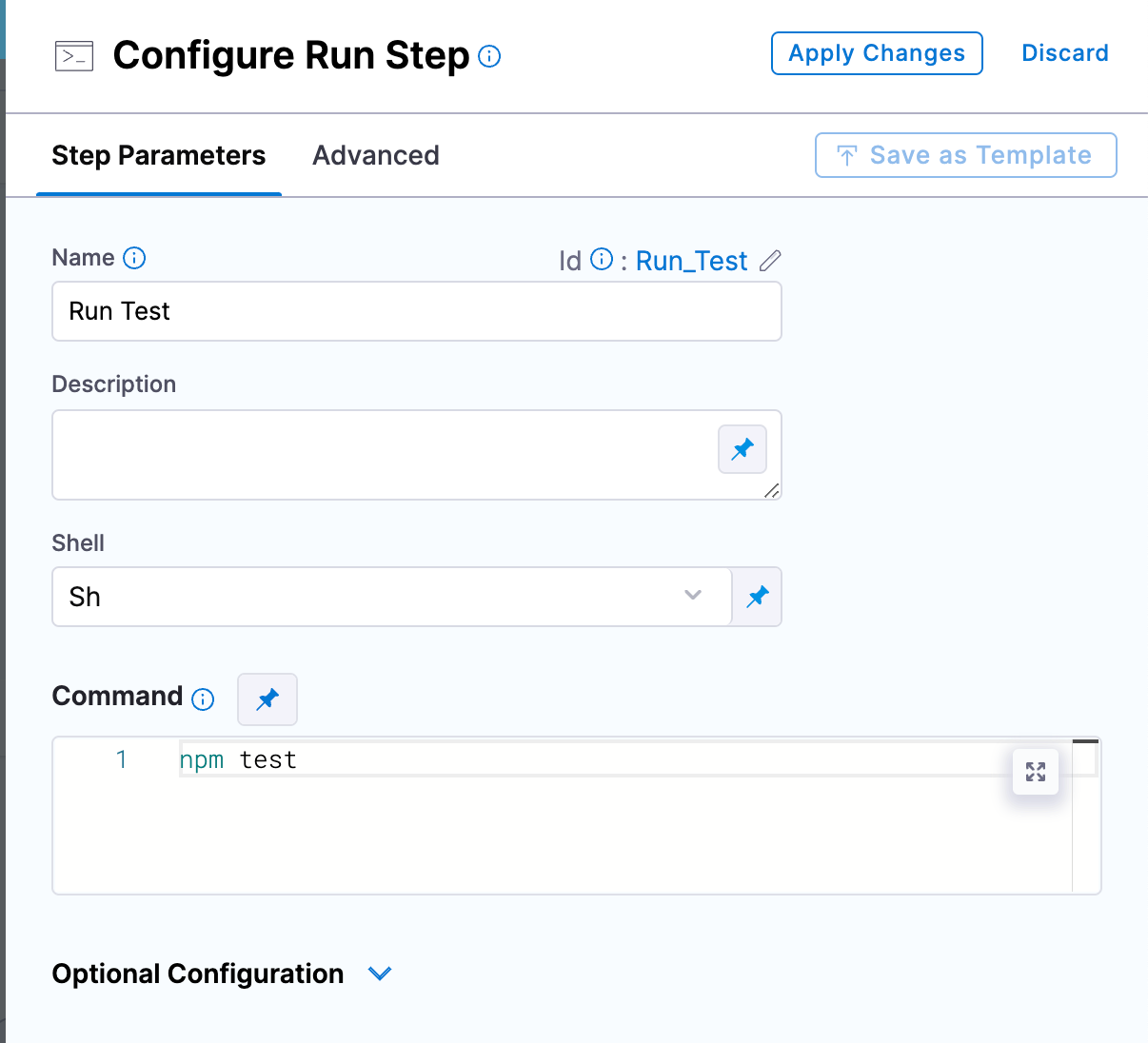
Configure the Run step as below:
At this point, your pipeline looks like this:
Now, save and run the pipeline. You can see that both the default Echo Welcome Message and the newly added Run Test steps are successfully getting executed.
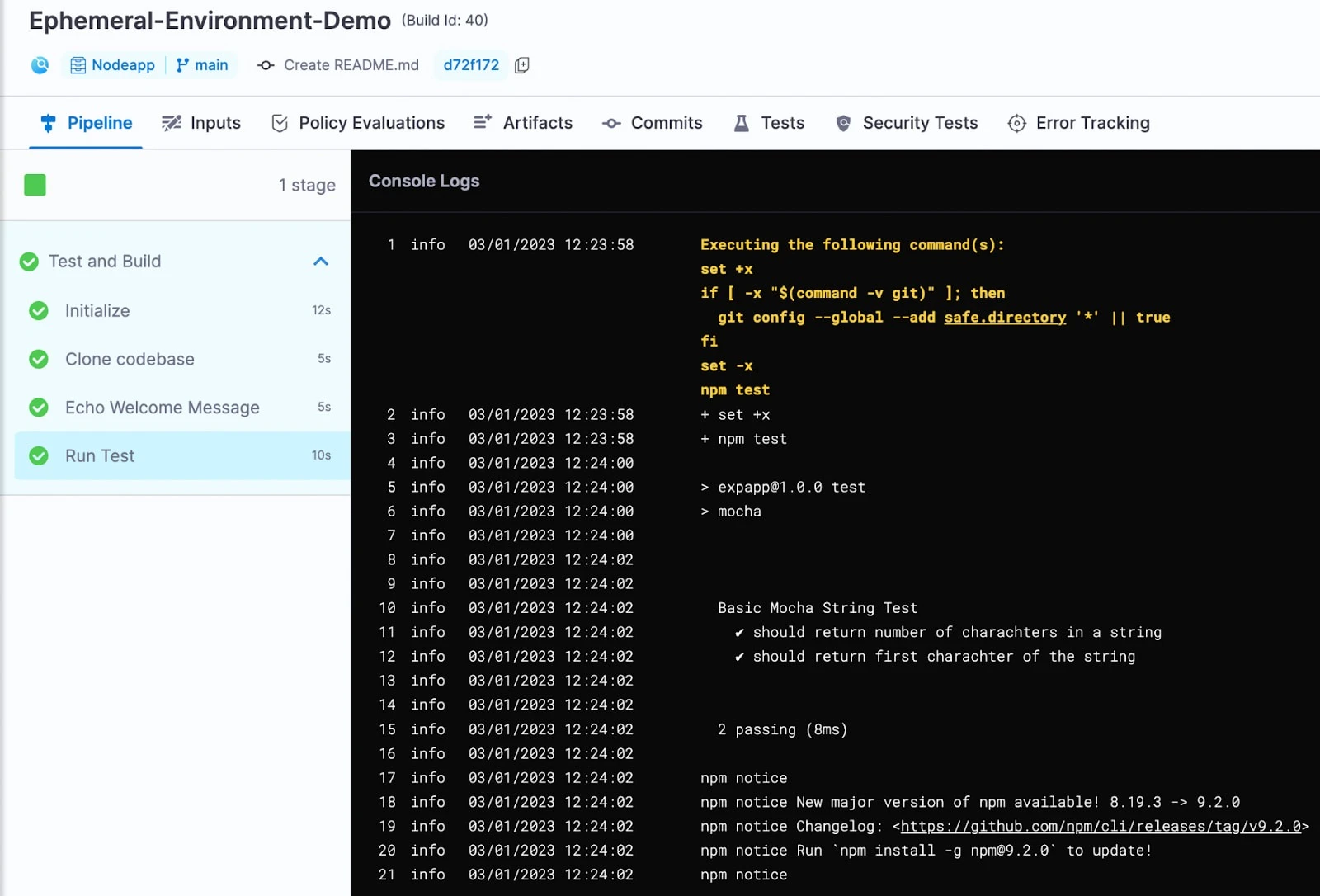
We can now make use of multiple environments to add more tests and to experiment with our application.
Best Practices for Running Ephemeral Environments with Harness
Once you have basic ephemeral environments running, a few practices help you scale them safely and cost‑effectively:
- Automate from Git: Trigger ephemeral environments from Git events (PR opened/updated) so every branch follows the same, codified workflow rather than ad‑hoc scripts.
- Set clear TTLs and cleanup policies: Configure your pipelines so environments are destroyed automatically when PRs close or after a defined inactivity window to avoid cost creep.
- Standardize via templates and governance: Use Harness CD templates and policy‑as‑code to define golden paths for how ephemeral environments are built, tested, and deployed, while still allowing team‑level flexibility.
- Connect CI ephemeral environments to CD strategies: Combine ephemeral environments with Harness CD deployment strategies like blue‑green, canary, and rolling for safe promotion into shared staging or production.
- Observe and learn from your environments: Use deployment and pipeline visualization to understand how ephemeral environments behave across services and teams, and where rollbacks or failures cluster.
Build and Test Faster with Ephemeral Environments
Organizations need to find ways to speed up the software deployment process in order to compete in today’s highly competitive software market, and doing so involves making developers' lives easier by providing them with the necessary tools and knowledge. Using ephemeral environments is a best practice to ensure your applications are tested and deployed at speed without worrying about the underlying infrastructure and its setup. When executing a pipeline on Harness, your builds run on VMs that contain the required settings, so you can start building and testing your applications in no time.
Learn more about Harness CI, try it for free today, and check out the Harness Developer Hub for more product tutorials.