Learn how Helm simplifies Kubernetes deployments and how Harness strengthens Helm workflows with secure artifact management, governance, and CI/CD integration.

TL;DR
Helm and Harness in Modern DevOps
In modern DevOps and cloud-native environments, speed and reliability are critical. Helm simplifies Kubernetes deployments, while Harness ensures those deployments are secure, scalable, and automated; together, they help organizations reduce deployment failures, improve consistency across environments, scale Kubernetes operations confidently, and maintain full control over application artifacts. While Helm is essential for managing Kubernetes applications, its real power is unlocked when paired with an enterprise platform like Harness—by combining Helm’s flexible packaging model with Harness Artifact Registry and CI/CD automation, teams gain a complete solution for modern Kubernetes delivery and a strong foundation for faster, safer, and more reliable software delivery at scale.
What Is Helm? Kubernetes Package Management Explained
Kubernetes Complexity and the Need for Helm
Kubernetes has become the standard platform for running containerized applications, but with that power comes complexity. Even a simple application can require multiple YAML files for deployments, services, ingress, config maps, secrets, and autoscaling rules. Managing these files across environments quickly becomes difficult and error-prone.
This is where Helm comes in.
Helm acts as a package manager for Kubernetes, allowing teams to define applications once and deploy them consistently across clusters. Instead of manually applying YAML files, developers use Helm charts to package application configuration and deploy it with a single command. However, as teams grow and applications scale, Helm alone isn’t enough. Organizations also need secure storage, access control, versioning, and integration with CI/CD pipelines.
Understanding Helm Charts
A Helm chart is a structured package that describes a Kubernetes application. It defines what to deploy and how to configure it, so applications can be installed consistently across environments.
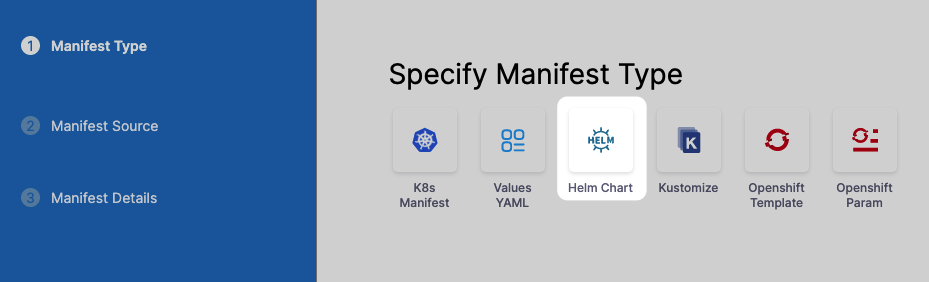
A typical Helm chart includes:
- Chart.yaml – Metadata such as name, version, and description
- values.yaml – Default configuration values
- Templates – Kubernetes manifests written as templates
- Dependencies – References to other charts
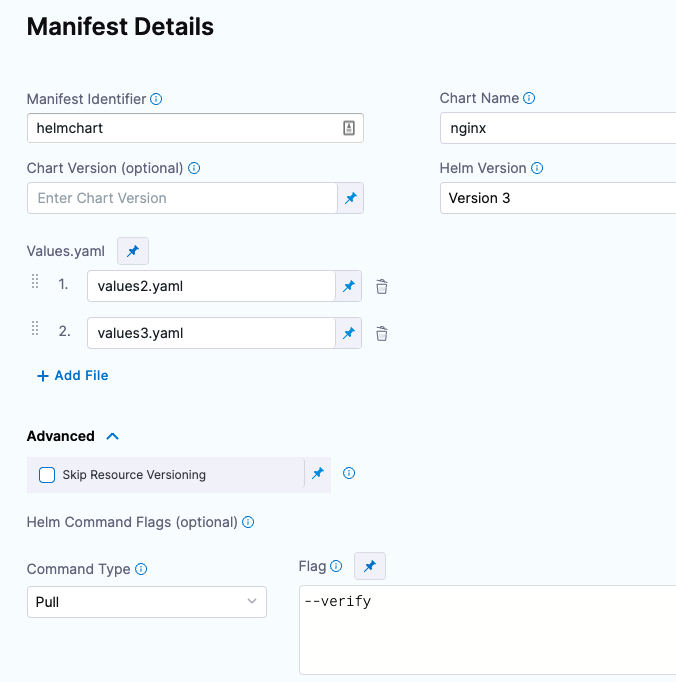
By separating configuration (values) from templates (manifests), Helm makes deployments flexible and repeatable. The same chart can be used for development, staging, and production simply by supplying different values—without copying or rewriting Kubernetes YAML files.
Why Helm Alone Isn’t Enough for Enterprises
While Helm is excellent for packaging and deploying Kubernetes applications, organizations often face challenges as usage grows:
- No centralized place to store and govern Helm charts
- Difficulty managing access to internal charts
- Risk of relying on external public repositories
- Limited visibility into who published or consumed a chart
- Manual processes for integrating Helm with CI/CD pipelines
These challenges become especially noticeable in large teams, regulated environments, or multi-cluster Kubernetes setups.
Harness: Enterprise-Grade Support for Helm
Harness solves these challenges by extending Helm with secure, scalable artifact management and automation.
Harness Artifact Registry for Helm
Harness Artifact Registry provides a private, OCI-compliant Helm registry that acts as a single source of truth for all Helm charts in your organization.
Key benefits include:
Centralized Chart Management
Store all Helm charts—internal and third-party—in one managed registry. This ensures consistency across teams and environments.
Private and Public Access Control
Create private registries for internal charts or public registries for shared components, with fine-grained permissions.
Upstream Proxy and Caching
Harness can proxy external Helm repositories. If a chart isn’t found locally, it’s fetched from the upstream source and cached, improving reliability and performance.
Versioning and Traceability
Every chart version is tracked, making it easier to audit changes and roll back when needed.
How Helm and Harness Work Together in CI/CD
When integrated into CI/CD pipelines, Helm and Harness create a powerful deployment workflow.
[Video]
Typical Flow:
- Developers build and package a Helm chart
- The chart is pushed to Harness Artifact Registry
- CI pipelines validate and test the chart
- CD pipelines deploy the chart to Kubernetes clusters
- Harness tracks deployments, versions, and rollbacks
This automation eliminates manual steps and reduces deployment risks.
Deploying Helm Charts Using Harness
Harness allows Helm charts to be directly referenced in deployment pipelines. This means:
- Charts are pulled securely from the registry
- Deployments are version-controlled
- Rollbacks can be automated
- Environment-specific values are applied consistently
Harness also integrates with Kubernetes-native tools and supports advanced deployment strategies such as:
- Blue/Green deployments
- Canary releases
- Rolling updates
Security and Governance with Helm and Harness
Security is a critical concern when managing Kubernetes artifacts.
Harness enhances Helm workflows by providing:
- Role-based access control (RBAC) for charts
- Secure authentication for Helm clients
- Centralized visibility into artifact usage
- Reduced dependency on unmanaged public repositories
This ensures teams can move fast without compromising security or compliance.
Helm vs. Kubernetes Manifests
Approach
Kubernetes Manifests
Helm
Reusability
Low
High
Configuration Mgmt
Manual
Template-based
Versioning
Limited
Built-in
Rollbacks
Manual
Automated
CI/CD Integration
Complex
Native
Helm significantly reduces operational overhead compared to managing raw Kubernetes manifests.
Real-World Use Cases
Teams commonly use Helm and Harness to:
- Standardize application deployments across teams
- Deploy microservices to multiple Kubernetes clusters
- Manage infrastructure components like ingress and monitoring
- Enable GitOps and automated delivery pipelines
- Improve visibility and governance of Kubernetes artifacts