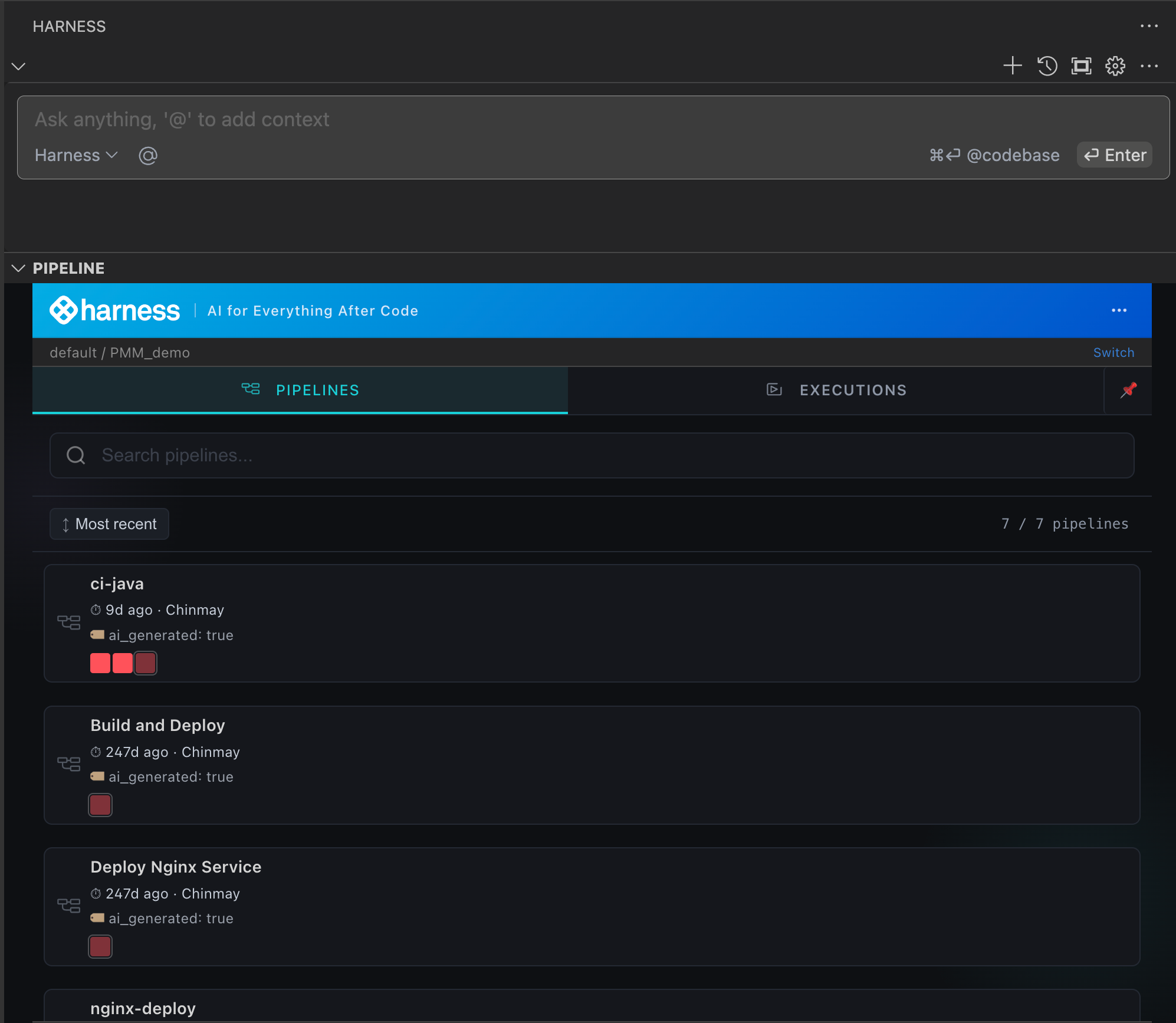
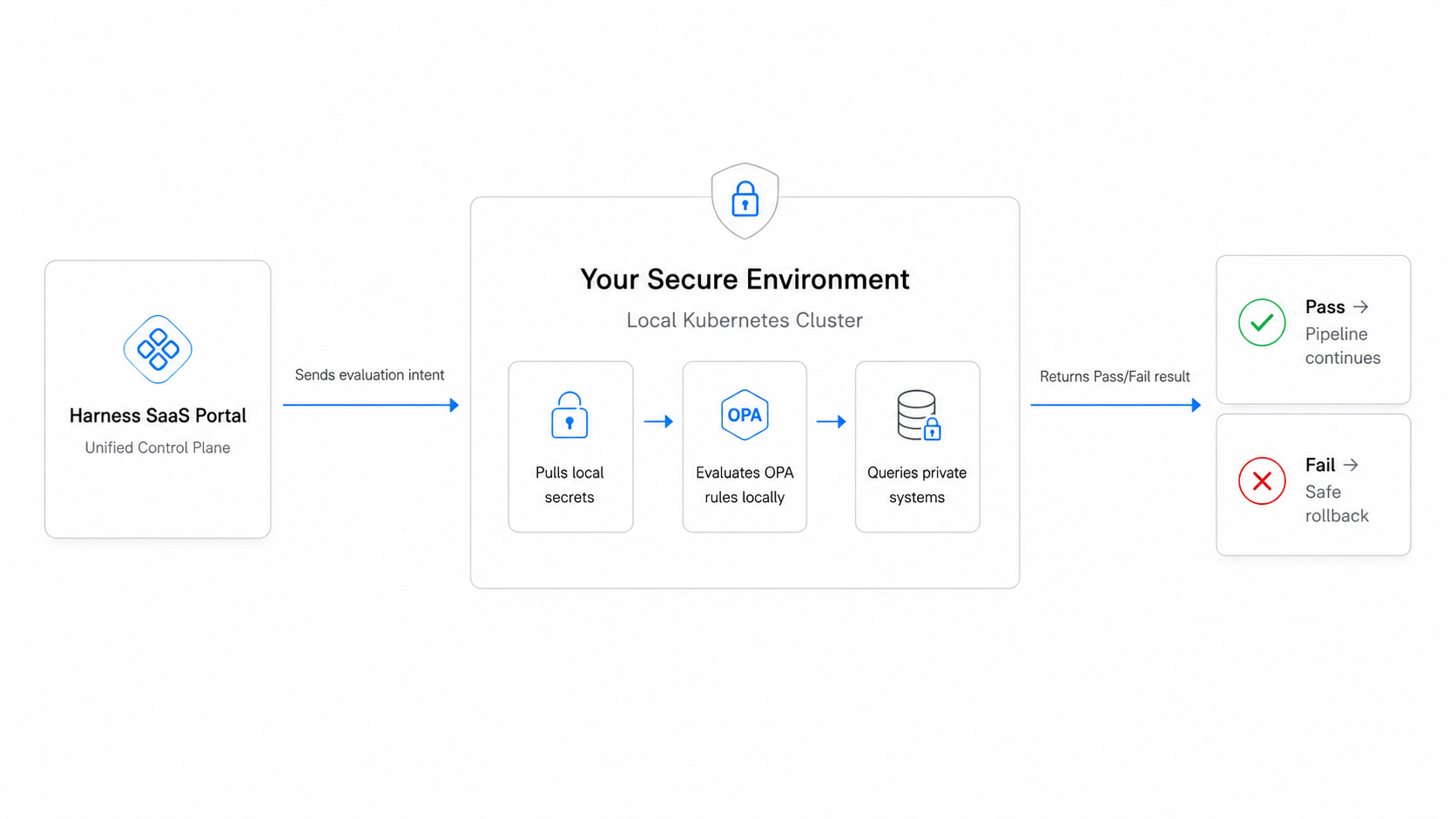
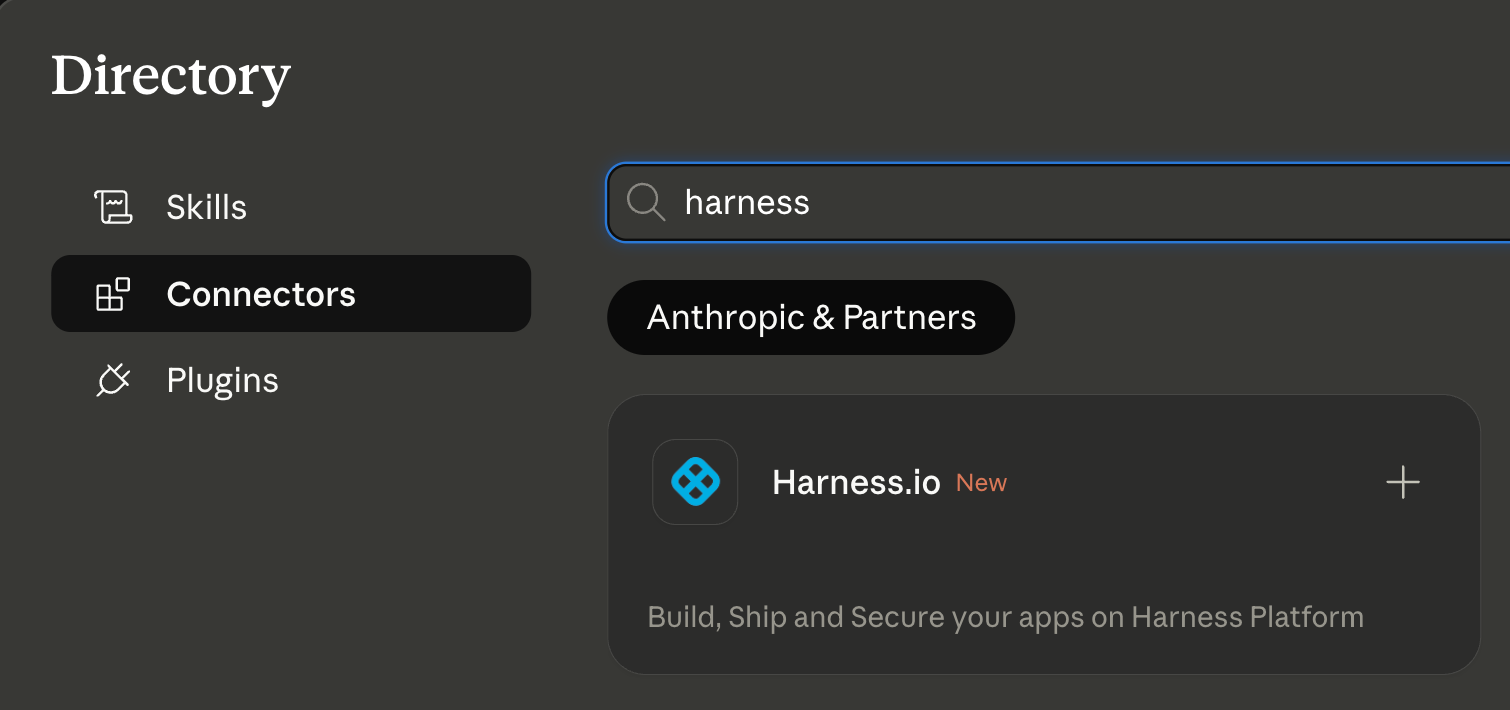
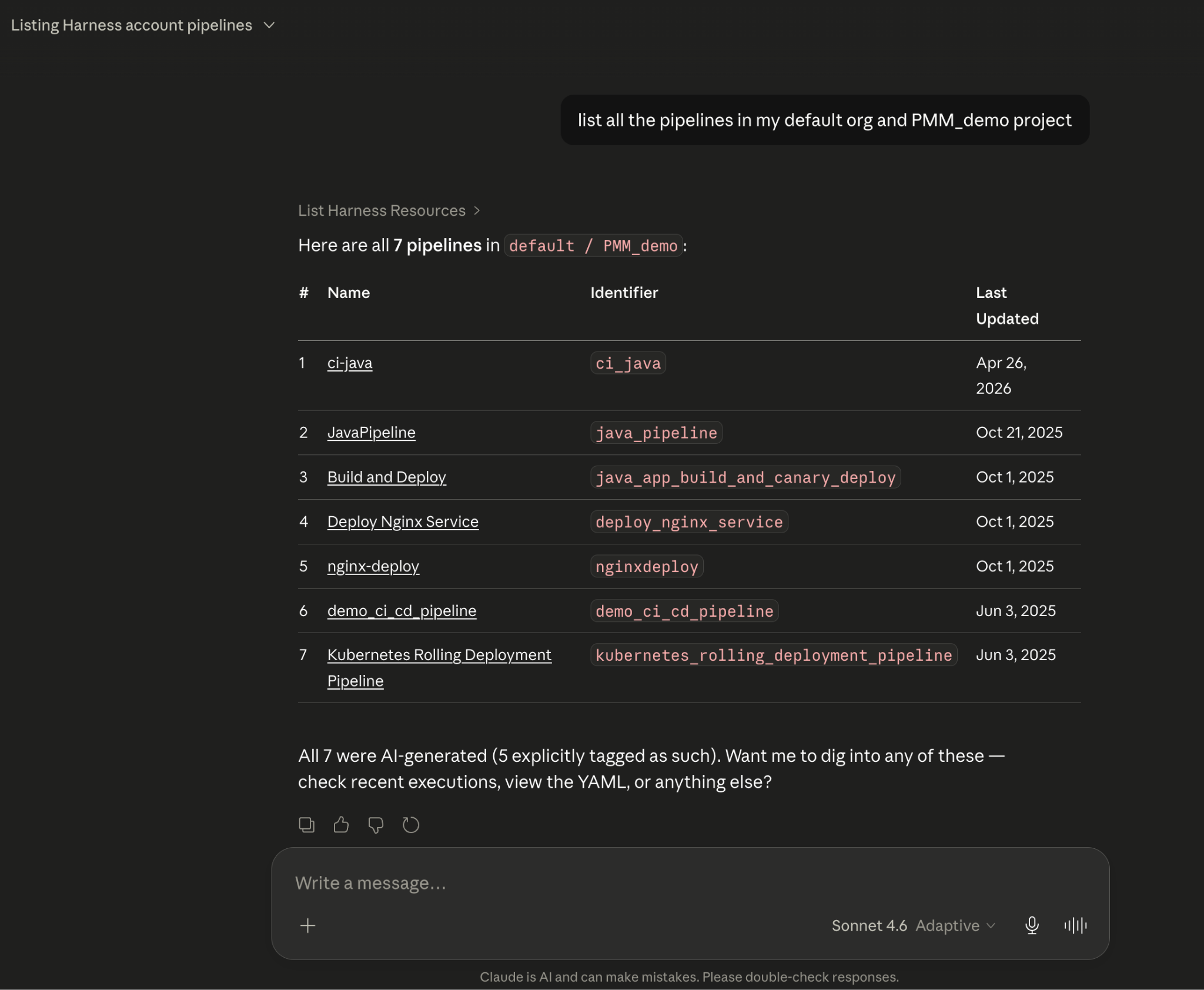
Managing feature flags can be complex, especially across multiple projects and environments. Teams often need to navigate dashboards, APIs, and documentation to understand which flags exist, their configurations, and where they are deployed. What if you could handle these tasks using simple natural language prompts directly within your AI-powered IDE?

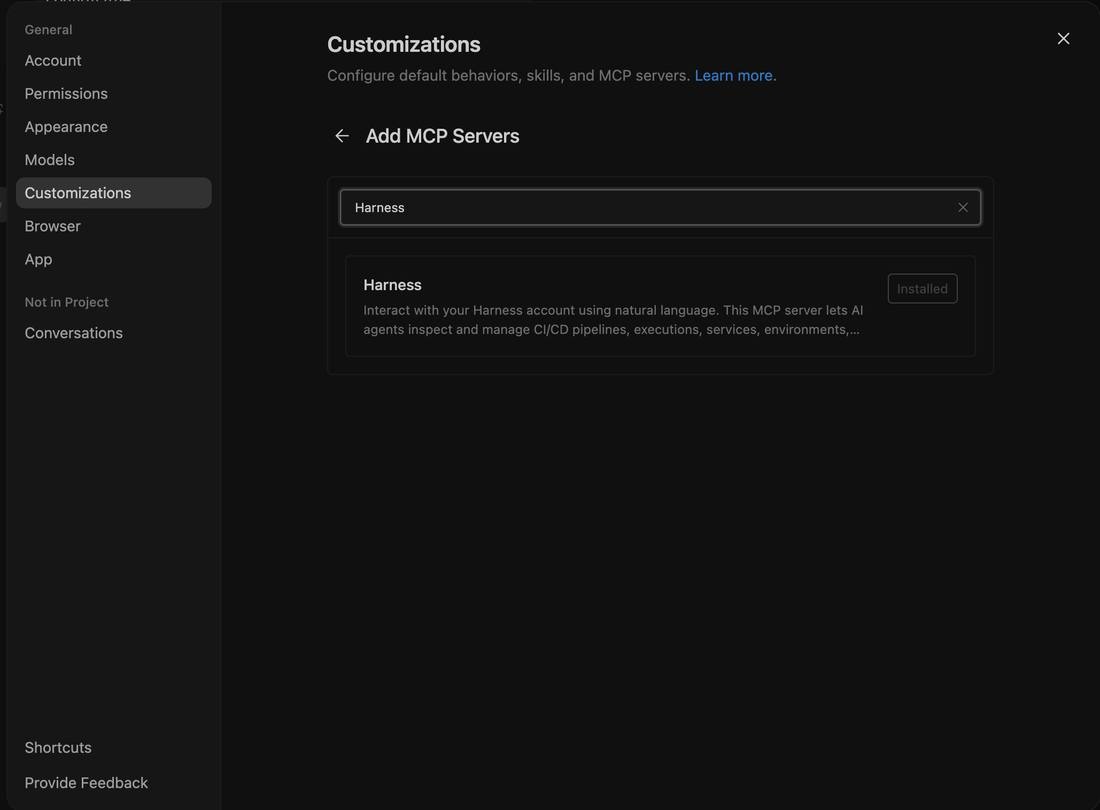
Harness Model Context Protocol (MCP) tools make this possible. By integrating with Claude Code, Windsurf, Cursor, or VS Code, developers and product managers can discover projects, list feature flags, and inspect flag definitions, all without leaving their development environment.
By using one of many AI-powered IDE agents, you can query your feature management data using natural language. They analyze your projects and flags to generate structured outputs that the agent can interpret to accurately answer questions and make recommendations for release planning.
With these agents, non-technical stakeholders can query and understand feature flags without deeper technical expertise. This approach reduces context switching, lowers the learning curve, and enables teams to make faster, data-driven decisions about feature management and rollout.
According to Harness and LeadDev’s survey of 500 engineering leaders in 2024:
82% of teams that are successful with feature management actively monitor system performance and user behavior at the feature level, and 78% prioritize risk mitigation and optimization when releasing new features.
Harness MCP tools help teams address these priorities by enabling developers and release engineers to audit, compare, and inspect feature flags across projects and environments in real time, aligning with industry best practices for governance, risk mitigation, and operational visibility.
Traditional feature flag management practices can present several challenges:
Harness MCP tools address these pain points by providing a conversational interface for interacting with your FME data, democratizing access to feature management insights across teams.
The FME MCP integration supports several capabilities:
You can also generate quick summaries of flag configurations or compare flag settings across environments directly in Claude Code using natural language prompts.
Some example prompts to get you started include the following:
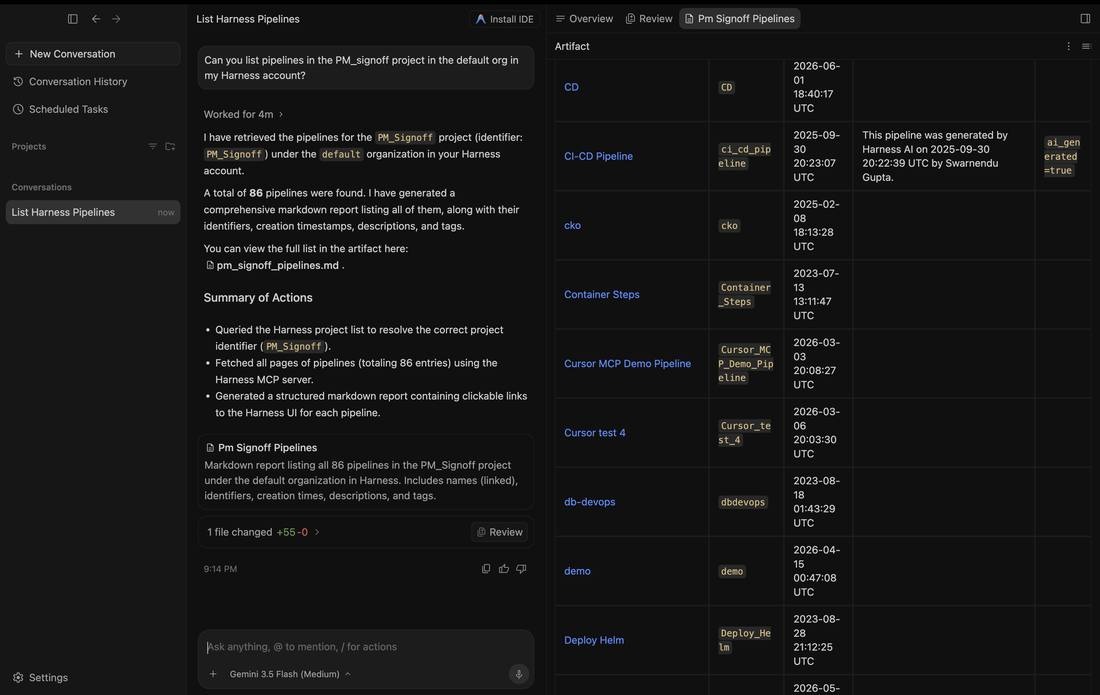
"List all feature flags in the `checkout-service` project."
"Describe the rollout strategy and targeting rules for `enable_new_checkout`."
"Compare the `enable_checkout_flow` flag between staging and production."
"Show me all active flags in the `payment-service` project."
“Show me all environments defined for the `checkout-service` project.”
“Identify all flags that are fully rolled out and safe to remove from code.”
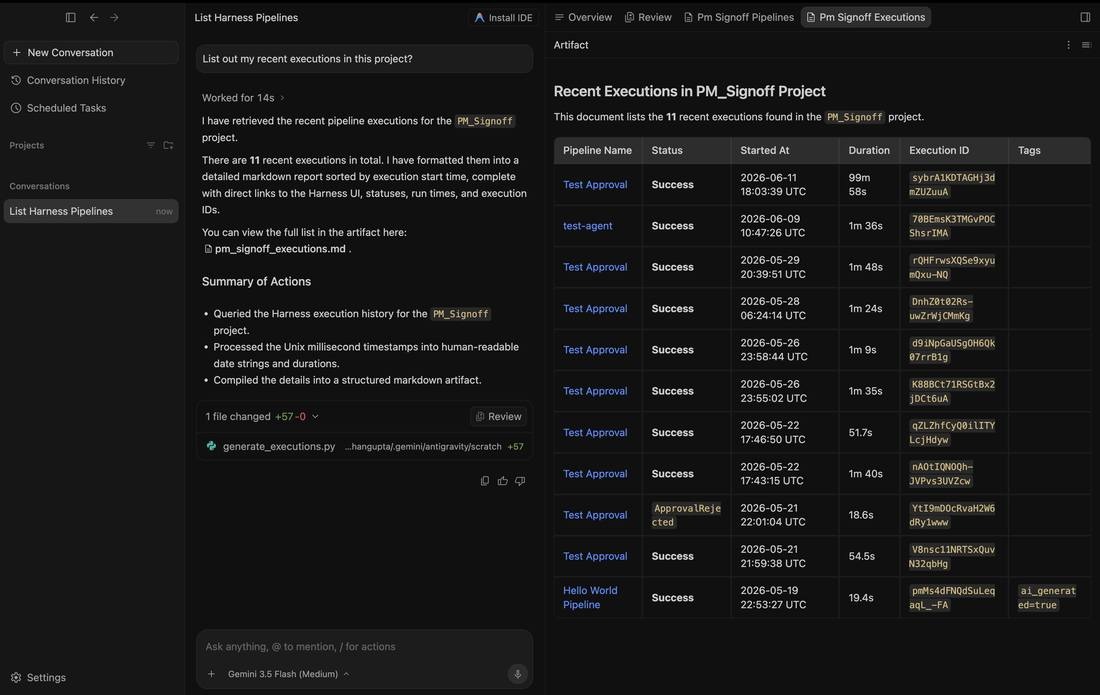
These prompts produce actionable insights in Claude Code (or your IDE of choice).
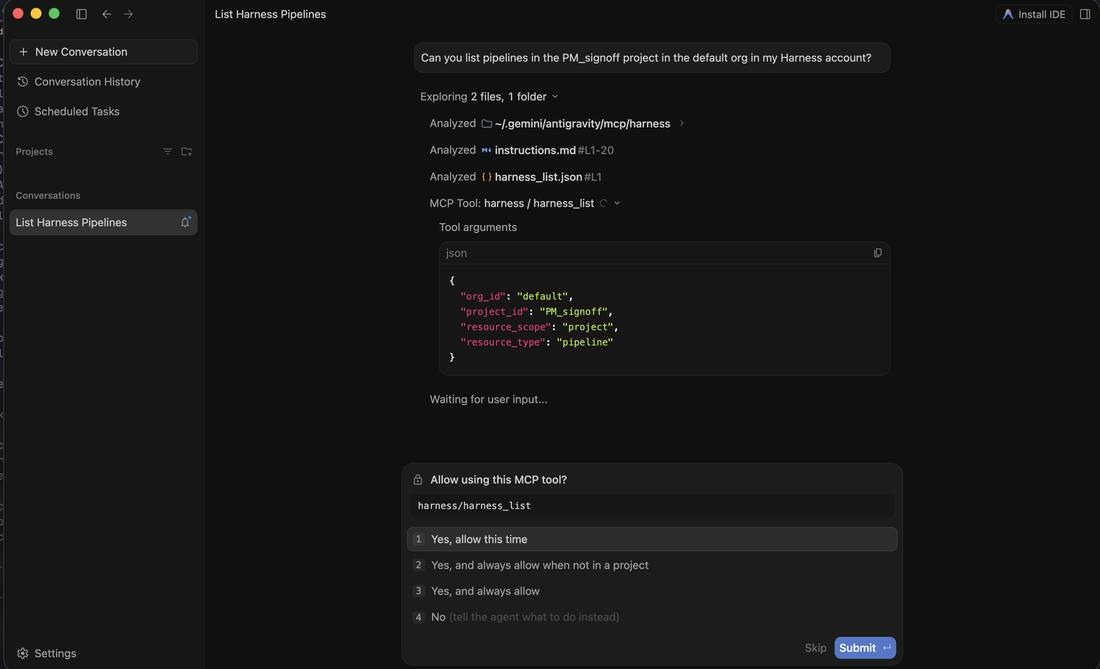
To start using Harness MCP tools for FME, ensure you have access to Claude Code and the Harness platform with FME enabled. Then, interact with the tools via natural language prompts to discover projects, explore flags, and inspect flag configurations.
Harness MCP tools transform feature management into a conversational, AI-assisted workflow, making it easier to audit and manage your feature flags consistently across environments.
{
...
"mcpServers": {
"harness": {
"command": "/path/to/harness-mcp-server",
"args": [
"stdio",
"--toolsets=fme"
],
"env": {
"HARNESS_API_KEY": "your-api-key-here",
"HARNESS_DEFAULT_ORG_ID": "your-org-id",
"HARNESS_DEFAULT_PROJECT_ID": "your-project-id",
"HARNESS_BASE_URL": "https://your-harness-instance.harness.io"
}
}
}
}To configure additional MCP-compatible AI tools like Windsurf, Cursor, or VS Code, see the Harness MCP Server documentation, which includes detailed setup instructions for all supported platforms.


Feature management at scale is a common operational challenge. With Harness MCP tools and AI-powered IDEs, teams can already discover, inspect, and summarize flag configurations conversationally, reducing context switching and speeding up audits.
Looking ahead, this workflow extends itself towards a DevOps-focused approach, where developers and release engineers can prompt tools like Claude Code to identify inconsistencies or misconfigurations in feature flags across environments and take action to address them.
By embedding these capabilities directly into the development workflow, feature management becomes more operational and code-aware, enabling teams to maintain governance and reliability in real time.
For more information about the Harness MCP Server, see the Harness MCP Server documentation and the GitHub repository. If you’re brand new to Harness FME, sign up for a free trial today.
We’re thrilled to share that Harness has been recognized as a Leader in the 2025 Gartner® Magic Quadrant™ for DevOps Platforms for the second year in a row. We believe this acknowledgment reflects the strength of our product strategy, the breadth of our platform, and our deep understanding of the DevOps landscape.
We believe this recognition is an acknowledgment to the hard work and innovation of our team and the trust of our global customer base. Today, organizations of all sizes across industries rely on Harness to streamline software delivery, reduce complexity, and improve developer productivity.
As a pioneer in modern software delivery, Harness has built one of the industry’s most comprehensive platforms designed to support the full spectrum of application development, deployment, and operations. Our platform has evolved through an intentional strategy of internal entrepreneurship, which enables us to develop independent, yet tightly integrated components atop a unified foundation.
With operations across North America, Europe, APAC, and Latin America, we serve organizations of all sizes, in every industry. Customers choose Harness not just for the breadth of our platform, but for the modular consistency that allows them to adopt solutions at their own pace based on their specific needs and where they find the most value.
Being named a Leader in the 2025 Gartner® Magic Quadrant™ for the second year in a row to us, is a milestone we’re proud of but we feel it’s just the beginning.
As we continue to evolve, we remain focused on improving developer experience, simplifying DevOps adoption, and integrating security and reliability directly into the development lifecycle. Our ecosystem of open-source tools and third-party marketplace integrations will continue to grow, bringing even more innovation into the hands of engineering teams.
Thank you to our customers, partners, employees, and community for your continued trust. We’re excited about the journey ahead and can’t wait to show you what’s next.
Please get a complimentary copy of the Magic Quadrant for DevOps Platforms, 2025.
Or to talk to someone about Harness, please contact us.
Gartner Disclaimer
Gartner, Magic Quadrant for DevOps Platforms 2025, Keith Mann. George Spafford, Bill Holz, Thomas Murphy, 22 September 2025
Gartner does not endorse any vendor, product or service depicted in its research publications and does not advise technology users to select only those vendors with the highest ratings or other designation. Gartner research publications consist of the opinions of Gartner’s research organization and should not be construed as statements of fact. Gartner disclaims all warranties, expressed or implied, with respect to this research, including any warranties of merchantability or fitness for a particular purpose.
GARTNER is a registered trademark and service mark of Gartner and Magic Quadrant are registered trademarks of Gartner, Inc. and/or its affiliates in the U.S. and internationally and are used herein with permission. All rights reserved.
.webp)
Harness Cloud is a fully managed Continuous Integration (CI) platform that allows teams to run builds on Harness-managed virtual machines (VMs) pre-configured with tools, packages, and settings typically used in CI pipelines. In this blog, we'll dive into the four core pillars of Harness Cloud: Speed, Governance, Reliability, and Security. By the end of this post, you'll understand how Harness Cloud streamlines your CI process, saves time, ensures better governance, and provides reliable, secure builds for your development teams.
Harness Cloud delivers blazing-fast builds on multiple platforms, including Linux, macOS, Windows, and mobile operating systems. With Harness Cloud, your builds run in isolation on pre-configured VMs managed by Harness. This means you don’t have to waste time setting up or maintaining your infrastructure. Harness handles the heavy lifting, allowing you to focus on writing code instead of waiting for builds to complete.
The speed of your CI pipeline is crucial for agile development, and Harness Cloud gives you just that—quick, efficient builds that scale according to your needs. With starter pipelines available for various programming languages, you can get up and running quickly without having to customize your environment.
One of the most critical aspects of any enterprise CI/CD process is governance. With Harness Cloud, you can rest assured that your builds are running in a controlled environment. Harness Cloud makes it easier to manage your build infrastructure with centralized configurations and a clear, auditable process. This improves visibility and reduces the complexity of managing your CI pipelines.
Harness also gives you access to the latest features as soon as they’re rolled out. This early access enables teams to stay ahead of the curve, trying out new functionality without worrying about maintaining the underlying infrastructure. By using Harness Cloud, you're ensuring that your team is always using the latest CI innovations.
Reliability is paramount when it comes to build systems. With Harness Cloud, you can trust that your builds are running smoothly and consistently. Harness manages, maintains, and updates the virtual machines (VMs), so you don't have to worry about patching, system failures, or hardware-related issues. This hands-off approach reduces the risk of downtime and builds interruptions, ensuring that your development process is as seamless as possible.
By using Harness-managed infrastructure, you gain the peace of mind that comes with a fully supported, reliable platform. Whether you're running a handful of builds or thousands, Harness ensures they’re executed with the same level of reliability and uptime.
Security is at the forefront of Harness Cloud. With Harness managing your build infrastructure, you don't need to worry about the complexities of securing your own build machines. Harness ensures that all the necessary security protocols are in place to protect your code and the environment in which it runs.
Harness Cloud's commitment to security includes achieving SLSA Level 3 compliance, which ensures the integrity of the software supply chain by generating and verifying provenance for build artifacts. This compliance is achieved through features like isolated build environments and strict access controls, ensuring each build runs in a secure, tamper-proof environment.
For details, read the blog An In-depth Look at Achieving SLSA Level-3 Compliance with Harness.
Harness Cloud also enables secure connectivity to on-prem services and tools, allowing teams to safely integrate with self-hosted artifact repositories, source control systems, and other critical infrastructure. By leveraging Secure Connect, Harness ensures that these connections are encrypted and controlled, eliminating the need to expose internal resources to the public internet. This provides a seamless and secure way to incorporate on-prem dependencies into your CI workflows without compromising security.
Harness Cloud makes it easy to run and scale your CI pipelines without the headache of managing infrastructure. By focusing on the four pillars—speed, governance, reliability, and security—Harness ensures that your development pipeline runs efficiently and securely.
Harness CI and Harness Cloud give you:
✅ Blazing-fast builds—8X faster than traditional CI solutions
✅ A unified platform—Run builds on any language, any OS, including mobile
✅ Native SCM—Harness Code Repository is free and comes packed with built-in governance & security
If you're ready to experience a fully managed, high-performance CI environment, give Harness Cloud a try today.


Harness Database DevOps is introducing an open source native MongoDB executor for Liquibase Community Edition. The goal is simple: make MongoDB workflows easier, fully open, and accessible for teams already relying on Liquibase without forcing them into paid add-ons.
This launch focuses on removing friction for open source users, improving MongoDB success rates, and contributing meaningful functionality back to the community.
Teams using MongoDB often already maintain scripts, migrations, and operational workflows. However, running them reliably through Liquibase Community Edition has historically required workarounds, limited integrations, or commercial extensions.
This native executor changes that. It allows teams to:
This is important because MongoDB adoption continues to grow across developer platforms, fintech, eCommerce, and internal tooling. Teams want consistency: application code, infrastructure, and databases should all move through the same automation pipelines. The executor helps bring MongoDB into that standardised DevOps model.
It also reflects a broader philosophy: core database capabilities should not sit behind paywalls when the community depends on them. By open-sourcing the executor, Harness is enabling developers to move faster while keeping the ecosystem transparent and collaborative.
With the native MongoDB executor:
This improves the success rate for MongoDB users adopting Liquibase because the workflow becomes familiar rather than forced. Instead of adapting MongoDB to fit the tool, the tool now works with MongoDB.
1. Getting started is straightforward. The Liquibase MongoDB extension is hosted on HAR registry, which can be downloaded by using below command:
curl -L \
"https://us-maven.pkg.dev/gar-prod-setup/harness-maven-public/io/harness/liquibase-mongodb-dbops-extension/1.1.0-4.24.0/liquibase-mongodb-dbops-extension-1.1.0-4.24.0.jar" \
-o liquibase-mongodb-dbops-extension-1.1.0-4.24.0.jar
2. Add the extension to Liquibase: Place the downloaded JAR file into the Liquibase library directory, example path: "LIQUIBASE_HOME/lib/".
3. Configure Liquibase: Update the Liquibase configuration to point to the MongoDB connection and changelog files.
4. Run migrations: Use the "liquibase update" command and Liquibase Community will now execute MongoDB scripts using the native executor.
Migration adoption often stalls when teams lack a clean way to generate changelogs from an existing database. To address this, Harness is also sharing a Python utility that mirrors the behavior of "generate-changelog" for MongoDB environments.
The script:
This reduces onboarding friction significantly. Instead of starting from scratch, teams can bootstrap changelogs directly from production-like environments. It bridges the gap between legacy MongoDB setups and modern database DevOps practices.
The intent is not just to release a tool. The intent is to strengthen the open ecosystem.
Harness believes:
By contributing a native MongoDB executor:
This effort also reinforces Harness as an active open source contributor focused on solving real developer problems rather than monetizing basic functionality.
The native executor, combined with changelog generation support, provides:
Together, these create one of the most functional open source MongoDB integrations available for Liquibase Community users. The objective is clear: make it the default path developers discover when searching for Liquibase MongoDB workflows.
Discover the open-source MongoDB native executor. Teams can adopt it in their workflows, extend its capabilities, and contribute enhancements back to the project. Progress in database DevOps accelerates when the community collaborates and builds in the open.


Your developers complain about 20-minute builds while your cloud bill spirals out of control. Pipeline sprawl across teams creates security gaps you can't even see. These aren't separate problems. They're symptoms of a lack of actionable data on what actually drives velocity and cost.
The right CI metrics transform reactive firefighting into proactive optimization. With analytics data from Harness CI, platform engineering leaders can cut build times, control spend, and maintain governance without slowing teams down.
Platform teams who track the right CI metrics can quantify exactly how much developer time they're saving, control cloud spending, and maintain security standards while preserving development velocity. The importance of tracking CI/CD metrics lies in connecting pipeline performance directly to measurable business outcomes.
Build time, queue time, and failure rates directly translate to developer hours saved or lost. Research shows that 78% of developers feel more productive with CI, and most want builds under 10 minutes. Tracking median build duration and 95th percentile outliers can reveal your productivity bottlenecks.
Harness CI delivers builds up to 8X faster than traditional tools, turning this insight into action.
Cost per build and compute minutes by pipeline eliminate the guesswork from cloud spending. AWS CodePipeline charges $0.002 per action-execution-minute, making monthly costs straightforward to calculate from your pipeline metrics.
Measuring across teams helps you spot expensive pipelines, optimize resource usage, and justify infrastructure investments with concrete ROI.
SBOM completeness, artifact integrity, and policy pass rates ensure your software supply chain meets security standards without creating development bottlenecks. NIST and related EO 14028 guidance emphasize on machine-readable SBOMs and automated hash verification for all artifacts.
However, measurement consistency remains challenging. A recent systematic review found that SBOM tooling variance creates significant detection gaps, with tools reporting between 43,553 and 309,022 vulnerabilities across the same 1,151 SBOMs.
Standardized metrics help you monitor SBOM generation rates and policy enforcement without manual oversight.
Not all metrics deserve your attention. Platform engineering leaders managing 200+ developers need measurements that reveal where time, money, and reliability break down, and where to fix them first.
So what does this look like in practice? Let's examine the specific metrics.
Build duration becomes most valuable when you track both median (p50) and 95th percentile (p95) times rather than simple averages. Research shows that timeout builds have a median duration of 19.7 minutes compared to 3.4 minutes for normal builds. That’s over five times longer.
While p50 reveals your typical developer experience, p95 exposes the worst-case delays that reduce productivity and impact developer flow. These outliers often signal deeper issues like resource constraints, flaky tests, or inefficient build steps that averages would mask. Tracking trends in both percentiles over time helps you catch regressions before they become widespread problems. Build analytics platforms can surface when your p50 increases gradually or when p95 spikes indicate new bottlenecks.
Keep builds under seven minutes to maintain developer engagement. Anything over 15 minutes triggers costly context switching. By monitoring both typical and tail performance, you optimize for consistent, fast feedback loops that keep developers in flow. Intelligent test selection reduces overall build durations by up to 80% by selecting and running only tests affected by the code changes, rather than running all tests.

An example of build durations dashboard (on Harness)
Queue time measures how long builds wait before execution begins. This is a direct indicator of insufficient build capacity. When developers push code, builds shouldn't sit idle while runners or compute resources are tied up. Research shows that heterogeneous infrastructure with mixed processing speeds creates excessive queue times, especially when job routing doesn't account for worker capabilities. Queue time reveals when your infrastructure can't handle developer demand.
Rising queue times signal it's time to scale infrastructure or optimize resource allocation. Per-job waiting time thresholds directly impact throughput and quality outcomes. Platform teams can reduce queue time by moving to Harness Cloud's isolated build machines, implementing intelligent caching, or adding parallel execution capacity. Analytics dashboards track queue time trends across repositories and teams, enabling data-driven infrastructure decisions that keep developers productive.
Build success rate measures the percentage of builds that complete successfully over time, revealing pipeline health and developer confidence levels. When teams consistently see success rates above 90% on their default branches, they trust their CI system to provide reliable feedback. Frequent failures signal deeper issues — flaky tests that pass and fail randomly, unstable build environments, or misconfigured pipeline steps that break under specific conditions.
Tracking success rate trends by branch, team, or service reveals where to focus improvement efforts. Slicing metrics by repository and pipeline helps you identify whether failures cluster around specific teams using legacy test frameworks or services with complex dependencies. This granular view separates legitimate experimental failures on feature branches from stability problems that undermine developer productivity and delivery confidence.

An example of Build Success/Failure Rate Dashboard (on Harness)
Mean time to recovery measures how fast your team recovers from failed builds and broken pipelines, directly impacting developer productivity. Research shows organizations with mature CI/CD implementations see MTTR improvements of over 50% through automated detection and rollback mechanisms. When builds fail, developers experience context switching costs, feature delivery slows, and team velocity drops. The best-performing teams recover from incidents in under one hour, while others struggle with multi-hour outages that cascade across multiple teams.
Automated alerts and root cause analysis tools slash recovery time by eliminating manual troubleshooting, reducing MTTR from 20 minutes to under 3 minutes for common failures. Harness CI's AI-powered troubleshooting surfaces failure patterns and provides instant remediation suggestions when builds break.
Flaky tests pass or fail non-deterministically on the same code, creating false signals that undermine developer trust in CI results. Research shows 59% of developers experience flaky tests monthly, weekly, or daily, while 47% of restarted failing builds eventually passed. This creates a cycle where developers waste time investigating false failures, rerunning builds, and questioning legitimate test results.
Tracking flaky test rate helps teams identify which tests exhibit unstable pass/fail behavior, enabling targeted stabilization efforts. Harness CI automatically detects problematic tests through failure rate analysis, quarantines flaky tests to prevent false alarms, and provides visibility into which tests exhibit the highest failure rates. This reduces developer context switching and restores confidence in CI feedback loops.
Cost per build divides your monthly CI infrastructure spend by the number of successful builds, revealing the true economic impact of your development velocity. CI/CD pipelines consume 15-40% of overall cloud infrastructure budgets, with per-run compute costs ranging from $0.40 to $4.20 depending on application complexity, instance type, region, and duration. This normalized metric helps platform teams compare costs across different services, identify expensive outliers, and justify infrastructure investments with concrete dollar amounts rather than abstract performance gains.
Automated caching and ephemeral infrastructure deliver the biggest cost reductions per build. Intelligent caching automatically stores dependencies and Docker layers. This cuts repeated download and compilation time that drives up compute costs.
Ephemeral build machines eliminate idle resource waste. They spin up fresh instances only when the queue builds, then terminate immediately after completion. Combine these approaches with right-sized compute types to reduce infrastructure costs by 32-43% compared to oversized instances.
Cache hit rate measures what percentage of build tasks can reuse previously cached results instead of rebuilding from scratch. When teams achieve high cache hit rates, they see dramatic build time reductions. Docker builds can drop from five to seven minutes to under 90 seconds with effective layer caching. Smart caching of dependencies like node_modules, Docker layers, and build artifacts creates these improvements by avoiding expensive regeneration of unchanged components.
Harness Build and Cache Intelligence eliminates the manual configuration overhead that traditionally plagues cache management. It handles dependency caching and Docker layer reuse automatically. No complex cache keys or storage management required.
Measure cache effectiveness by comparing clean builds against fully cached runs. Track hit rates over time to justify infrastructure investments and detect performance regressions.
Test cycle time measures how long it takes to run your complete test suite from start to finish. This directly impacts developer productivity because longer test cycles mean developers wait longer for feedback on their code changes. When test cycles stretch beyond 10-15 minutes, developers often switch context to other tasks, losing focus and momentum. Recent research shows that optimized test selection can accelerate pipelines by 5.6x while maintaining high failure detection rates.
Smart test selection optimizes these feedback loops by running only tests relevant to code changes. Harness CI Test Intelligence can slash test cycle time by up to 80% using AI to identify which tests actually need to run. This eliminates the waste of running thousands of irrelevant tests while preserving confidence in your CI deployments.
Categorizing pipeline issues into domains like code problems, infrastructure incidents, and dependency conflicts transforms chaotic build logs into actionable insights. Harness CI's AI-powered troubleshooting provides root cause analysis and remediation suggestions for build failures. This helps platform engineers focus remediation efforts on root causes that impact the most builds rather than chasing one-off incidents.

Visualizing issue distribution reveals whether problems are systemic or isolated events. Organizations using aggregated monitoring can distinguish between infrastructure spikes and persistent issues like flaky tests. Harness CI's analytics surface which pipelines and repositories have the highest failure rates. Platform teams can reduce overall pipeline issues by 20-30%.
Artifact integrity coverage measures the percentage of builds that produce signed, traceable artifacts with complete provenance documentation. This tracks whether each build generates Software Bills of Materials (SBOMs), digital signatures, and documentation proving where artifacts came from. While most organizations sign final software products, fewer than 20% deliver provenance data and only 3% consume SBOMs for dependency management. This makes the metric a leading indicator of supply chain security maturity.
Harness CI automatically generates SBOMs and attestations for every build, ensuring 100% coverage without developer intervention. The platform's SLSA L3 compliance capabilities generate verifiable provenance and sign artifacts using industry-standard frameworks. This eliminates the manual processes and key management challenges that prevent consistent artifact signing across CI pipelines.
Tracking CI metrics effectively requires moving from raw data to measurable improvements. The most successful platform engineering teams build a systematic approach that transforms metrics into velocity gains, cost reductions, and reliable pipelines.
Tag every pipeline with service name, team identifier, repository, and cost center. This standardization creates the foundation for reliable aggregation across your entire CI infrastructure. Without consistent tags, you can't identify which teams drive the highest costs or longest build times.
Implement naming conventions that support automated analysis. Use structured formats like team-service-environment for pipeline names and standardize branch naming patterns. Centralize this metadata using automated tag enforcement to ensure organization-wide visibility.
Modern CI platforms eliminate manual metric tracking overhead. Harness CI provides dashboards that automatically surface build success rates, duration trends, and failure patterns in real-time. Teams can also integrate with monitoring stacks like Prometheus and Grafana for live visualization across multiple tools.
Configure threshold-based alerts for build duration spikes or failure rate increases. This shifts you from fixing issues after they happen to preventing them entirely.
Focus on p95 and p99 percentiles rather than averages to identify critical performance outliers. Drill into failure causes and flaky tests to prioritize fixes with maximum developer impact. Categorize pipeline failures by root cause — environment issues, dependency problems, or test instability — then target the most frequent culprits first.
Benchmark cost per build and cache hit rates to uncover infrastructure savings. Optimized caching and build intelligence can reduce build times by 30-40% while cutting cloud expenses.
Standardize CI pipelines using centralized templates and policy enforcement to eliminate pipeline sprawl. Store reusable templates in a central repository and require teams to extend from approved templates. This reduces maintenance overhead while ensuring consistent security scanning and artifact signing.
Establish Service Level Objectives (SLOs) for your most impactful metrics: build duration, queue time, and success rate. Set measurable targets like "95% of builds complete within 10 minutes" to drive accountability. Automate remediation wherever possible — auto-retry for transient failures, automated cache invalidation, and intelligent test selection to skip irrelevant tests.
The difference between successful platform teams and those drowning in dashboards comes down to focus. Elite performers track build duration, queue time, flaky test rates, and cost per build because these metrics directly impact developer productivity and infrastructure spend.
Start with the measurements covered in this guide, establish baselines, and implement governance that prevents pipeline sprawl. Focus on the metrics that reveal bottlenecks, control costs, and maintain reliability — then use that data to optimize continuously.
Ready to transform your CI metrics from vanity to velocity? Experience how Harness CI accelerates builds while cutting infrastructure costs.
Platform engineering leaders often struggle with knowing which metrics actually move the needle versus creating metric overload. These answers focus on metrics that drive measurable improvements in developer velocity, cost control, and pipeline reliability.
Actionable metrics directly connect to developer experience and business outcomes. Build duration affects daily workflow, while deployment frequency impacts feature delivery speed. Vanity metrics look impressive, but don't guide decisions. Focus on measurements that help teams optimize specific bottlenecks rather than general health scores.
Build duration, queue time, and flaky test rate directly affect how fast developers get feedback. While coverage monitoring dominates current practices, build health and time-to-fix-broken-builds offer the highest productivity gains. Focus on metrics that reduce context switching and waiting.
Cost per build and cache hit rate reveal optimization opportunities that maintain quality while cutting spend. Intelligent caching and optimized test selection can significantly reduce both build times and infrastructure costs. Running only relevant tests instead of entire suites cuts waste without compromising coverage.
Begin with pipeline metadata standardization using consistent tags for service, team, and cost center. Most CI platforms provide basic metrics through built-in dashboards. Start with DORA metrics, then add build-specific measurements as your monitoring matures.
Daily monitoring of build success rates and queue times enables immediate issue response. Weekly reviews of build duration trends and monthly cost analysis drive strategic improvements. Automated alerts for threshold breaches prevent small problems from becoming productivity killers.


Modern unit testing in CI/CD can help teams avoid slow builds by using smart strategies. Choosing the right tests, running them in parallel, and using intelligent caching all help teams get faster feedback while keeping code quality high.
Platforms like Harness CI use AI-powered test intelligence to reduce test cycles by up to 80%, showing what’s possible with the right tools. This guide shares practical ways to speed up builds and improve code quality, from basic ideas to advanced techniques that also lower costs.
Knowing what counts as a unit test is key to building software delivery pipelines that work.
A unit test looks at a single part of your code, such as a function, class method, or a small group of related components. The main point is to test one behavior at a time. Unit tests are different from integration tests because they look at the logic of your code. This makes it easier to figure out what went wrong if something goes wrong.
Unit tests should only check code that you wrote and not things like databases, file systems, or network calls. This separation makes tests quick and dependable. Tests that don't rely on outside services run in milliseconds and give the same results no matter where they are run, like on your laptop or in a CI pipeline.
Unit tests are one of the most important part of continuous integration in CI/CD pipelines because they show problems right away after code changes. Because they are so fast, developers can run them many times a minute while they are coding. This makes feedback loops very tight, which makes it easier to find bugs and stops them from getting to later stages of the pipeline.
Teams that run full test suites on every commit catch problems early by focusing on three things: making tests fast, choosing the right tests, and keeping tests organized. Good unit testing helps developers stay productive and keeps builds running quickly.
Deterministic Tests for Every Commit
Unit tests should finish in seconds, not minutes, so that they can be quickly checked. Google's engineering practices say that tests need to be "fast and reliable to give engineers immediate feedback on whether a change has broken expected behavior." To keep tests from being affected by outside factors, use mocks, stubs, and in-memory databases. Keep commit builds to less than ten minutes, and unit tests should be the basis of this quick feedback loop.
As projects get bigger, running all tests on every commit can slow teams down. Test Impact Analysis looks at coverage data to figure out which tests really check the code that has been changed. AI-powered test selection chooses the right tests for you, so you don't have to guess or sort them by hand.
To get the most out of your infrastructure, use selective execution and run tests at the same time. Divide test suites into equal-sized groups and run them on different machines simultaneously. Smart caching of dependencies, build files, and test results helps you avoid doing the same work over and over. When used together, these methods cut down on build time a lot while keeping coverage high.
Standardized Organization for Scale
Using consistent names, tags, and organization for tests helps teams track performance and keep quality high as they grow. Set clear rules for test types (like unit, integration, or smoke) and use names that show what each test checks. Analytics dashboards can spot flaky tests, slow tests, and common failures. This helps teams improve test suites and keep things running smoothly without slowing down developers.
A good unit test uses the Arrange-Act-Assert pattern. For example, you might test a function that calculates order totals with discounts:
def test_apply_discount_to_order_total():
# Arrange: Set up test data
order = Order(items=[Item(price=100), Item(price=50)])
discount = PercentageDiscount(10)
# Act: Execute the function under test
final_total = order.apply_discount(discount)
# Assert: Verify expected outcome
assert final_total == 135 # 150 - 10% discountIn the Arrange phase, you set up the objects and data you need. In the Act phase, you call the method you want to test. In the Assert phase, you check if the result is what you expected.
Testing Edge Cases
Real-world code needs to handle more than just the usual cases. Your tests should also check edge cases and errors:
def test_apply_discount_with_empty_cart_returns_zero():
order = Order(items=[])
discount = PercentageDiscount(10)
assert order.apply_discount(discount) == 0
def test_apply_discount_rejects_negative_percentage():
order = Order(items=[Item(price=100)])
with pytest.raises(ValueError):
PercentageDiscount(-5)Notice the naming style: test_apply_discount_rejects_negative_percentage clearly shows what’s being tested and what should happen. If this test fails in your CI pipeline, you’ll know right away what went wrong, without searching through logs.
When teams want faster builds and fewer late-stage bugs, the benefits of unit testing are clear. Good unit tests help speed up development and keep quality high.
When you use smart test execution in modern CI/CD pipelines, these benefits get even bigger.
Disadvantages of Unit Testing: Recognizing the Trade-Offs
Unit testing is valuable, but knowing its limits helps teams choose the right testing strategies. These downsides matter most when you’re trying to make CI/CD pipelines faster and more cost-effective.
Research shows that automatically generated tests can be harder to understand and maintain. Studies also show that statement coverage doesn’t always mean better bug detection.
Industry surveys show that many organizations have trouble with slow test execution and unclear ROI for unit testing. Smart teams solve these problems by choosing the right tests, using smart caching, and working with modern CI platforms that make testing faster and more reliable.
Developers use unit tests in three main ways that affect build speed and code quality. These practices turn testing into a tool that catches problems early and saves time on debugging.
Before they start coding, developers write unit tests. They use test-driven development (TDD) to make the design better and cut down on debugging. According to research, TDD finds 84% of new bugs, while traditional testing only finds 62%. This method gives you feedback right away, so failing tests help you decide what to do next.
Unit tests are like automated guards that catch bugs when code changes. Developers write tests to recreate bugs that have been reported, and then they check that the fixes work by running the tests again after the fixes have been made. Automated tools now generate test cases from issue reports. They are 30.4% successful at making tests that fail for the exact problem that was reported. To stop bugs that have already been fixed from coming back, teams run these regression tests in CI pipelines.
Good developer testing doesn't look at infrastructure or glue code; it looks at business logic, edge cases, and public interfaces. Testing public methods and properties is best; private details that change often should be left out. Test doubles help developers keep business logic separate from systems outside of their control, which makes tests more reliable. Integration and system tests are better for checking how parts work together, especially when it comes to things like database connections and full workflows.
Slow, unreliable tests can slow down CI and hurt productivity, while also raising costs. The following proven strategies help teams check code quickly and cut both build times and cloud expenses.
Choosing between manual and automated unit testing directly affects how fast and reliable your pipeline is.
Manual Unit Testing: Flexibility with Limitations
Manual unit testing means developers write and run tests by hand, usually early in development or when checking tricky edge cases that need human judgment. This works for old systems where automation is hard or when you need to understand complex behavior. But manual testing can’t be repeated easily and doesn’t scale well as projects grow.
Automated Unit Testing: Speed and Consistency at Scale
Automated testing transforms test execution into fast, repeatable processes that integrate seamlessly with modern development workflows. Modern platforms leverage AI-powered optimization to run only relevant tests, cutting cycle times significantly while maintaining comprehensive coverage.
Why High-Velocity Teams Prioritize Automation
Fast-moving teams use automated unit testing to keep up speed and quality. Manual testing is still useful for exploring and handling complex cases, but automation handles the repetitive checks that make deployments reliable and regular.
Difference Between Unit Testing and Other Types of Testing
Knowing the difference between unit, integration, and other test types helps teams build faster and more reliable CI/CD pipelines. Each type has its own purpose and trade-offs in speed, cost, and confidence.
Unit Tests: Fast and Isolated Validation
Unit tests are the most important part of your testing plan. They test single functions, methods, or classes without using any outside systems. You can run thousands of unit tests in just a few minutes on a good machine. This keeps you from having problems with databases or networks and gives you the quickest feedback in your pipeline.
Integration Tests: Validating Component Interactions
Integration testing makes sure that the different parts of your system work together. There are two main types of tests: narrow tests that use test doubles to check specific interactions (like testing an API client with a mock service) and broad tests that use real services (like checking your payment flow with real payment processors). Integration tests use real infrastructure to find problems that unit tests might miss.
End-to-End Tests: Complete User Journey Validation
The top of the testing pyramid is end-to-end tests. They mimic the full range of user tasks in your app. These tests are the most reliable, but they take a long time to run and are hard to fix. Unit tests can find bugs quickly, but end-to-end tests may take days to find the same bug. This method works, but it can be brittle.
The Test Pyramid: Balancing Speed and Coverage
The best testing strategy uses a pyramid: many small, fast unit tests at the bottom, some integration tests in the middle, and just a few end-to-end tests at the top.
Modern development teams use a unit testing workflow that balances speed and quality. Knowing this process helps teams spot slow spots and find ways to speed up builds while keeping code reliable.
Before making changes, developers write code on their own computers and run unit tests. They run tests on their own computers to find bugs early, and then they push the code to version control so that CI pipelines can take over. This step-by-step process helps developers stay productive by finding problems early, when they are easiest to fix.
Once code is in the pipeline, automation tools run unit tests on every commit and give feedback right away. If a test fails, the pipeline stops deployment and lets developers know right away. This automation stops bad code from getting into production. Research shows this method can cut critical defects by 40% and speed up deployments.
Modern CI platforms use Test Intelligence to only run the tests that are affected by code changes in order to speed up this process. Parallel testing runs test groups in different environments at the same time. Smart caching saves dependencies and build files so you don't have to do the same work over and over. These steps can help keep coverage high while lowering the cost of infrastructure.
Teams analyze test results through dashboards that track failure rates, execution times, and coverage trends. Analytics platforms surface patterns like flaky tests or slow-running suites that need attention. This data drives decisions about test prioritization, infrastructure scaling, and process improvements. Regular analysis ensures the unit testing approach continues to deliver value as codebases grow and evolve.
Using the right unit testing techniques can turn unreliable tests into a reliable way to speed up development. These proven methods help teams trust their code and keep CI pipelines running smoothly:
These methods work together to build test suites that catch real bugs and stay easy to maintain as your codebase grows.
As we've talked about with CI/CD workflows, the first step to good unit testing is to separate things. This means you should test your code without using outside systems that might be slow or not work at all. Dependency injection is helpful because it lets you use test doubles instead of real dependencies when you run tests.
It is easier for developers to choose the right test double if they know the differences between them. Fakes are simple working versions, such as in-memory databases. Stubs return set data that can be used to test queries. Mocks keep track of what happens so you can see if commands work as they should.
This method makes sure that tests are always quick and accurate, no matter when you run them. Tests run 60% faster and there are a lot fewer flaky failures that slow down development when teams use good isolation.
Teams need more ways to get more test coverage without having to do more work, in addition to isolation. You can set rules that should always be true with property-based testing, and it will automatically make hundreds of test cases. This method is great for finding edge cases and limits that manual tests might not catch.
Parameterized testing gives you similar benefits, but you have more control over the inputs. You don't have to write extra code to run the same test with different data. Tools like xUnit's Theory and InlineData make this possible. This helps find more bugs and makes it easier to keep track of your test suite.
Both methods work best when you choose the right tests to run. You only run the tests you need, so platforms that know which tests matter for each code change give you full coverage without slowing things down.
The last step is to test complicated data, such as JSON responses or code that was made. Golden tests and snapshot testing make things easier by saving the expected output as reference files, so you don't have to do complicated checks.
If your code’s output changes, the test fails and shows what’s different. This makes it easy to spot mistakes, and you can approve real changes by updating the snapshot. This method works well for testing APIs, config generators, or any code that creates structured output.
Teams that use full automated testing frameworks see code coverage go up by 32.8% and catch 74.2% more bugs per build. Golden tests help by making it easier to check complex cases that would otherwise need manual testing.
The main thing is to balance thoroughness with easy maintenance. Golden tests should check real behavior, not details that change often. When you get this balance right, you’ll spend less time fixing bugs and more time building features.

Picking the right unit testing tools helps your team write tests efficiently, instead of wasting time on flaky tests or slow builds. The best frameworks work well with your language and fit smoothly into your CI/CD process.
Modern teams use these frameworks along with CI platforms that offer analytics and automation. This mix of good tools and smart processes turns testing from a bottleneck into a productivity boost.
Smart unit testing can turn CI/CD from a bottleneck into an advantage. When tests are fast and reliable, developers spend less time waiting and more time releasing code. Harness Continuous Integration uses Test Intelligence, automated caching, and isolated build environments to speed up feedback without losing quality.
Want to speed up your team? Explore Harness CI and see what's possible.


Filtering data is at the heart of developer productivity. Whether you’re looking for failed builds, debugging a service or analysing deployment patterns, the ability to quickly slice and dice execution data is critical.
At Harness, users across CI, CD and other modules rely on filtering to navigate complex execution data by status, time range, triggers, services and much more. While our legacy filtering worked, it had major pain points — hidden drawers, inconsistent behaviour and lost state on refresh — that slowed both developers and users.
This blog dives into how we built a new Filters component system in React: a reusable, type-safe and feature-rich framework that powers the filtering experience on the Execution Listing page (and beyond).
Our old implementation revealed several weaknesses as Harness scaled:
These problems shaped our success criteria: discoverability, smooth UX, consistent behaviour, reusable design and decoupled components.

Building a truly reusable and powerful filtering system required exploration and iteration. Our journey involved several key stages and learning from the pitfalls of each:
Shifted to React functional components but kept logic centralised in the FilterFramework. Each filter was conditionally rendered based on visibleFilters array. Framework fetched filter options and passed them down as props.
COMPONENT FilterFramework:
STATE activeFilters = {}
STATE visibleFilters = []
STATE filterOptions = {}
ON visibleFilters CHANGE:
FOR EACH filter IN visibleFilters:
IF filterOptions[filter] NOT EXISTS:
options = FETCH filterData(filter)
filterOptions[filter] = options
ON activeFilters CHANGE:
makeAPICall(activeFilters)
RENDER:
<AllFilters setVisibleFilters={setVisibleFilters} />
IF 'services' IN visibleFilters:
<DropdownFilter
name="Services"
options={filterOptions.services}
onAdd={updateActiveFilters}
onRemove={removeFromVisible}
/>
IF 'environments' IN visibleFilters:
<DropdownFilter ... />
Pitfalls: Adding new filters required changes in multiple places, creating a maintenance nightmare and poor developer experience. The framework had minimal control over filter implementation, lacked proper abstraction and scattered filter logic across the codebase, making it neither “stupid-proof” nor scalable.
Improved the previous approach by accepting filters as children and using React.cloneElement to inject callbacks (onAdd, onRemove) from the parent framework. This gave developers a cleaner API to add filters.
children.forEach(child => {
if (visibleFilters.includes(child.props.filterKey)) {
return React.cloneElement(child, {
onAdd: (label, value) => {
activeFilters[child.props.filterKey].push({ label, value });
},
onRemove: () => {
delete activeFilters[child.props.filterKey];
}
});
}
});Pitfalls: React.cloneElement is an expensive operation that causes performance issues with frequent re-renders and it’s considered an anti-pattern by the React team. The approach tightly coupled filters to the framework’s callback signature, made prop flow implicit and difficult to debug and created type safety issues since TypeScript struggles with dynamically injected props.
The winning design uses React Context API to provide filter state and actions to child components. Individual filters access setValue and removeFilter via useFiltersContext() hook. This decouples filters from the framework while maintaining control.
COMPONENT Filters({ children, onChange }):
STATE filtersMap = {} // { search: { value, query, state } }
STATE filtersOrder = [] // ['search', 'status']
FUNCTION updateFilter(key, newValue):
serialized = parser.serialize(newValue) // Type → String
filtersMap[key] = { value: newValue, query: serialized }
updateURL(serialized)
onChange(allValues)
ON URL_CHANGE:
parsed = parser.parse(urlString) // String → Type
filtersMap[key] = { value: parsed, query: urlString }
RENDER:
<Context.Provider value={{ updateFilter, filtersMap }}>
{children}
</Context.Provider>
END COMPONENTBenefits: This solution eliminated the performance overhead of cloneElement, decoupled filters from framework internals and made it easy to add new filters without touching framework code. The Context API provides clear data flow that’s easy to debug and test, with type safety through TypeScript.

The Context API in React unlocks something truly powerful — Inversion of Control (IoC). This design principle is about delegating control to a framework instead of managing every detail yourself. It’s often summed up by the Hollywood Principle: “Don’t call us, we’ll call you.”
In React, this translates to building flexible components that let the consumer decide what to render, while the component itself handles how and when it happens.
Our Filters framework applies this principle: you don’t have to manage when to update state or synchronise the URL. You simply define your filter components and the framework orchestrates the rest — ensuring seamless, predictable updates without manual intervention.
Our Filters framework demonstrates Inversion of Control in three key ways.
The result? A single, reusable Filters component that works across pipelines, services, deployments or repositories. By separating UI logic from business logic, we gain flexibility, testability and cleaner architecture — the true power of Inversion of Control.
COMPONENT DemoPage:
STATE filterValues
FilterHandler = createFilters()
FUNCTION applyFilters(data, filters):
result = data
IF filters.onlyActive == true:
result = result WHERE item.status == "Active"
RETURN result
filteredData = applyFilters(SAMPLE_DATA, filterValues)
RENDER:
<RouterContextProvider>
<FilterHandler onChange = (updatedFilters) => SET filterValues = updatedFilters>
// Dropdown to add filters dynamically
<FilterHandler.Dropdown>
RENDER FilterDropdownMenu with available filters
</FilterHandler.Dropdown>
// Active filters section
<FilterHandler.Content>
<FilterHandler.Component parser = booleanParser filterKey = "onlyActive">
RENDER CustomActiveOnlyFilter
</FilterHandler.Component>
</FilterHandler.Content>
</FilterHandler>
RENDER DemoTable(filteredData)
</RouterContextProvider>
END COMPONENTOne of the key technical challenges in building a filtering system is URL synchronization. Browsers only understand strings, yet our applications deal with rich data types — dates, booleans, arrays and more. Without a structured solution, each component would need to manually convert these values, leading to repetitive, error-prone code.
The solution is our parser interface, a lightweight abstraction with just two methods: parse and serialize.
parse converts a URL string into the type your app needs.serialize does the opposite, turning that typed value back into a string for the URL.This bidirectional system runs automatically — parsing when filters load from the URL and serialising when users update filters.
const booleanParser: Parser<boolean> = {
parse: (value: string) => value === 'true', // "true" → true
serialize: (value: boolean) => String(value) // true → "true"
}At the heart of our framework lies the FiltersMap — a single, centralized object that holds the complete state of all active filters. It acts as the bridge between your React components and the browser, keeping UI state and URL state perfectly in sync.
Each entry in the FiltersMap contains three key fields:
You might ask — why store both the typed value and its string form? The answer is performance and reliability. If we only stored the URL string, every re-render would require re-parsing, which quickly becomes inefficient for complex filters like multi-selects. By storing both, we parse only once — when the value changes — and reuse the typed version afterward. This ensures type safety, faster URL synchronization and a clean separation between UI behavior and URL representation. The result is a system that’s predictable, scalable, and easy to maintain.
interface FilterType<T = any> {
value?: T // The actual filter value
query?: string // Serialized string for URL
state: FilterStatus // VISIBLE | FILTER_APPLIED | HIDDEN
}Let’s trace how a filter value moves through the system — from user interaction to URL synchronization.
It all starts when a user interacts with a filter component — for example, selecting a date. This triggers an onChange event with a typed value, such as a Date object. Before updating the state, the parser’s serialize method converts that typed value into a URL-safe string.
The framework then updates the FiltersMap with both versions:
value andquery.From here, two things happen simultaneously:
onChange callback fires, passing typed values back to the parent component — allowing the app to immediately fetch data or update visualizations.The reverse flow works just as seamlessly. When the URL changes — say, the user clicks the back button — the parser’s parse method converts the string back into a typed value, updates the FiltersMap and triggers a re-render of the UI.
All of this happens within milliseconds, enabling a smooth, bidirectional synchronization between the application state and the URL — a crucial piece of what makes the Filters framework feel so effortless.

For teams tackling similar challenges — complex UI state management, URL synchronization and reusable component design — this architecture offers a practical blueprint to build upon. The patterns used are not specific to Harness; they are broadly applicable to any modern frontend system that requires scalable, stateful and user-driven filtering.
The team’s core objectives — discoverability, smooth UX, consistent behavior, reusable design and decoupled elements — directly shaped every architectural decision. Through Inversion of Control, the framework manages the when and how of state updates, lifecycle events and URL synchronization, while developers define the what — business logic, API calls and filter behavior.
By treating the URL as part of the filter state, the architecture enables shareability, bookmarkability and native browser history support. The Context API serves as the control distribution layer, removing the need for prop drilling and allowing deeply nested components to seamlessly access shared logic and state.
Ultimately, Inversion of Control also paved the way for advanced capabilities such as saved filters, conditional rendering, and sticky filters — all while keeping the framework lightweight and maintainable. This approach demonstrates how clear objectives and sound architectural principles can lead to scalable, elegant solutions in complex UI systems.


As modern organizations continue their shift toward microservices, distributed systems, and high-velocity software delivery, NoSQL databases have become strategic building blocks. Their schema flexibility, scalability, and high throughput empower developers to move rapidly - but they also introduce operational, governance, and compliance risks. Without structured database change control, even a small update to a NoSQL document, key-value pair, or column family can cascade into production instability, data inconsistency, or compliance violations.
To sustain innovation at scale, enterprises need disciplined database change control for NoSQL - not as a bottleneck, but as an enabler of secure and reliable application delivery.
Unlike relational systems, NoSQL databases place schema flexibility in the hands of developers. And the enterprises that rely on such NoSQL Database at scale are discovering the following truths:
With structured change control:
NoSQL’s agility remains intact but reliability, safety, and traceability are added.
To eliminate risk and release bottlenecks, NoSQL change control needs to operate inside CI/CD pipelines - not outside them. This ensures that:
A database change ceases to be a manual, tribal-knowledge activity and becomes a first-class software artifact - designed, tested, versioned, deployed, and rolled back automatically.
Harness Database DevOps extends CI/CD best practices to NoSQL by providing automated delivery, versioning, governance, and observability across the entire change lifecycle, including MongoDB. Instead of treating database changes as a separate operational track, Harness unifies database evolution with modern engineering practices:
This unification allows enterprises to move fast and maintain control, without rewriting how teams work.
High-growth teams that adopt change control for NoSQL environments report:
In short, the combination of NoSQL flexibility and automated governance allows enterprises to scale without trading speed for stability.
NoSQL databases have become fundamental to modern application architectures, but flexibility without control introduces operational risk. Implementing structured database change control - supported by CI/CD automation, runtime policy enforcement, and data governance - ensures that NoSQL deployments remain safe, compliant, and resilient even at scale.
Harness Database DevOps provides a unified platform for automating change delivery, enforcing compliance dynamically, and securing the complete database lifecycle - without slowing down development teams.


In most teams, the question is no longer "Do we need an internal developer portal?" but "Do we really want to run backstage ourselves?"
Backstage proved the internal developer portal (IDP) pattern, and it works. It gives you a flexible framework, plugins, and a central place for services and docs. It also gives you a long-term commitment: owning a React/TypeScript application, managing plugins, chasing upgrades, and justifying a dedicated platform squad to keep it all usable.
That's why there are Backstage alternatives like Harness IDP and managed Backstage services. It's also why so many platform teams are taking a long time to look at them before making a decision.
Backstage was created by Spotify to fix real problems with platform engineering, such as problems with onboarding, scattered documentation, unclear ownership, and not having clear paths for new services. There was a clear goal when Spotify made Backstage open source in 2020. The main value props are good: a software catalog, templates for new services, and a place to put all the tools you need to work together.
The problem is not the concept. It is the operating model. Backstage is a framework, not a product. If you adopt it, you are committing to:
Once Backstage moves beyond a proof of concept, it takes a lot of engineering work to keep it reliable, secure, and up to date. Many companies don't realize how much work it takes. At the same time, platforms like Harness are showing that you don't have to build everything yourself to get good results from a portal.
When you look at how Harness connects IDP to CI, CD, IaC Management, and AI-powered workflows, you start to see an alternate model: treat the portal as a product you adopt, then spend platform engineering energy on standards, golden paths, and self-service workflows instead of plumbing.
When you strip away branding, almost every Backstage alternative fits one of three patterns. The differences are in how much you own and how much you offload:
| Build (Self-Hosted Backstage) |
Hybrid (Managed Backstage) | Buy (Commercial IDP) | |
|---|---|---|---|
| You own | Everything: UI, plugins, infra, roadmap | Customization, plugin choices, catalog design | Standards, golden paths, workflows |
| Vendor owns | Nothing | Hosting, upgrades, security patches | Platform, upgrades, governance tooling, support |
| Engineering investment |
High (2–5+ dedicated engineers) | Medium (1–2 engineers for customization) | Low (configuration, not code) |
| Time to value | Months | Weeks to months | Weeks |
| Flexibility | Unlimited | High, within Backstage conventions | Moderate, within vendor abstractions |
| Governance & RBAC |
Build it yourself | Build or plugin-based | Built-in |
| Best for | Large orgs wanting full control | Teams standardized on Backstage who want less ops | Teams prioritizing speed, governance, and actionability |
What This Actually Means
You fork or deploy OSS Backstage, install the plugins you need, and host it yourself. Or you build your own internal portal from scratch. Either way, you now own:
Backstage gives you the most flexibility because you can add your own custom plugins, model your internal world however you want, and connect it to any tool. If you're willing to put a lot of money into it, that freedom is very powerful.
Where It Breaks Down
In practice, that freedom has a price:
This path could still work. If you run a very large organization and want to make the portal a core product, you need to have strong React/TypeScript and platform skills, and you really want to be able to customize it however you want, building on Backstage is a good idea. Just remember that you are not choosing a tool; you are hiring people to work on a long-term project.
What This Actually Means
Managed Backstage providers run and host Backstage for you. You still get the framework and everything that goes with it, but you don't have to fix Kubernetes manifests at 2 a.m. or investigate upstream patch releases.
Vendor responsibilities typically include:
You get "Backstage without the server babysitting."
Where The Trade-Offs Show Up
You also inherit Backstage's structural limits:
Hybrid works well if you have already standardized on Backstage concepts, want to keep the ecosystem, and simply refuse to run your own instance. If you're just starting out with IDPs and are still looking into things like golden paths, self-service workflows, and platform-managed scorecards, it might be helpful to compare hybrid Backstage to commercial IDPs that were made to be products from the start.
What This Actually Means
Commercial IDPs approach the space from the opposite angle. You do not start with a framework, you start with a product. You get a portal that ships with:
The main point that sets them apart is how well that portal is connected to the systems that your developers use every day. Some products act as a metadata hub, bringing together information from your current tools. Harness does things differently. The IDP is built right on top of a software delivery platform that already has CI, CD, IaC Management, Feature Flags, and more.
Why Teams Go This Route
Teams that choose commercial Backstage alternatives tend to prioritize:
You trade some of Backstage's absolute freedom for a more focused, maintainable platform. For most organizations, that is a win.
People often think that the difference is "Backstage is free; commercial IDPs are expensive." In reality, the choice is "Where do you want to spend?"
When you use open source, you save money but lose engineering capacity. With commercial IDPs like Harness, you do the opposite: you pay to keep developers focused on the platform and save time. A platform's main purpose is to serve the teams that build on it. Who does the hard work depends on whether you build or buy.
This is how it works in practice:
| Dimension | Open-Source Backstage | Commercial IDP (e.g., Harness) |
|---|---|---|
| Upfront cost | Free (no license fees) | Subscription or usage-based pricing |
| Engineering staffing | 2–5+ engineers dedicated at scale | Minimal—vendor handles core platform |
| Customization freedom | Unlimited—you own the code | Flexible within vendor abstractions |
| UX consistency | Drifts as teams extend the portal | Controlled by product design |
| AI/automation depth | Add-on or custom build | Native, grounded in delivery data |
| Vendor lock-in risk | Low (open source) | Medium (tied to platform ecosystem) |
| Long-term TCO (3–5 years) | High (hidden in headcount) | Predictable (visible in contract) |
Backstage is a solid choice if you explicitly want to own design, UX, and technical debt. Just be honest about how much that will cost over the next three to five years.
Commercial IDPs like Harness come with pre-made catalogs, scorecards, workflows, and governance that show you the best ways to do things. In short, it's ready to use right away. You get faster rollout of golden paths, self-service workflows, and environment management, as well as predictable roadmaps and vendor support.
The real question is what you want your platform team to do: shipping features in your portal framework, or defining and evolving the standards that drive better software delivery.
When compared to other Backstage options, Harness IDP is best understood as a platform-based choice rather than a separate portal. It runs on Backstage where it makes sense (for example, to use the plugin ecosystem), but it is packaged as a curated product that sits on top of the Harness Software Delivery Platform as a whole.
There are a few design principles stand out:
When you think about Backstage alternatives in terms of "How much of this work do we want to own?" and "Should our portal be a UI or a control plane?" Harness naturally fits into the group that sees the IDP as part of a connected delivery platform rather than as a separate piece of infrastructure.
A lot of teams say, "We'll start with Backstage, and if it gets too hard, we'll move to something else." That sounds safe on paper. In production, moving from Backstage gets harder over time.
Common points where things go wrong include:
The point isn't "never choose Backstage." The point is that if you do, you should think of it as a strategic choice, not an experiment you can easily undo in a year.
Whether you are comparing Backstage alone, Backstage in a managed form, or commercial platforms like Harness, use a lens that goes beyond feature checklists. These seven questions will help you cut through the noise.
If a solution cannot give you concrete answers here, it is not the right Backstage alternative for you.
Choosing among Backstage alternatives comes down to one question: what kind of work do you want your platform team to own?
Open source Backstage gives you maximum flexibility and maximum responsibility. Managed Backstage reduces ops burden but keeps you within Backstage's conventions. Commercial IDPs like Harness narrow the surface area you maintain and connect your portal directly to CI/CD, environments, and governance.
If you want fast time to value, built-in governance, and a portal that acts rather than just displays, connect with Harness.


GitOps has become the default model for deploying applications on Kubernetes. Tools like Argo CD have made it simple to declaratively define desired state, sync it to clusters, and gain confidence that what’s running matches what’s in Git.
And for a while, it works exceptionally well.
Most teams that adopt GitOps experience a familiar pattern: a successful pilot, strong early momentum, and growing trust in automated delivery. But as adoption spreads across more teams, environments, and clusters, cracks begin to form. Troubleshooting slows down. Governance becomes inconsistent. Delivery workflows sprawl across scripts and tools.
This is the point many teams describe as “Argo not scaling.”
In reality, they’ve hit what we call the Argo ceiling.
The Argo ceiling isn’t a flaw in Argo CD. It’s a predictable inflection point that appears when GitOps is asked to operate at scale without a control plane.
The Argo ceiling is the moment when GitOps delivery starts to lose cohesion as scale increases.
Argo CD is intentionally designed to be cluster-scoped. That design choice is one of its strengths: it keeps the system simple, reliable, and aligned with Kubernetes’ model. But as organizations grow, that same design introduces friction.
Teams move from:
At that point, GitOps still works — but operating GitOps becomes harder. Visibility fragments. Orchestration logic leaks into scripts. Governance depends on human process instead of platform guarantees.
The Argo ceiling isn’t a hard limit. It’s the point where teams realize they need more structure around GitOps to keep moving forward.

One of the first pain points teams encounter is visibility.
Argo CD provides excellent insight within a single cluster. But as environments multiply, troubleshooting often turns into dashboard hopping. Engineers find themselves logging into multiple Argo CD instances just to answer basic questions:
What teams usually want instead is:
Argo CD doesn’t try to be a global control plane, so this gap is expected. When teams start asking for cross-cluster visibility, it’s often the first sign they’ve hit the Argo ceiling.
As GitOps adoption grows, orchestration gaps start to appear. Teams need to handle promotions, validations, approvals, notifications, and integrations with external systems.
In practice, many organizations fill these gaps with:
These scripts usually start small and helpful. But as they grow, they begin to:
This is a classic Argo ceiling symptom. Orchestration lives outside the platform instead of being modeled as a first-class, observable workflow. Over time, GitOps starts to feel less like a modern delivery model and more like scripted CI/CD from a decade ago.
Promotion is another area where teams feel friction.
Argo CD is excellent at syncing desired state, but it doesn’t model the full lifecycle of a release. As a result, promotions often involve:
These steps slow delivery and increase cognitive load, especially as the number of applications and environments grows.
Git is the source of truth in GitOps — but secrets don’t belong in Git.
At small scale, teams manage this tension with conventions and external secret stores. At larger scale, this often turns into a patchwork of approaches:
The result is secret sprawl and operational risk. Managing secrets becomes harder precisely when consistency matters most.
Finally, audits become painful.
Change records are scattered across Git repos, CI systems, approval tools, and human processes. Reconstructing who changed what, when, and why turns into a forensic exercise.
At this stage, compliance depends more on institutional memory than on reliable system guarantees.
When teams hit the Argo ceiling, the instinctive response is often to add more tooling:
Unfortunately, this usually makes things worse.
The problem isn’t a lack of tools. It’s a lack of structure. Scaling GitOps requires rethinking how visibility, orchestration, and governance are handled — not piling on more glue code.
Before introducing solutions, it’s worth stepping back and defining the principles that make GitOps sustainable at scale.
One of the biggest mistakes teams make is repeating the same logic in every Argo CD cluster.
Instead, control should be centralized:
At the same time, application ownership remains decentralized. Teams still own their services and repositories — but the rules of the road are consistent everywhere.
GitOps should feel modern, not like scripted CI/CD.
Delivery is more than “sync succeeded.” Real workflows include:
These should be modeled as structured, observable workflows — not hidden inside scripts that only a few people understand.
Many teams start enforcing rules through:
That approach doesn’t scale.
In mature GitOps environments, guardrails are enforced automatically:
Git remains the source of truth, but compliance becomes a platform guarantee instead of a human responsibility.
These challenges point to a common conclusion: GitOps at scale needs a control plane.
Git excels at versioning desired state, but it doesn’t provide:
A control plane complements GitOps by sitting above individual clusters. It doesn’t replace Argo CD — it coordinates and governs it.
Harness provides a control plane that allows teams to scale GitOps without losing control.
Harness gives teams a single place to see deployments across clusters and environments. Failures can be correlated back to the same change or release, dramatically reducing time to root cause.

Instead of relying on scripts, Harness models delivery as structured workflows:

This keeps orchestration visible, reusable, and safe to evolve over time.
Kubernetes and Argo CD can tell you whether a deployment technically succeeded — but not whether the application is actually behaving correctly.
Harness customers use AI-assisted deployment verification to analyze metrics, logs, and signals automatically. Rather than relying on static thresholds or manual checks, the system evaluates real behavior and can trigger rollbacks when anomalies are detected.
This builds on ideas from progressive delivery (such as Argo Rollouts analysis) while making verification consistent and governable across teams and environments.
Harness GitOps Secret Expressions address the tension between GitOps and secret management:
This keeps Git clean while making secret handling consistent and auditable.
The Argo ceiling isn’t a failure of GitOps — it’s a sign of success.
Teams hit it when GitOps adoption grows faster than the systems around it. Argo CD remains a powerful foundation, but at scale it needs a control plane to provide visibility, orchestration, and governance.
GitOps doesn’t break at scale.
Unmanaged GitOps does.
Ready to move past the Argo ceiling? Watch the on-demand session to learn how teams scale GitOps with confidence.


At Harness, our mission has always been simple but ambitious: to enable every software engineering team in the world to deliver code reliably, efficiently, and quickly to their users, just like the world’s leading tech companies. As AI coding assistants accelerate application teams' ability to change code, traditional delivery processes are becoming a bottleneck, making DevOps excellence more important than ever. Today, the industry validated the critical nature of this work with a resounding vote of confidence.
We are incredibly honored to announce that TechStrong TV and DevOps.com have recognized Harness with three prestigious DevOps Dozen Awards.
While we are grateful for every accolade, this year’s wins are particularly special. They don’t just recognize individual features; they validate our complete vision for the future of software delivery, one that is platform-centric, AI-native, and developer-focused.
Here is a look at the categories Harness took home this year.
This is the big one. Winning Best End-to-End DevOps Platform is a testament to the shift we are seeing across the entire market. Organizations are moving away from fragmented, brittle toolchains of "point solutions" and rigid all-or-nothing platforms toward modular platforms that meet them where they are.
Modern engineering teams need more than just CI or CD in isolation. They need a comprehensive platform that offers a best-in-class modular approach. Whether it is accelerating builds with Continuous Integration, governing deployments with Continuous Delivery, or optimizing spend with Cloud Cost Management, the real magic happens when these modules work together.
This award reinforces that the Harness Platform—with its unified pipeline orchestration, automated governance, and shared intelligence—is the standard for end-to-end software delivery.
For the second year in a row, Harness has been named the Best Platform Engineering Solution.
Platform Engineering is no longer a "nice to have." It is a necessity for scaling innovation. The Harness Internal Developer Portal (IDP) is designed to solve the critical challenge of developer cognitive load. By providing golden paths and self-service capabilities with automated guardrails, we allow developers to focus on what they love: creating new capabilities.
Winning this award two years running proves that our commitment to the developer experience is resonating deeply with the industry.
Finally, we are thrilled to see our CEO and Co-founder, Jyoti Bansal, recognized as DevOps Industry Leader of the Year.
From founding AppDynamics to leading Harness, Jyoti has spent his career obsessed with solving the hardest problems in software. His vision for AI for Everything After Code is driving the industry forward, moving us from simple automation to true intelligent orchestration. This award recognizes not only his leadership at Harness but also his contributions to the DevOps community as a whole.
These awards from DevOps.com add to a year of incredible momentum, joining recent recognition from major analyst firms like Gartner and Forrester.
But we aren't slowing down. With our continued investment in AI agents, automated governance, and expanding our module ecosystem, we are just getting started.
To our customers, partners, and the Harness team: Thank you. These awards belong to you.


For a long time, CI/CD has been “configuration as code.” You define a pipeline, commit the YAML, sync it to your CI/CD platform, and run it. That pattern works really well for workflows that are mostly stable.
But what happens when the workflow can’t be stable?
In all of those cases, forcing teams to pre-save a pipeline definition, either in the UI or in a repo, turns into a bottleneck.
Today, I want to introduce you to Dynamic Pipelines in Harness.
Dynamic Pipelines let you treat Harness as an execution engine. Instead of having to pre-save pipeline configurations before you can run them, you can generate Harness pipeline YAML on the fly (from a script, an internal developer portal, or your own code) and execute it immediately via API.
To be clear, dynamic pipelines are an advanced functionality. Pipelines that rewrite themselves on the fly are not typically needed and should generally be avoided. They’re more complex than you want most of the time. But when you need this power, you really need it ,and you want it implemented well.
Here are some situations where you may want to consider using dynamic pipelines.
You can build a custom UI, or plug into something like Backstage, to onboard teams and launch workflows. Your portal asks a few questions, generates the corresponding Harness YAML behind the scenes, and sends it to Harness for execution.
Your portal owns the experience. Harness owns the orchestration: execution, logs, state, and lifecycle management. While mature pipeline reuse strategies will suggest using consistent templates for your IDP points, some organizations may use dynamic pipelines for certain classes of applications to generate more flexibility automatically.
Moving CI/CD platforms often stalls on the same reality: “we have a lot of pipelines.”
With Dynamic Pipelines, you can build translators that read existing pipeline definitions (for example, Jenkins or Drone configurations), convert them into Harness YAML programmatically, and execute them natively. That enables a more pragmatic migration path, incremental rather than a big-bang rewrite. It even supports parallel execution where both systems are in place for a short period of time.
We’re entering an era where more of the delivery workflow is decided at runtime, sometimes by policy, sometimes by code, sometimes by AI-assisted systems. The point isn’t “fully autonomous delivery.” It’s intelligent automation with guardrails.
If an external system determines that a specific set of tests or checks is required for a particular change, it can assemble the pipeline YAML dynamically and run it. That’s a practical step toward a more programmatic stage/step generation over time. For that to work, the underlying DevOps platform must support dynamic pipelining. Harness does.
Dynamic execution is primarily API-driven, and there are two common patterns.
You execute a pipeline by passing the full YAML payload directly in the API request.
Workflow: your tool generates valid Harness YAML → calls the Dynamic Execution API → Harness runs the pipeline.
Result: the run starts immediately, and the execution history is tagged as dynamically executed.
You can designate specific stages inside a parent pipeline as Dynamic. At runtime, the parent pipeline fetches or generates a YAML payload and injects it into that stage.
This is useful for hybrid setups:
A reasonable question is: “If I can inject YAML, can I bypass security?”
Bottom line: no.
Dynamic pipelines are still subject to the same Harness governance controls, including:
This matters because speed and safety aren’t opposites if you build the right guardrails—a theme that shows up consistently in DORA’s research and in what high-performing teams do in practice.
To use Dynamic Pipelines, enable Allow Dynamic Execution for Pipelines at both:
Once that’s on, you can start building custom orchestration layers on top of Harness, portals, translators, internal services, or automation that generates pipelines at runtime.
The takeaway here is simple: Dynamic Pipelines unlock new “paved path” and programmatic CI/CD patterns without giving up governance. I’m excited to see what teams build with it.
Ready to try it? Check out the API documentation and run your first dynamic pipeline.


Cloud migration has shifted from a tactical relocation exercise to a strategic modernization program. Enterprise teams no longer view migration as just the movement of compute and storage from one cloud to another. Instead, they see it as an opportunity to redesign infrastructure, streamline delivery practices, strengthen governance, and improve cost control, all while reducing manual effort and operational risk. This is especially true in regulated industries like banking and insurance, where compliance and reliability are essential.
This first installment in our cloud migration series introduces the high-level concepts and the automation framework that enables enterprise-scale transitions, without disrupting ongoing delivery work. Later entries will explore the technical architecture behind Infrastructure as Code Management (IaCM), deployment patterns for target clouds, Continuous Integration (CI) and Continuous Delivery (CD) modernization, and the financial operations required to keep migrations predictable.

Many organizations begin their migration journey with the assumption that only applications need to move. In reality, cloud migration affects five interconnected areas: infrastructure provisioning, application deployment workflows, CI and CD systems, governance and security policies, and cost management. All five layers must evolve together, or the migration unintentionally introduces new risks instead of reducing them.
Infrastructure and networking must be rebuilt in the target cloud with consistent, automated controls. Deployment workflows often require updates to support new environments or adopt GitOps practices. Legacy CI and CD tools vary widely across teams, which complicates standardization. Governance controls differ by cloud provider, so security models and policies must be reintroduced. Finally, cost structures shift when two clouds run in parallel, which can cause unpredictability without proper visibility.
Cloud migration is often motivated by a combination of compliance requirements, access to more suitable managed services, performance improvements, or cost efficiency goals. Some organizations move to support a multi-cloud strategy while others want to reduce dependence on a single provider. In many cases, migration becomes an opportunity to correct architectural debt accumulated over years.
Azure to AWS is one example of this pattern, but it is not the only one. Organizations regularly move between all major cloud providers as their business and regulatory conditions evolve. What remains consistent is the need for predictable, auditable, and secure migration processes that minimize engineering toil.
The complexity of enterprise systems is the primary factor that makes cloud migration difficult. Infrastructure, platform, security, and application teams must coordinate changes across multiple domains. Old and new cloud environments often run side by side for months, and workloads need to operate reliably in both until cutover is complete.
Another challenge comes from the variety of CI and CD tools in use. Large organizations rarely rely on a single system. Azure DevOps, Jenkins, GitHub Actions, Bitbucket, and custom pipelines often coexist. Standardizing these workflows is part of the migration itself, and often a prerequisite for reliability at scale..
Security and policy enforcement also require attention. When two clouds differ in their identity models, network boundaries, or default configurations, misconfigurations can easily be introduced . Finally, cost becomes a concern when teams pay for two clouds at once. Without visibility, migration costs rise faster than expected.
Harness addresses these challenges by providing an automation layer that unifies infrastructure provisioning, application deployment, governance, and cost analysis. This creates a consistent operating model across both the current and target clouds.
Harness Internal Developer Portal (IDP) provides a centralized view of service inventory, ownership, and readiness, helping teams track standards and best-practice adoption throughout the migration lifecycle. Harness Infrastructure as Code Management (IaCM) defines and provisions target environments and enforces policies through OPA, ensuring every environment is created consistently and securely. It helps teams standardize IaC, detect drift, and manage approvals. Harness Continuous Delivery (CD) introduces consistent, repeatable deployment practices across clouds and supports progressive delivery techniques that reduce cutover risk. GitOps workflows create clear audit trails. Harness Cloud Cost Management (CCM) allows teams to compare cloud costs, detect anomalies, and govern spend during the transition before costs escalate.
A successful, low-risk cloud migration usually follows a predictable pattern. Teams begin by modeling both clouds using IaC so the target environment can be provisioned safely. Harness IaCM then creates the new cloud infrastructure while the existing cloud remains active. Once environments are ready, teams modernize their pipelines. This process is platform agnostic and applies whether the legacy pipelines were built in Azure DevOps, Jenkins, GitHub Actions, Bitbucket, or other systems. The new pipelines can run in parallel to ensure reliability before switching over.
Workloads typically migrate in waves. Stateless services move first, followed by stateful systems and other dependent components. Parallel runs between the source and target clouds provide confidence in performance, governance adherence, and deployment stability without slowing down release cycles. Throughout this process, Harness CCM monitors cloud costs to prevent unexpected increases. After the migration is complete, teams can strengthen stability using feature flags, chaos experiments, or security testing.

When migration is guided by automation and governance, enterprises experience fewer failures and smoother transitions, and faster time-to-value. Timelines become more predictable because infrastructure and pipelines follow consistent patterns. Security and compliance improve as policy enforcement becomes automated. Cost visibility allows leaders to justify business cases and track savings. Most importantly, engineering teams end up with a more modern, efficient, and unified operating model in the target cloud.
The next blog in this series will examine how to design target environments using Harness IaCM, including patterns for enforcing consistent, compliant baseline configurations. Later entries will explore pipeline modernization, cloud deployment patterns, cost governance, and reliability practices for post-migration operations.


As organizations double down on cloud modernization, Google Cloud’s AlloyDB for PostgreSQL is quickly becoming the preferred engine for mission-critical applications. Its high-performance, PostgreSQL-compatible architecture offers unparalleled scalability, yet managing schema changes, rollouts, and governance can still be challenging at enterprise scale.
With Harness Database DevOps now supporting AlloyDB, engineering teams can unify their end-to-end database delivery lifecycle under one automated, secure, and audit-ready platform. This deep integration enables you to operationalize AlloyDB migrations using the same GitOps, CI/CD, and governance workflows already powering your application deployments.
AlloyDB offers a distributed PostgreSQL-compatible engine built for scale, analytical performance, and minimal maintenance overhead. It introduces capabilities such as:
This resource provides end-to-end guidance, including connection requirements, JDBC formats, network prerequisites, and best-practice deployment patterns, ensuring teams can onboard AlloyDB with confidence and operational rigor. Harness simplifies how teams establish connectivity with AlloyDB, manage authentication, and run PostgreSQL-compatible operations through Liquibase or Flyway. For the full setup instructions, refer to the AlloyDB Configuration Guide.
Once the connection is established, AlloyDB benefits from the same enterprise-grade automation that Harness provides across all supported engines. This includes:
Harness abstracts operational complexity, ensuring that every AlloyDB schema change is predictable, auditable, and aligned with platform engineering standards.
Organizations adopting this integration typically may see:
AlloyDB’s performance and elasticity give teams a powerful foundation for modern application workloads. Harness DB DevOps amplifies this by providing consistency, guardrails, and automation across environments.
Together, they unlock a future-ready workflow where:
As cloud-native architectures continue to evolve, Harness and AlloyDB create a strategic synergy making database delivery more scalable, more secure, and more aligned with modern DevOps principles.
Harness leverages a secure JDBC connection using standard PostgreSQL drivers. All credentials are stored in encrypted secrets managers, and communication occurs through the Harness Delegate running inside your VPC, ensuring zero-trust alignment and no data egress exposure.
Yes. Since AlloyDB is fully PostgreSQL-compatible, your existing Liquibase or Flyway changesets, versioning strategies, and rollback workflows operate seamlessly. Harness simply orchestrates them with CI/CD, GitOps, and governance layers.
Harness provides enterprise-grade audit logs, approval gates, policy-as-code (OPA), and environment-specific guardrails. Every migration, manual or automated is fully traceable, ensuring regulatory compliance across environments.
Absolutely. Harness enables consistent dev → test → staging → production promotions with parameterized pipelines, drift detection, and automated validation steps. Each promotion is version-controlled and follows your organization’s release governance.


Infrastructure as Code (IaC) has made provisioning infrastructure faster than ever, but scaling it across hundreds of workspaces and teams introduces new challenges. Secrets get duplicated. Variables drift. Custom providers become hard to share securely.
That’s why we’re excited to announce two major enhancements to Harness Infrastructure as Code Management (IaCM):
Variable Sets and Provider Registry built to help platform teams standardize and secure infrastructure workflows without slowing developers down.
Variables in Infrastructure as Code store configuration values like credentials and environment settings so teams can reuse and customize deployments without hardcoding. However, once teams operate dozens or hundreds of workspaces, variables quickly become fragmented and hard to govern. Variable Sets provide a single control plane for configuration parameters, secrets, and variable files used across multiple workspaces. In large organizations, hundreds of Terraform or OpenTofu workspaces share overlapping credentials and configuration keys such as Terraform variable sets or OpenTofu variable sets. Traditionally, these are duplicated, making credential rotation, auditing, and drift prevention painful.
Harness IaCM implements Variable Sets as first-class resources within its workspace model that are attachable at the account, organization, or project level. The engine dynamically resolves variable inheritance based on a priority ordering system, ensuring the highest-priority set overrides conflicting keys at runtime.
.png)
For enterprises running hundreds of Terraform workspaces across multiple regions, Variable Sets give platform engineers a single, authoritative home for Vault credentials. When keys are rotated, every connected workspace automatically inherits the update by eliminating manual edits, reducing risk, and ensuring compliance across the organization. It’s a fundamental capability for terraform variable management at scale.
Provider Registry introduces a trusted distribution mechanism for custom Terraform registry and OpenTofu provider registry. While the official Terraform registry and OpenTofu Provider Registry caters to public providers, enterprise teams often build internal providers to integrate IaC with proprietary APIs or on-prem systems. Managing these binaries securely is non-trivial.
Harness IaCM solves this with a GPG-signed, multi-platform binary repository that sits alongside the Module Registry under IaCM > Registry. Each provider is published with platform-specific artifacts (macOS, Linux, Windows), SHA256 checksums, and signature files.
.png)
For any enterprise teams that build a custom provider to integrate OpenTofu with their internal API. Using Harness Provider Registry, they sign and publish binaries for multiple platforms. Developers simply declare the provider source in code, Harness handles signature verification, delivery, and updates automatically. Together with the Module Registry and Testing for Modules, Provider Registry completes the picture for trusted, reusable infrastructure components helping organizations scale IaC with confidence.
Harness IaCM already provides governed-by-default workflows with centralized pipelines, policy-as-code enforcement, and workspace templates that reduce drift. Now, with Variable Sets and Provider Registry, IaCM extends that governance deeper into how teams manage configuration and custom integrations. These updates make Harness IaCM not just a Terraform or OpenTofu orchestrator, but a secure, AI infrastructure management platform that unifies visibility, control, and collaboration across all environments.
Harness’s broader IaCM ecosystem includes:
Unlike standalone tools today, Harness IaCM brings a unified, end-to-end approach to infrastructure delivery, combining:
This all-in-one approach means fewer tools to manage, tighter compliance, and faster onboarding for developers while maintaining the flexibility of open IaC standards. Harness is the only platform that brings policy-as-code, cost insight, and self-service provisioning together into a single developer experience.
Explore how Variable Sets and Provider Registry can streamline your infrastructure delivery all within the Harness Platform. Request a Demo to see how your team can standardize configurations, improve security, and scale infrastructure delivery without slowing down innovation.


We're thrilled to share some exciting news: Harness has been granted U.S. Patent US20230393818B2 (originally published as US20230393818A1) for our configuration file editor with an intelligent code-based interface and a visual interface.
This patent represents a significant step forward in how engineering teams interact with CI/CD pipelines. It formalizes a new way of managing configurations - one that is both developer-friendly and enterprise-ready - by combining the strengths of code editing with the accessibility of a visual interface.
👉 If you haven’t seen it yet, check out our earlier post on the Harness YAML Editor for context.
In modern DevOps, YAML is everywhere. Pipelines, infrastructure-as-code, Kubernetes manifests, you name it. YAML provides flexibility and expressiveness for DevOps pipelines, but it comes with drawbacks:
The result? Developers spend countless hours fixing misconfigurations, chasing down syntax errors, and debugging pipelines that failed for reasons unrelated to their code.
We knew there had to be a better way.
The patent covers a hybrid editor that blends the best of two worlds:
What makes this unique is the schema stitching approach:
This ensures consistency, prevents invalid configurations, and gives users real-time feedback as they author pipelines.
This isn’t just a UX improvement - it’s a strategic shift with broad implications.
New developers no longer need to memorize every YAML field or indentation nuance. Autocomplete and inline hints guide them through configuration, while the visual editor provides an easy starting point. A wall of YAML can be hard to understand; a visual pipeline is easy to grok immediately.
Schema-based validation catches misconfigurations before they break builds or deployments. Teams save time, avoid unnecessary rollbacks, and maintain higher confidence in their pipelines.
By offering both a code editor and a visual editor, the tool becomes accessible to a wider audience - developers, DevOps engineers, and even less technical stakeholders like product managers or QA leads who need visibility.
Here’s a simple example:
Let’s say your pipeline YAML requires specifying a container image.
image: ubuntu:20.04
But what if you accidentally typed ubunty:20.04? In a traditional editor, the pipeline might fail later at runtime.
Now add the visual editor:
Multiply this by hundreds of fields, across dozens of microservices, and the value becomes clear.
We’re in a new era of software delivery:
This patent directly addresses these trends by creating a foundation for intelligent, schema-driven configuration tooling. It allows Harness to:
With this patent secured, the door is open to innovate further:
This isn’t about YAML. DevOps configuration must be intuitive, resilient, and scalable to enable faster, safer, and more delightful software delivery.
This milestone wouldn’t have been possible without the incredible collaboration of our product, engineering, and legal teams. And of course, our customers. The feedback they provided shaped the YAML editor into what it is today.
This patent is more than a legal win. It’s validation of an idea: that developer experience matters just as much as functionality. By bridging the gap between raw power and accessibility, we’re making CI/CD pipelines faster to build, safer to run, and easier to adopt.
At Harness, we invest aggressively in R&D to solve our customers' most complex problems. What truly matters is delivering capabilities that improve the lives of developers and platform teams, enabling them to innovate more quickly.
We're thrilled that this particular innovation, born from solving the real-world pain of YAML, has been formally recognized as a unique invention. It's the perfect example of our commitment to leading the industry and delivering tangible value, not just features.
👉 Curious to see it in action? Explore the Harness YAML Editor and share your feedback.


An airgapped environment enforces strict outbound policies, preventing external network communication. This setup enhances security but presents challenges for cross-cloud data synchronization.
A proxy server is a lightweight, high-performance intermediary facilitating outbound requests from workloads in restricted environments. It acts as a bridge, enabling controlled external communication.
ClickHouse is an open-source, column-oriented OLAP (Online Analytical Processing) database known for its high-performance analytics capabilities.
This article explores how to seamlessly sync data from BigQuery, Google Cloud’s managed analytics database, to ClickHouse running in an AWS-hosted airgapped Kubernetes cluster using proxy-based networking.
Deploying ClickHouse in airgapped environments presents challenges in syncing data across isolated cloud infrastructures such as GCP, Azure, or AWS.
In our setup, ClickHouse is deployed via Helm charts in an AWS Kubernetes cluster, with strict outbound restrictions. The goal is to sync data from a BigQuery table (GCP) to ClickHouse (AWS K8S), adhering to airgap constraints.
The solution leverages a corporate proxy server to facilitate communication. By injecting a custom proxy configuration into ClickHouse, we enable HTTP/HTTPS traffic routing through the proxy, allowing controlled outbound access.


Observed proxy logs confirming outbound requests were successfully relayed to GCP.

Left window shows query to BigQuery and right window shows proxy logs — the request forwarding through proxy server
This approach successfully enabled secure communication between ClickHouse (AWS) and BigQuery (GCP) in an airgapped environment. The use of a ConfigMap-based proxy configuration made the setup:
By leveraging ClickHouse’s extensible configuration system and Kubernetes, we overcame strict network isolation to enable cross-cloud data workflows in constrained environments. This architecture can be extended to other cloud-native workloads requiring external data synchronization in airgapped environments.


It’s 2025 and if you work as a software engineer, you probably have access to an AI coding assistant at work. In this blog, I’ll share with you my experience working on a project to change the API endpoints of an existing codebase while making heavy use of an AI code assistant.
There’s a lot to be said about research showing the capability of AI code assistants on the day to day work of a software engineer. It’s clear as mud. Many people also have their own experience of working with AI tooling causing massive headaches with ‘AI Slop’ that is difficult to understand and only tangentially related to the original problem they were trying to address; filling up their codebase and making it impossible for them to actually understand what it is (or is supposed to be) doing.
I was part of the Split team that was acquired by Harness in Summer 2024. I had been maintaining an API wrapper for the Split APIs for a few years at this point.This allowed our users to take their existing python codebases and easily automate management of Split feature flags, users, groups, segments and other administrative entities. We were getting about 12–13,000 downloads per month. Not something that gets an enormous amount of traffic but not bad for someone who’s not officially on a Software Engineering team.
The architecture of the Python API client is that instantiating it constructs a client class that shares an API Key and optional base url configuration. Each API is served by what is called a ‘microclient’, which essentially handles the appropriate behavior of that endpoint, returning a resource of that type during create, read, and update commands.

API Client Architecture

Example showing the call sequence of instantiating the API Client and making a list call
As part of the migration of Split into the Harness platform, Split will be deprecating some of its API endpoints — these — such as Users and Groups — will proceed to be maintained in the future under the banner of the Harness Platform. Split Customers are going to be migrated to have their Split App accessed from within Harness, and so Users, Groups, and Split Projects will proceed to be managed in Harness, meaning that Harness endpoints will have to be used.

How to mate the API Client with the proper endpoints for customers post Harness Migration?
With respect to API keys, the Split API keys will continue to work for existing endpoints, and after migration to harness they will still be able to work. Harness API keys will work for everything and be required for Harness endpoints post-migration.

I had some great help from the former Split (now Harness FME) PMM and Engineering teams who took on the task of actually feeding me the relevant APIs from the Harness API Docs. This gave me a good starting point to understand what I might need to do.
Essentially to have similar control over Harness’s Role Based Access Control (RBAC) and Project information just as we did in Split — I’d need to utilize the following Harness APIs
Not all Split accounts will be migrating at once to the Harness platform — this will be over a period of a few months. This means that we will have to support both API access styles for at least some period of time. I also know that I still have my normal role at Harness supporting onboarding customers using our FME SDKs and don’t have a lot of free time to re-write an API client from scratch, so I got to thinking about what my options were.
I really wanted to make the API transition as seamless as possible for my API client users. So the first thing I figured was that I would need a way to determine if the API key being used was from a migrated account. Unfortunately, after discussing with some folks there simply wasn’t going to be time for building out an endpoint like this for what will be, at most, a period of a few months. As such my first design decision was how to determine which ‘mode’ the Client was going to use, the existing mode with access to the older Split API endpoints, or the ‘new’ mode with those endpoints deprecated and a collection of new Harness endpoints available.
I decided this was going to be done with a variable on instantiation. Since the API client’s constructor signature already included an object as its argument, this I thought would be pretty straightforward.
Eg:
Would then have an additional option for:
Now — I was thinking and questioning how I would implement this.
Recently, Harness Employees were given access to Windsurf IDE with Claude AI. I figured since I could use the help that I would sign on and that this would help me build out my code changes faster.
I had used Claude, ChatGPT, DeepSeek, and various other AI assistants through their websites for small scale problem solving (eg — fill in this function, help me with this error, write me a shell script that does XYZ) but never actually worked with something integrated into the IDE.
So I fired up Windsurf and put in a pretty ambitious prompt to see what it was capable of doing.
Split has been acquired by harness and now the harness apis will be used for some of these endpoints. I will need to implement a seperate ‘harness_mode’ boolean that is passed in at the api constructor. In harness mode there will be new endpoints available and the existing split endpoints for users, groups, restrictions, all endpoints except ‘get’ for workspaces, and all endpoints for apikeys when the type == ‘admin’ will be deprecated. I will still need to have the apikey endpoint available for type==’client_side’ and ‘server_side’ keys.
It then whirred to work, and, quite frankly. I was really impressed with the results. However — It didn’t quite understand what I wanted. The harness endpoints are completely different in structure and methods (and in base url). The result was that I’d get the microclients to have harness methods and harness placeholders in the URLs but this wasn’t going to work. I should have told the AI that I really want different microclients and different resources for Harness. I reverted the changes and went back to the drawing board. (but I’ll get back to this later)
OpenAPI
My second Idea was to attempt to generate some API code from the Harness API docs themselves. Harness’s API docs have an OpenAPI specification available, and there are tools that can be used to generate API clients out of these specifications. However, it became clear to me that the tooling to create APIs from OpenAPI specifications isn’t easily filterable. Harness has nearly 300 API endpoints for the rich collection of modules and features that it has. Harness’s nearly 10 MB OpenAPI spec would actually crash the OpenAPI generator — it was too big. I spent some time working on code to strip out and filter the OpenAPI Spec JSON just to the endpoints I needed.
Here, the AI tooling was also helpful. I asked
how can I filter a openapi json by either tag or by endpoint resource path?
can this also remove components that aren’t part of the endpoints with tags
could you also have it remove unused tags
But the problem ended up being that the OpenAPI spec is actually more complex then I initially thought, including references, parameters and dependencies for objects. So it wasn’t going to be as simple as passing in my endpoints I need and proceeding to send them to the API Generator.
I kept attempting to run the filter script generated and then proceeded to run the generator. I did a few loops of attempting to run the script, getting an error, and sending it back to the AI assistant.
By the end I did seem to get a script that could do filtering, but filtering down to just what I needed ended up being still too big for the OpenAPI generator. You can see that code here
For a test, I did start generating with just one endpoint (harness_user) and reviewing the python generated code. One thing that was clear after reviewing the file was that it was just structured so wildly differently from the API Client that I already have. Also there are dozens of warnings inside of the generated code to not make any changes or updates to it. Moreover, I was not familiar with the codebase
Either manually or attempting via an AI assistant, stitching these together was not going to be easy, so I stashed this idea as well.
As an aside, I think this is worth noting, that an AI code assistant can’t help you when you don’t even know how to really specify what exactly you want and what your outcome is going to look like. I needed to have a better understanding of what I was trying to accomplish
One of the things I had in my mind was that I really wanted to make the transition as seamless as possible. However, once my idea of the automated mode select was dashed, I still thought I could, through heroic effort, automate the creation of the existing Split python classes via the Harness APIs.
I had a deep dive into this idea and really came back with the result that it would simply be too burdensome to implement and not really give the users what they need.
For example — to create an API Key in Split, we just had one API endpoint with a json body:
However, Harness has a very rich RBAC model and with multiple modules has a far more flexible model of Service Accounts, API Keys, and individual tokens. Harness’s model allows for easy key rotation and allows the API key to really be more of a container for the actual token string that is used for authentication in the APIs.
Shown more simply in the diagrams below:

Observe the difference in structure of API Key authentication and generation
Now the Python microclient for generating API keys for Split currently makes calls structured like so:
To replicate this would mean that I would have to have the client in ‘Harness Mode’ create a Service Account, API Key, and Token all at the same time, and automatically map the roles to a created service account, being seamless to the user.
This is a tall task, and being pragmatic, I don’t see that as a real sustainable solution for developers using my library as they get more familiar with the Harness platform. They’re going to want to use Harness objects natively.
This is especially true with the delete method of the current client,
The Harness method for deleting a token takes the token identifier, not the token itself, making this signature impossible to reproduce with Harness’s APIs. And even if I could delete a token, would I want to delete the token and keep the service account and api key? Would I need to replicate the role assignment and roles that Split has? Much of this is very undefined.
Wanting to keep things as straightforward and maintainable as possible, along with trying to move to understanding the world in Harness’s API Schema, I had a design decision in my head.
We were going to have ‘Harness Mode’ for the APIs that will explicitly deprecate the Split API microclients and resources and will then activate a separate client that will use Harness API endpoints and resources. The endpoints that are unchanged will still use the Split endpoints and API keys.

Now that I’ve got a better understanding of how I want to design this, I felt like I could create a better prompt.
Split has been acquired by harness and now the harness apis will be used for some of these endpoints. I will need to implement a seperate ‘harness_mode’ boolean that is passed in at the api constructor. In harness mode there will be new endpoints available and the existing split endpoints for users, groups, restrictions, all endpoints except ‘get’ for workspaces, and all endpoints for apikeys when the type == ‘admin’ will be deprecated. I will still need to have the apikey endpoint available for type==’client_side’ and ‘server_side’ keys. Make seperate microclients in harness mode for the following resources:
harness_user, harness_project, harness_group, role, role_assignment, service_account, and token
Ensure that that the harness_mode has a seperate harness_token key that it uses. It uses x-api-key as the header for auth and not bearer authentication
Claude then whirred away and this was with much better results here. With the separate microclients I had a much better structure to build my code with. This also helped me with understanding of how I thought I would continue building.

The next thing I asked it to do was to create resources for all of my microclient objects.

The next thing I did was a big mistake. I asked it to create tests for me for all of my microclients and resources. Creating the tests at this time before I had finished implementing my code means that the AI doesn’t know which one is right or not. So I spent a lot of time troubleshooting issues with tests until I just decided to delete all of my test files and create the tests much later in my development cycle. Once I had the designs for the microclients and resources reasonably implemented, I went forth and had it write the tests for me. DO NOT have the AI write BOTH your tests and your code before you have the chance to review either of them, or you will be in a world of pain and be spending hours trying to figure out what you actually want.
This was an enormous time saver for me. Having the project essentially built with custom scaffolding for me was just amazing.
The next thing I was going to do was fill in the resources. The resources were essentially a schema with an init call to pull the endpoints in and accessors to get the fields from the data.
The schemas I was able to pull from the apidocs.harness.io site pretty easily.
Here’s an example of the AI generated code for the harness group resource.
I did a few things here — I had the AI generate for me a generalizable getter and dict export from the schema itself — essentially allowing me to just copy and paste the schema into the resource and have it auto-generate the methods that it needs to have.
Here’s an example of that code for the harness user class.
Once this was done for all of my resources, I had the AI create tests for these resources and went through a few iterations before my tests passed.
The microclients were a bit more challenging. Partly because of how the methods were really fundamentally different in many cases between the Split and Harness way of managing these HTTP resources.
There was more manual work here and not as much automation. That being said, the AI had a lot of helpful autocompletes.
For example, in the harness_user microclient class, the default list of endpoints looked like this
If I were to change one of them to the proper endpoint (ng/api/user) and then press tab it will automatically fix the other endpoints — small things like that really added up when I was going through and manually setting up things like endpoints, looping over the returned array from a GET endpoint. The AI tooling really helps speed up the implementation.
Once I had the microclients finished, I had the AI create tests and worked through running them, ensuring that we had coverage and the tests made sense and covered all of the microclient endpoints (including pagination for the list endpoints)
The last thing to clean up now was the base client. The AI created a separate main harness_apiclient that would be instantiated when harness mode was enabled. I had to review the deprecation code to ensure that deprecation warnings were indeed only fired when specified. I also cleaned up and removed some extraneous code around supporting other base urls, and set the proper harness base url.
I proceeded to ask AI to allow me to pass in an account_identifier since many of the harness endpoints require that — allowing me to make it easier so that you didn’t need to pass that field in each time for every microclient request.
Finally, I had the AI write me a comprehensive test script that would test all endpoints in both harness mode and split mode. I ran this with a Harness account and a Split account to ensure success. I fixed a few minor issues but ultimately it worked very well and seemed extremely straightforward and easy to use.
After this whole project I would like to let the reader depart with a few learnings. First of which is that your AI assistant still requires you to have a good sense of code smell. If something looks wrong or your implementation in your head would be different, always feel free to back up and revert the changes it makes. Better to be safe than sorry.
You really need to have the design in your head and constantly be comparing it to what the AI is building for you when you ask it questions. Don’t just accept it — interrogate it. Save and commit often so that you can revert to known states.
Do not have it create both your tests and implementations at the same time. Only have it do one until you are finished with it and then have it do the other.
You do not want to just keep asking it for things without an understanding of what you want the outcome to look like. Keep your hand on the revert button and don’t be afraid to revert to earlier parts of your conversation with the AI. If you do not review the code coming out of your AI assistant you will be in a world of trouble. Coding with an AI assistant still uses those Senior/Staff Software Engineer skillsets, perhaps even more than ever due to the sheer volume of code that is possible to generate. Design is more important than ever.
If you’re familiar with the legend of John Henry — he was a railroad worker who challenged a steam drilling machine with his hammer. With an AI assistant I really feel like I’ve been given a steam driller. Like this is the way to huge gains in efficiency in the production of software.

Learn how to work with your robot and be successful
I’m very excited for the future and how AI code assistants will grow and become part and parcel of the standard workflow for software development. I know it saved me a lot of time and from a lot of frustration and headaches.


Managing feature flags can be complex, especially across multiple projects and environments. Teams often need to navigate dashboards, APIs, and documentation to understand which flags exist, their configurations, and where they are deployed. What if you could handle these tasks using simple natural language prompts directly within your AI-powered IDE?

Harness Model Context Protocol (MCP) tools make this possible. By integrating with Claude Code, Windsurf, Cursor, or VS Code, developers and product managers can discover projects, list feature flags, and inspect flag definitions, all without leaving their development environment.
By using one of many AI-powered IDE agents, you can query your feature management data using natural language. They analyze your projects and flags to generate structured outputs that the agent can interpret to accurately answer questions and make recommendations for release planning.
With these agents, non-technical stakeholders can query and understand feature flags without deeper technical expertise. This approach reduces context switching, lowers the learning curve, and enables teams to make faster, data-driven decisions about feature management and rollout.
According to Harness and LeadDev’s survey of 500 engineering leaders in 2024:
82% of teams that are successful with feature management actively monitor system performance and user behavior at the feature level, and 78% prioritize risk mitigation and optimization when releasing new features.
Harness MCP tools help teams address these priorities by enabling developers and release engineers to audit, compare, and inspect feature flags across projects and environments in real time, aligning with industry best practices for governance, risk mitigation, and operational visibility.
Traditional feature flag management practices can present several challenges:
Harness MCP tools address these pain points by providing a conversational interface for interacting with your FME data, democratizing access to feature management insights across teams.
The FME MCP integration supports several capabilities:
You can also generate quick summaries of flag configurations or compare flag settings across environments directly in Claude Code using natural language prompts.
Some example prompts to get you started include the following:
"List all feature flags in the `checkout-service` project."
"Describe the rollout strategy and targeting rules for `enable_new_checkout`."
"Compare the `enable_checkout_flow` flag between staging and production."
"Show me all active flags in the `payment-service` project."
“Show me all environments defined for the `checkout-service` project.”
“Identify all flags that are fully rolled out and safe to remove from code.”
These prompts produce actionable insights in Claude Code (or your IDE of choice).
To start using Harness MCP tools for FME, ensure you have access to Claude Code and the Harness platform with FME enabled. Then, interact with the tools via natural language prompts to discover projects, explore flags, and inspect flag configurations.
Harness MCP tools transform feature management into a conversational, AI-assisted workflow, making it easier to audit and manage your feature flags consistently across environments.
{
...
"mcpServers": {
"harness": {
"command": "/path/to/harness-mcp-server",
"args": [
"stdio",
"--toolsets=fme"
],
"env": {
"HARNESS_API_KEY": "your-api-key-here",
"HARNESS_DEFAULT_ORG_ID": "your-org-id",
"HARNESS_DEFAULT_PROJECT_ID": "your-project-id",
"HARNESS_BASE_URL": "https://your-harness-instance.harness.io"
}
}
}
}To configure additional MCP-compatible AI tools like Windsurf, Cursor, or VS Code, see the Harness MCP Server documentation, which includes detailed setup instructions for all supported platforms.


Feature management at scale is a common operational challenge. With Harness MCP tools and AI-powered IDEs, teams can already discover, inspect, and summarize flag configurations conversationally, reducing context switching and speeding up audits.
Looking ahead, this workflow extends itself towards a DevOps-focused approach, where developers and release engineers can prompt tools like Claude Code to identify inconsistencies or misconfigurations in feature flags across environments and take action to address them.
By embedding these capabilities directly into the development workflow, feature management becomes more operational and code-aware, enabling teams to maintain governance and reliability in real time.
For more information about the Harness MCP Server, see the Harness MCP Server documentation and the GitHub repository. If you’re brand new to Harness FME, sign up for a free trial today.


Every engineering leader I talk to is asking the same questions about AI coding assistants: How much faster can we ship? How much more productive can my developers be?
On the surface, the answers look pretty good. The 2025 "State of AI in Software Engineering" report from Harness found that 63% of organizations report shipping code to production faster since adopting AI. Developers certainly feel more productive, and who are we to argue with feelings?
Here's the thing, though: this acceleration is telling a more complicated story. While developers are spending less time typing, a study from the research nonprofit METR found that for experienced developers, the impact of AI could actually be negative, even though they felt that they were moving faster.
This highlights a growing consensus I'm seeing across the industry: we are facing an AI Velocity Paradox. AI makes generating that first draft of code easier than ever. But figuring out if that code is actually good—functional, performant, and secure—well, that still takes time.
What we’re seeing is that when you hold the quality bar high as METR did, velocity can sometimes dip with AI. More often, organizations are letting their quality bar slip, and stability issues are emerging in production. AI is supercharging the front end of the software development lifecycle (SDLC), and this flood of new code demands a serious upgrade to our feedback loops—the core promise of DevOps—to manage all this change.
Let’s be clear: AI is absolutely changing the coding experience. The latest DORA "State of AI-assisted Software Development" report found that AI adoption now positively correlates with software delivery throughput—a complete reversal from the previous year. Developers say it's great for boilerplate, scaffolding, and getting quick options on the table.
But to get the full picture, we have to look at how the work itself is changing.
While developers feel faster, the METR study uncovered a critical nuance: the work isn't eliminated—it changes. The cognitive load moves from typing to a whole new, demanding set of tasks: specifying what’s needed, validating the AI's output, carefully reviewing its logic, hunting for subtle bugs, and trying to integrate it into a decade's worth of architectural decisions the AI knows nothing about. Think less bricklayer, more architect meets building inspector.
This shift from creation to verification is so profound that the METR study found experienced developers sometimes took 19% longer on certain tasks, even as they felt more productive. The end result is the same: a firehose of new code, pull requests, and changes aimed directly at your delivery pipeline. And frankly, that pipeline is starting to buckle.
This is the heart of the AI Velocity Paradox. In the Harness report, a respondent put it perfectly, describing it as "squeezing a balloon - the volume of work stays the same, it's just forced from one side to another".
The data backs this up. The imbalance in automation across the SDLC is stark. While coding workflows are 51% automated on average, that number drops to just 43% for CI/build pipeline creation and continuous delivery. We're simply generating code faster than we can validate and deploy it.
The consequences are as predictable as they are severe:
We’re driving faster on bad roads. Sometimes we get there faster. Sometimes we crash.
So what does this mean? How do you tackle the paradox?
Code generation isn’t the problem. The feedback loop is. How quickly can you determine if a change is beneficial or detrimental? How fast can you fix it if it's not? Amplifying these feedback loops is DevOps 101, and it's never been more critical. The answer isn't in the code creation phase, but in everything that comes after it.
Both the DORA and Harness reports, despite their different approaches, converge on a single, powerful conclusion: mature DevOps practices are the critical mitigating factor. This is the decoupling point that separates the teams who are just creating chaos faster from those who are actually delivering value faster.
The DORA report highlights a key finding regarding the importance of having a "quality internal platform". A good platform is what operationalizes these feedback loops at scale, giving you standardized pipelines, automated governance, and developer-friendly guardrails. It’s the foundation you need to let the benefits of AI actually scale. DORA's research found that a high-quality platform literally amplifies the positive effects of AI adoption on organizational performance.
The Harness report delivers a stunning statistic: organizations with moderate automation in their CD processes are more than twice as likely to see a velocity gain from their AI coding tools compared to those with low automation. A robust, automated CD pipeline gives you a tight, reliable feedback loop for that deluge of new code.
Bottom line: both reports are saying the same thing. To solve the problems created by AI at the beginning of the lifecycle, you must invest in the systems that manage the end of it—you must invest in the feedback loop.
If the first chapter of AI in software development was about individual productivity, the next chapter is all about systemic health. The paradox is real: just handing developers AI assistants without upgrading your delivery infrastructure is a recipe for riskier, more chaotic releases. And let's be honest, if stability continues to slip it won’t take long for the business to tell us to slow down.
The path forward starts with the fundamentals. The Harness report shows a huge jump in success just by moving from low to medium CD maturity. A solid foundation of basic DevOps and automated testing is the first step to handling today's AI-assisted reality.
But we have to look ahead, too. Today, developers use AI chat interfaces and in IDE based assistants. Tomorrow, they might be acting as "first-line managers" for teams of autonomous coding agents. In that future, the sheer volume of change will be unimaginable, and "basic" DevOps won't cut it. The feedback loops will need to be instantaneous and intelligent. We'll need AI woven into the very fabric of DevOps—AI-powered verification, AI-driven testing, and intelligent pipeline orchestration, just to keep our heads above water.
Start building that foundation now. The paradox is a warning, sure, but it's also a massive opportunity to build the resilient, high-performing systems that will define the next era of software development.
Learn more: Best DevOps Automation Tools to Streamline Software Delivery


In our staging environment, which handles the daily CI/CD workflows for all Harness developers, our Hosted Harness delegate was doing something curious: CPU and memory rose and fell in a suspiciously tight correlation, perfectly tracking system load.
(For context, Harness Delegate is a lightweight service that runs inside a customer’s infrastructure, securely connecting to Harness SaaS to orchestrate builds, deployments, and verifications. In the Hosted Delegate model, we run it in Harness’s cloud on behalf of customers, so they don’t have to manage the infrastructure themselves.)
At first glance, this looked normal. Of course, you expect CPU and memory to rise during busy periods and flatten when the system is idle. But the details told a different story:

In other words, what looked like “a busy system” was actually the fingerprint of a leak: memory piling up with load, and CPU spikes reflecting the runtime’s struggle to keep it under control.
The next step was to understand where this memory growth was coming from. We turned our attention to the core of our system: the worker pool. The delegate relies on a classic worker pool pattern, spawning thousands of long-running goroutines that poll for and execute tasks.
On the surface, the implementation seemed robust. Each worker was supposed to be independent, processing tasks and cleaning up after itself. So what was causing this leak that scaled perfectly with our workload?
We started with the usual suspects—unclosed resources, lingering goroutines, and unbounded global state—but found nothing that could explain the memory growth. What stood out instead was the pattern itself: memory increased in perfect proportion to the number of tasks being processed, then immediately plateaued during idle periods.

To dig deeper, we focused on the worker loop that handles each task:
This seemed innocent enough. We were just reassigning ctx to add task IDs for logging and then processing each incoming task.
The breakthrough came when we reduced the number of workers to one. With thousands running in parallel, the leak was smeared across goroutines, but a single worker made it obvious how each task contributed.
To remove the noise of short-lived allocations, we forced a garbage collection after every task and logged the post-GC heap size. This way, the graph reflected only memory that was truly retained, not temporary allocations the GC would normally clean up. The result was loud and clear: memory crept upward with each task, even after a full sweep.

That was the aha moment 💡. The tasks weren't independent at all. Something was chaining them together, and the culprit was Go's context.Context.
A context in Go is immutable. Functions like context.WithValue doesn't actually modify the context you pass in. Instead, they return a new child context that holds a reference to its parent. Our AddLogLabelsToContext function was doing exactly that:
This is fine on its own, but it becomes dangerous when used incorrectly inside a loop. By reassigning the ctx variable in every iteration, we were creating a linked list of contexts, with each new context pointing to the one from the previous iteration:
Each new context referenced the entire chain before it, preventing the garbage collector from ever cleaning it up.
With thousands of goroutines in our worker pool, we didn't just have one tangled chain—we had thousands of them growing in parallel. Each worker was independently leaking memory, one task at a time.
A single goroutine's context chain looked like this:
...and this was happening for every single worker.
Each chain lived as long as its worker goroutine—effectively, forever.
The fix wasn't concurrency magic. It was simple variable scoping:
The problem wasn't the function itself, but how we used its return value:
❌ ctx = AddLogLabelsToContext(ctx, ...) → chain builds forever
✅ taskCtx := AddLogLabelsToContext(ctx, ...) → no chain, GC frees it
The core problem can be distilled to this pattern:
It's a universal anti-pattern that appears anywhere you wrap an immutable (or effectively immutable) object inside a loop.
Same mistake, different costumes.
After fixing this memory leak, we enabled the profiler for the delegate to get better visibility into production performance. And guess what? The profiler revealed another issue - a goroutine leak!
But that's a story for the next article...🕵️♀️
Stay tuned for "The Goroutine Leak Chronicles: When Profilers Reveal Hidden Secrets 🔍🔥"
We’re thrilled to share that Harness has been recognized as a Leader in the 2025 Gartner® Magic Quadrant™ for DevOps Platforms for the second year in a row. We believe this acknowledgment reflects the strength of our product strategy, the breadth of our platform, and our deep understanding of the DevOps landscape.
We believe this recognition is an acknowledgment to the hard work and innovation of our team and the trust of our global customer base. Today, organizations of all sizes across industries rely on Harness to streamline software delivery, reduce complexity, and improve developer productivity.
As a pioneer in modern software delivery, Harness has built one of the industry’s most comprehensive platforms designed to support the full spectrum of application development, deployment, and operations. Our platform has evolved through an intentional strategy of internal entrepreneurship, which enables us to develop independent, yet tightly integrated components atop a unified foundation.
With operations across North America, Europe, APAC, and Latin America, we serve organizations of all sizes, in every industry. Customers choose Harness not just for the breadth of our platform, but for the modular consistency that allows them to adopt solutions at their own pace based on their specific needs and where they find the most value.
Being named a Leader in the 2025 Gartner® Magic Quadrant™ for the second year in a row to us, is a milestone we’re proud of but we feel it’s just the beginning.
As we continue to evolve, we remain focused on improving developer experience, simplifying DevOps adoption, and integrating security and reliability directly into the development lifecycle. Our ecosystem of open-source tools and third-party marketplace integrations will continue to grow, bringing even more innovation into the hands of engineering teams.
Thank you to our customers, partners, employees, and community for your continued trust. We’re excited about the journey ahead and can’t wait to show you what’s next.
Please get a complimentary copy of the Magic Quadrant for DevOps Platforms, 2025.
Or to talk to someone about Harness, please contact us.
Gartner Disclaimer
Gartner, Magic Quadrant for DevOps Platforms 2025, Keith Mann. George Spafford, Bill Holz, Thomas Murphy, 22 September 2025
Gartner does not endorse any vendor, product or service depicted in its research publications and does not advise technology users to select only those vendors with the highest ratings or other designation. Gartner research publications consist of the opinions of Gartner’s research organization and should not be construed as statements of fact. Gartner disclaims all warranties, expressed or implied, with respect to this research, including any warranties of merchantability or fitness for a particular purpose.
GARTNER is a registered trademark and service mark of Gartner and Magic Quadrant are registered trademarks of Gartner, Inc. and/or its affiliates in the U.S. and internationally and are used herein with permission. All rights reserved.
.png)
.png)
Jenkins has been a mainstay in CI/CD, helping teams across the globe automate their build, test, and deployment workflows for over a decade. But with the explosion of AI-generated code, software delivery is expected to accelerate, and the need for faster, more reliable releases has gone up more than ever. Jenkins is showing its age. Organizations now find themselves wrestling with bloated, hard-to-maintain Jenkins pipelines, excessive infrastructure demands, and operational drag that stifles innovation.
It’s time for a change. With Harness, you can modernize your pipelines in just one day using our patented migration tool. Thus, with our AI DevOps platform, you can dramatically reduce complexity, accelerate deployments, and free your teams to focus on what matters: delivering value at speed.
For years, Jenkins was synonymous with CI/CD flexibility. Its open source roots, rich plugin ecosystem, and ubiquity made it the go-to for teams taking their first steps into automation. But today’s environment is different. Organizations are running hundreds or thousands of Jenkins jobs, many of which are barely used yet still consume precious resources. Jenkins setups are notorious for their appetite for RAM and CPU, often requiring a dedicated team just to stay operational.
The challenges are clear:
More and more code is generated, especially because of AI, but software delivery has remained the bottleneck. Modern software delivery demands more than just pipeline automation. Software delivery requires AI to complement AI-powered code generation so that it can scale effortlessly, streamline governance, and empower developers with AI-driven insights and self-service capabilities.
Harness is the AI for Software Delivery: Harness has a suite of purpose-built AI agents that help you deliver software fast and in a secure manner while integrating seamlessly with Kubernetes, cloud runtimes, and on-prem environments, which results in:
Migrating off Jenkins may seem daunting, especially for organizations with years of accumulated pipeline logic and custom scripts. But Harness provides a structured, phased approach that minimizes risk and accelerates the adoption. The focus is on modernizing your DevOps, not just migrating. From our experience, if you have thousands of Jenkins pipelines, you only need a fraction of them. So we don’t migrate each Jenkins pipeline. We consolidate them into smart templates so that the overhead of maintaining the pipeline is minimized.
Phase 1: Assess and Plan
Identify high-value, high-impact pipelines for initial migration. With our patented Jenkins Migration tool, you can automatically analyze your existing setup and prioritize the most critical workloads for modernization. Harness CI/CD specialists guide you at every step.
Phase 2: Pilot and Optimize
Migrate a single pipeline end-to-end to Harness, leveraging built-in template libraries, AI-generated workflows, and Harness’s differentiated features. Compare performance, reliability, and developer experience before scaling.
Phase 3: Scale and Sunset
Once your migration plan is proven, expand modernization and adoption across teams. Achieve significant Harness adoption in weeks, not months, and progressively sunset your Jenkins infrastructure, switching off the maintenance drain for good without any downtime.
Leading technology company Ancestry.com reduced its pipeline sprawl by 80:1 after migrating from Jenkins to Harness, cutting pipeline maintenance costs by 72%, accelerating time-to-market, and improving pipeline reliability.
Meanwhile, Citigroup leverages Harness to support 20,000 engineers. By automating tests and security scans with strong policy controls, Citi goes from build to running in production in under 7 minutes.
Jenkins served its purpose in the era of server farms and script-heavy automation. But the pace of software delivery has changed, and so should your toolchain. Modernize your pipelines without disrupting your delivery velocity to prepare for an AI-native world and unlock the next era of DevOps efficiency, security, and developer happiness.
Take the first step toward DevOps spring cleaning. Let expert CI/CD specialists guide you, migrate your first pipeline at no cost, and experience the difference an AI DevOps platform can make.
It’s time to break free from Jenkins and build & deploy the future, faster.


Choosing the right tool for automating software deployment is a critical decision for any engineering team. While proprietary software offers a managed, out-of-the-box experience, many organizations find themselves drawn to the power and flexibility of the open-source ecosystem.
Open source deployment software gives you direct control over your pipelines and the freedom to innovate without being tied to a vendor's roadmap. This guide will explore the most 11impactful open source software deploy tools today. We'll examine their different philosophies and strengths, and help you build a deployment strategy that is both powerful and pragmatic.
At its core, a deployment tool automates getting your software into a runtime environment - typically from an artifact registry of some sort. Open source deployment tools make the source code for this process available for you to inspect, modify, and extend.
The primary benefit is this freedom to tailor the tool to your exact needs. This can lead to lower direct costs and a vibrant community you can lean on for support. However, this trade-off means investing your team's time into the setup, maintenance, and scaling of the solution. Understanding that balance is key.
The world of open source deployment is rich with options, but a few key players represent the major approaches and philosophies you'll encounter.
It’s impossible to talk about CI/CD without mentioning Jenkins. It’s one of the most established and widely used open-source automation servers. Many teams began their automation journey using Jenkins to build their code and naturally extended it to handle deployments.
Born at Netflix, Spinnaker is a heavyweight contender designed for large-scale, multi-cloud continuous delivery. It’s built on a pipeline-first model for deploying to cloud providers like AWS, GCP, and Azure.
Flux is a lightweight GitOps tool that lives inside your Kubernetes cluster. It was one of the first projects to champion the idea that your Git repository should be the single source of truth for your cluster's state.
Like Flux, Argo CD is a declarative, GitOps-style tool for Kubernetes. It has gained immense popularity for its intuitive user interface and clear visualization of the application state.
Harness offers a source-available, open-source version of its powerful Continuous Delivery platform. It provides a more holistic, pipeline-centric view of deployment that goes beyond simple synchronization.
This is where the strategic choices get interesting. The most effective deployment setups often don't rely on a single tool but instead combine the strengths of open source with the enterprise-grade features of a commercial platform.
Tools like Argo CD are good at their core task of moving the bits. But modern software delivery is more than just kubectl apply. You need to consider:
This is where a full continuous delivery tool like the Harness CD comes in. Harness embraces open source. You can use Harness as a control plane that integrates directly with tools like Argo CD or Flux. Let Argo handle the GitOps synchronization while Harness orchestrates the end-to-end pipeline - enforcing governance, running automated verification, and providing a unified view of your entire software delivery lifecycle. It's the classic "best of both worlds" scenario.
So, how do you decide? Start by assessing your team's reality.
The best approach is often incremental. Start with a powerful open-source engine that fits your immediate needs. As your requirements for governance and orchestration grow, integrate it into a broader platform like Harness. This allows you to maintain the flexibility of open source while gaining the enterprise-grade capabilities you need to scale securely and efficiently.


Software delivery isn’t slowing down, and neither is Harness AI. Today, we’re introducing powerful new capabilities that bring context-aware, automated intelligence to your DevOps workflows. From natural language pipeline generation to AI-driven troubleshooting and policy enforcement, Harness AI now delivers even deeper automation that adapts to your environment, understands your standards, and removes bottlenecks before they start with context-aware, agentic automation.
These capabilities, built into the Harness Platform, reflect our belief that AI is the foundation for how modern teams deliver software at scale.
“When we founded Harness, we believed AI would be a core pillar of modern software delivery,” said Jyoti Bansal, CEO and co-founder of Harness. “These new capabilities bring that vision to life, helping engineering teams move faster, with more intelligence, and less manual work. This is AI built for the real world of software delivery, governed, contextual, and ready to scale.”
Let’s take a closer look.
Imagine a scenario where an engineer starts at your organization and can create production-ready CI/CD pipelines that align with organizational standards on day one! That’s one of many use cases that Harness AI can help achieve. The AI doesn’t just generate generic pipelines; it pulls from your existing templates, tool configurations, environments, and governance policies to ensure every pipeline matches your internal standards. It’s like having a DevOps engineer on call 24/7 who already knows how your system works.
Easy to get started with your organization-specific pipelines
Teams today face a triple threat: faster code generation (thanks to AI coding assistants), increasingly fragmented toolchains, and mounting compliance requirements. Most pipelines can’t keep up with the increased volume of generated code.
Harness AI is purpose-built to meet these challenges. By applying large language models, a proprietary knowledge graph, and deep platform context, it helps your teams:
| Capability | What It Does |
|---|---|
| Pipeline Creation via Natural Language | Describe your app in plain English. Get a complete, production-ready CI/CD pipeline without YAML editing. |
| Automated Troubleshooting & Remediation | AI analyzes logs, pinpoints root causes, and recommends (or applies) fixes, cutting mean time to resolution. |
| Policy-as-Code via AI | Write and enforce OPA policies using natural language. Harness AI turns intent into governance, instantly. |
| Context-Aware Config Generation | AI understands your environments, Harness-specific constructs, secrets, and standards, and builds everything accordingly. |
| Multi-Product Coverage | Supports CI, CD, Infrastructure as Code Management, Security Testing Orchestration, and more, delivering consistent automation across your stack. |
| LLM Optimization | Harness dynamically selects the best LLM for each task from within a pool of LLMs, which also helps with fallback in case one of the LLMs is unavailable. |
| Enterprise-Grade Guardrails | Every AI action is RBAC-controlled, fully auditable, and embedded directly in the Harness UI; no extra setup needed. |
Watch the demo
Organizations using Harness AI are already seeing dramatic improvements across their DevOps pipelines:

Harness AI isn’t an add-on or a side tool. It’s woven directly into the Harness Platform, designed to support every stage of software delivery, from build to deploy to optimize.
Just smarter workflows, fewer manual steps, and a faster path from idea to impact.
AI shouldn’t add complexity. It should eliminate it.
These new capabilities are available now. Whether you’re onboarding new teams, enforcing security policies, or resolving pipeline issues faster, Harness AI is here to reduce toil and accelerate your path to production.
Harness AI is available for all Harness customers. Read the documentation here. Get started today!


When we launched Harness Infrastructure as Code Management (IaCM), our goal was clear: help enterprises scale infrastructure automation without compromising on governance, consistency, or developer velocity. One year later and we’re proud of the progress we’ve made when it comes to delivering this solution with unmatched capabilities for templatization and enterprise scalability.
Today we’re announcing a major expansion of Harness IaCM with two new features: Module Registry and Workspace Templates. Both are designed to drive repeatability, security, and control with a common foundation: reusability.
In software development we talk quite a bit about the DRY principle, aka “Don’t Repeat Yourself.” These new capabilities bring that mindset to infrastructure, giving teams the tools to define once and reuse everywhere with built-in governance.
During customer meetings one theme came up over and over again – the need to define infrastructure once and reuse it across the platform in a secure and consistent manner, at scale. Our latest expansion of Harness IaCM was built to solve exactly that.
The DRY principle has long been a foundational best practice in software engineering. Now, with the launch of Module Registry and Workspace Templates, we’re bringing the same mindset to infrastructure – enabling platform teams to adopt a more standardized approach while reducing risk.
From a security and compliance perspective, these features allow teams to define infrastructure patterns once, test them thoroughly, and then reuse them with confidence across teams and environments. This massively improves consistency across teams and reduces the risk of human error — without slowing down delivery.
Here’s how each feature works.
Module Registry empowers users to create, share, and manage centrally stored “golden templates” for infrastructure components. By registering modules centrally, teams can:

By making infrastructure components standardized, discoverable, and governed from a single location, Module Registry dramatically simplifies complexity and empowers teams to focus on building value, not reinventing the wheel.
The potential is already generating excitement among early adopters:
"The new Module Registry is exactly what we need to scale our infrastructure standards across teams,” said John Maynard, Director of Platform Engineering at PlayQ. “Harness IaCM has already helped us cut provisioning times dramatically – what used to take hours in Terraform Cloud now takes minutes – and with Module Registry, we can drive even more consistency and efficiency."
With Module Registry, we’re not just improving scalability, we’re simplifying the way teams manage their infrastructure.
Workspace Templates allow teams to predefine essential variables, configuration settings, and policies as reusable templates. When new workspaces are created, this approach:

By embedding best practices into every new project, Workspace Templates help teams move faster while maintaining alignment, control, and repeatability across the organization.
Traditional Infrastructure as Code (IaC) solutions laid the foundation for how teams manage their cloud resources. But as organizations scale, many run into bottlenecks caused by complexity, drift, and fragmented tooling. Without built-in automation, repeatability, and visibility, teams struggle to maintain reliable infrastructure across environments.
Harness IaCM was built to solve these challenges. As a proud sponsor and contributor to the OpenTofu community, Harness also supports a more open, community-driven future for infrastructure as code. IaCM builds on that foundation with enterprise-grade capabilities like:
Together, these capabilities help teams to:
Since its GA launch last year, Harness IaCM has gained strong traction with several dozens of enterprise customers already on board – including multiple seven-figure deals. In financial services, one customer is managing dozens of workspaces using just a handful of templates, with beta users averaging more than 10 workspaces per template. In healthcare, another team now releases 100% of their modules with pre-configured tests, dramatically improving reliability. And a major banking customer has scaled to over 4,000 workspaces in just six months, enabled by standardization and governance patterns that drive consistency and confidence at scale.
With a focus on automation, reusability and visibility, Harness IaCM is helping enterprise teams rethink how they manage and deliver infrastructure at scale.
Harness’ Infrastructure as Code Management (IaCM) was built to address a massive untapped opportunity: to merge automation with deep capabilities in compliance, governance, and operational efficiency and create a solution that redefines how infrastructure code is managed throughout its lifecycle. Since launch, we’ve continued to invest in that vision – adding powerful features to drive consistency, governance, and speed. And we’re just getting started.
As we look ahead, we’re expanding IaCM in three key areas:
I invite you to sign up for a demo today and see firsthand how Harness IaCM is helping organizations scale infrastructure with greater speed, consistency, and control.


As a developer working closely with both application and database delivery pipelines, I’ve seen how Git hygiene can make or break a release process. While CI/CD for applications has matured significantly, database deployments often remain fragmented and fragile.
One major culprit? Poor Git branching strategies.
Most teams adopt what seems intuitive-a branch for every environment (dev, qa, prod), but this approach introduces more harm than good. Merge conflicts, configuration drift, and manual patching become the norm rather than the exception.
The core thesis is simple: your Git strategy isn't just about version control; it's the backbone of your GitOps and Database DevOps workflows. Choosing the right branching model leads to cleaner automation, faster feedback loops, and safer production changes.
Before diving deeper, let’s clarify three commonly interchanged terms: CI, CD, and GitOps.
You can implement GitOps without a full-blown CD, but GitOps principles are essential for scalable, resilient CD pipelines. GitOps is the connective tissue between development velocity and operational safety.
Common Pitfalls in Git-Based Deployment Strategies
A common pattern is maintaining a branch for every environment:
At first glance, this structure appears clean and organised. However, it doesn’t scale well in practice.
Common issues include:
This strategy reduces reproducibility and creates brittle pipelines, ultimately slowing down delivery and increasing cognitive load.
Another key architectural decision is choosing between push-based and pull-based deployment models.
Having worked in both large enterprises and fast-moving startups, trunk-based development has consistently emerged as the most scalable branching strategy.
For databases, this means storing changelogs in a single branch. There’s no duplication, no conflict. Liquibase contexts or metadata decide where and when a changeset is applied-not the branch structure.
When managing database deployments, creating separate branches for each environment becomes unsustainable. A context-driven strategy delivers safer, cleaner, and more scalable deployments.
With tools like Harness Database DevOps, along with Helm for application delivery, I use environment metadata (not folders or branches) to control where and how changes are applied. This approach:
Databases are fundamentally different from stateless applications:
Without a GitOps foundation, it's nearly impossible to maintain consistency, visibility, or control across database environments.
The ideal setup? A single mainline branch where all changelogs live. Environment-specific changes are defined using OSS Liquibase contexts:
This eliminates duplication and enables safe, reusable changelogs across environments.
Using Harness or similar tools, I configure pipelines to:
This ensures consistency and traceability across development stages while reducing risk and overhead.
Automation is critical for production-grade Database DevOps:
Database deployments demand a higher level of toil work and strategy than most teams realise. Moving away from per-environment branching to a trunk-based, context-driven GitOps model enables better scalability, traceability, and release velocity. By combining modern tools like Harness Database DevOps, and Git with a declarative mindset, database changes become as repeatable and reliable as application code.
A clean Git strategy is not just about organisation, it's about resilience, safety, and speed.
Currently, Harness Database DevOps supports Liquibase as the primary tool for database change management. While other tools exist, Harness’s GitOps workflows and automation are optimized for Liquibase’s declarative, version-controlled, and auditable change management model. We plan to add support for leveraging other open source database change tooling in the future-Next up is Flyway support.
Harness Database DevOps allows you to seamlessly reference liquibase changelogs for any supported database from a single CI/CD deployment pipeline, which is actually a benefit over liquibase, since installing the liquibase mongoDB driver breaks liquibase support for other databases.
Not necessarily. Trunk-based does not mean unreviewed changes go straight to production. With approvals, quality gates, and stage-specific context application, you retain control while reducing branching overhead.
Design rollbacks into your changelogs using liquibase rollback blocks or database snapshots. Also consider forward-fix strategies and backup plans as part of your automated pipeline.


Continuous deployment is one of those terms in DevOps that gets a lot of airtime. In theory, it’s simple: automate the release cycle to get code to your users faster and more reliably. In practice, it’s where a lot of teams stumble. The goal is to make your deployment workflow so smooth and automated that code can go live almost as soon as it's ready.
Successfully adopting DevOps involves more than simply acquiring a new tool. It necessitates improving team collaboration, elevating software quality, and most importantly, providing value efficiently and smoothly. This transformation hinges on enhancing your DevOps practices..
This article will cut through the noise. We’ll clarify what continuous deployment actually is, why it matters, and what to look for in the tools that promise to help. We’ll also use Harness as a practical example of a platform designed to make continuous deployment a reality, not just a buzzword.
First, let's get our terms straight, because they are frequently muddled.
A common myth is that you need a perfectly automated, end-to-end pipeline from day one. That’s a good way to get intimidated and do nothing. The reality is that every step you automate reduces toil and risk. Progress is incremental. Another misconception is that more automation means less testing. It’s the opposite. The faster you go, the better your safety net needs to be, which means more robust and comprehensive automated testing is non-negotiable.
Adopting continuous deployment tools isn't trend chasing; it's a matter of building business agility.
When evaluating tools, avoid getting distracted by shiny objects. Instead, focus on the capabilities that actually solve the hard problems.
Harness is a continuous deployment tool built to address these challenges head-on. It focuses on providing a script-free deployment experience where possible, with AI-powered rollbacks that automatically detect and revert problematic releases.
The value isn't just in the automation; it's in the ability to manage that automation at scale. Features like pipeline templates and environment-aware RBAC are designed specifically for platform engineering teams who need to provide a self-service experience to developers while maintaining enterprise-level governance. As Ratna Devarapalli, a Director at United, put it, "Harness gives us a platform rather than just a DevOps tool."
Unlike tools that are strong in one area (like GitOps-native deployment mechanics) but lack full continuous delivery capabilities, Harness integrates these pieces into a cohesive whole. It can enhance existing GitOps tools like ArgoCD, providing the visibility and governance they often lack, or manage the entire process from end to end.
Getting started with continuous deployment is a journey.
By focusing on these practical steps and choosing tools that reduce toil instead of adding complexity, you can move toward a continuous deployment model that actually delivers on its promise: faster, safer, and more reliable software delivery.
Ready to see how Harness can streamline your journey? Get a custom demo today.
We're honored to announce that Harness has been named a Leader in The Forrester Wave™: DevOps Platforms, Q2 2025. We believe recognition reflects our vision that artificial intelligence is fundamental to the future of DevOps platforms and our commitment to reducing toil for engineers across the entire software development lifecycle.

At Harness, we understand that a key differentiator for DevOps platforms going forward is how AI eliminates toil and eases cognitive load for developers, platform engineers, and SREs.
Harness received the highest scores possible in the “AI Infusion”, “Innovation”, and “Vision ”criteria. Harness has been moving quickly in the right direction.
Forrester's evaluation noted that "A vision of AI throughout the SDLC, a focus on security, and cloud cost self-service tools bring a strong mix of business value and developer experience." This aligns perfectly with our philosophy that AI shouldn't just be an add-on feature—it should be woven throughout every aspect of the development and delivery process for velocity, efficiency, reliability, and security.
While we believe our AI innovation sets us apart, Harness also excels in traditional DevOps capabilities. We received the highest score possible in deployment automation criterion, reflecting, in our opinion, our robust and mature approach to continuous delivery. Our platform provides deep out-of-the-box support for deployment strategies, intelligent handling of failures, detection of problematic deployments and AI-powered rollbacks.
Additionally, we achieved the top score in the data, analytics and reporting criteria, providing our users with superior capabilities to track developer efficiency, compare cloud costs, and create custom dashboards for a wide variety of personas. These capabilities help platform teams continuously improve and make data-driven decisions about their DevOps practices.
What perhaps matters most to us is how our customers experience working with Harness. Forrester's research found that "Customers felt they got the excellent attention they needed and had more influence on the roadmap than they might have had with a larger vendor. Even smaller-sized organizations appreciated having direct access to the CEO."
We believe this feedback reflects our core belief that great technology is only as good as the partnerships we build with our customers. We're committed to providing not just innovative tools, but also the support and collaboration that helps our customers succeed in their DevOps transformation.
“Harness has been a great partner in our DevOps journey,” said Steve Day, CTO of National Australia Bank (NAB). “Their team moves fast, listens closely, and delivers real value. We’ve always seen them as a leader in this space, and it’s great to see that reflected in Forrester’s latest Wave.”
We're deeply grateful to the customers who have put their trust in us and continue to share their feedback, helping us build a platform that truly serves the needs of modern engineering teams. Being named a Leader in the Forrester Wave for the first time is an incredible honor, and it's just the beginning.
As we continue to push the boundaries of what's possible with AI-driven DevOps, we remain committed to our founding principles: reducing complexity, eliminating toil, and empowering engineers to deliver software faster and more reliably than ever before.
To our customers, partners, and the broader DevOps community: thank you for being part of this journey. We're just getting started.
Forrester does not endorse any company, product, brand, or service included in its research publications and does not advise any person to select the products or services of any company or brand based on the ratings included in such publications. Information is based on the best available resources. Opinions reflect judgment at the time and are subject to change. For more information, read about Forrester’s objectivity here .


Imagine streamlining every rollout with pinpoint precision—no more all-or-nothing flips that put your users at risk. Harness just unveiled the Blue-Green Traffic Shifting feature, and it’s set to revolutionize deployments across AWS ECS, Auto Scaling Groups, and Spot Elastigroup clusters. Say hello to incremental rollouts, real-time monitoring, and rollback options that keep your services humming without missing a beat!
Traditional blue-green deployments switch all user traffic from an existing environment ("blue") to a new environment ("green") in a single operation. While this approach isolates new versions in a separate environment, it also creates a high blast radius: any undetected issue in the green environment affects 100% of users, and rolling back requires switching all traffic back, which can take minutes and disrupt user experience.
When traffic is shifted in one operation, you lose the ability to validate the new version under real user load. A critical error—unexpected latency, resource exhaustion, or code regression—impacts every transaction until the rollback completes.
Blue-Green Traffic Shifting implements a canary-style rollout by adjusting traffic weights on the load balancer in discrete steps:
Traditional Blue-Green
Blue-Green Traffic Shifting
Explore ready-to-use pipeline samples for ASG, ECS, and Spot Elastigroup Blue-Green Traffic Shifting in the Harness Community GitHub repository:


At Harness, we’ve always believed software delivery should be intelligent, efficient, and secure. That’s why AI has been part of our DNA since day one. We first brought AI into software delivery when we introduced Continuous Verification in 2017. That same vision is behind our latest innovation: Harness MCP Server.
This isn’t just another integration tool. It’s a new way for AI agents – whether it’s Claude Desktop, Windsurf, Cursor, or something you’ve built yourself – to securely connect with your Harness workflows. No brittle glue code. No custom APIs. Just smart, consistent connections between your agents and the tools that power your software delivery lifecycle.
Let’s break it down. The Harness MCP Server runs in your environment and acts as a translator between your AI tools and our platform. It’s a lightweight local gateway that implements the Model Context Protocol (MCP) – an open standard designed to help AI agents securely access external developer services through a consistent, structured interface.
Our customers have repeatedly told us they’re excited to start getting real value from their AI investments, but having secure access to their own data remains a major roadblock. They want to build their own agents, but lack a simple, reliable way to connect them to workflows. Our MCP Server unlocks exactly that.
“Our customers are building agents, but they don’t need another plugin – they need AI with context. That means access to delivery data from pipelines, environments, and logs. The Harness MCP Server gives them a clean, reliable way to pull that data into their own tools, without fragile integrations. It’s a simple protocol, but it unlocks a lot. And it reflects a broader shift – from AI as a standalone layer to AI as part of the software delivery workflow. We believe that shift is foundational to where DevOps is headed."
—Sanjay Nagraj, SVP Engineering at Harness
Our MCP Server makes it easy for your AI agents to do more than just observe. They can take action! By exposing a growing set of structured, secure tool sets—including pipelines, repositories, logs, and artifact registries—MCP gives agents consistent access to the same systems your teams already use to build, test, and deploy software. MCP turns Harness into a plug-and-play backend for your AI. Here’s how it works.

Adapters and glue code slow teams down. But with our MCP server, you don’t need to worry about juggling different adapters or writing custom logic for each Harness service. A single standardized protocol gives agents access to pipelines, pull requests, logs, repositories, artifact registries, and more – all through one consistent interface.
Let’s say a customer success engineer needs to check whether a recent release went out for a specific client. Using their AI agent, the MCP Server will fetch the release data instantly, so they don’t need to waste time pinging their dev team or digging through dashboards.
We didn’t just build the MCP Server for our own platform – we built it for yours. The same MCP server that powers Harness’ AI agents is available to our customers, making it easy to reuse the same patterns across multiple AI agents and environments. That consistency reduces drift, simplifies maintenance, and cuts down overhead.
A platform engineer, for example, can build a Slack bot that alerts teams to failed builds and surfaces logs. With MCP, it connects in minutes – no custom APIs, no complex auth flows – just the same server we use internally.
Innovation never stands still – but your code shouldn’t break just to keep up with it. With our MCP Server, you can add new tool sets and endpoints without changing your agent code. Simply update your server. And because it's open and forkable, teams can extend functionality to support additional services, internal tools, or custom workflows.
Consider a development team integrating a data source from a product they rely on into VS Code to suggest which pipeline to trigger based on file changes. As their processes evolve, they can keep expanding the agent’s capabilities without ever touching the core agent logic.
Security teams need confidence that AI integrations won’t compromise their standards. That’s why our MCP Server is built with enterprise-grade controls from the start. It uses JSON-RPC 2.0 for structured, efficient communication and integrates with Harness’s granular RBAC model so that teams can manage access with precision and prevent unauthorized access. API keys are handled directly in the platform, and no sensitive data is ever sent to the LLM. It’s built to reflect the same security posture customers already trust in Harness.
Take a security team that needs to restrict an agent’s access. With MCP, they can configure the server so the agent is limited to deployment logs – giving support teams the insights they need without opening up the broader system.
AI is changing how software gets built – but today’s agents are only as helpful as the systems they can safely access. For DevOps and platform teams, this marks a shift from siloed automation to coordinated, AI-driven execution. Instead of building and maintaining custom connectors, teams can now focus on enabling agents to interact with their delivery stack safely, consistently, and at scale.
With the Harness MCP Server, we’re giving developers what they’ve asked for: a more innovative way to connect AI to the software delivery process, without compromising security or speed.
Curious how it all works? Watch our walkthrough video to see the MCP Server in action and learn how AI agents can securely interact with your Harness workflows.
🧠 Visit the Harness Developer Hub to get started.


For Fidelity Investments, Hashicorp’s move to BSL licensing of Terraform and the community’s immediate response of creating an open-source fork, OpenTofu, under the Linux Foundation raised immediate questions. As an organization deeply committed to open source principles, moving from Terraform to OpenTofu aligned perfectly with their strategic values. They weren't just avoiding license restrictions; they were embracing a community-driven future for infrastructure automation.
What makes their story remarkable isn't just the scale (though managing 50,000+ state files is impressive), but how straightforward the migration proved to be. Because OpenTofu is a true drop-in replacement for Terraform, Fidelity's challenge was organizational, not technical. Their systematic approach offers lessons for any enterprise considering the move to OpenTofu—or tackling any major infrastructure change.
Let me walk you through what they did, because there are insights here that extend far beyond tool migration.
First, let's appreciate what Fidelity was dealing with:
This isn't a side project. This is production infrastructure that keeps a financial services giant running. Any misstep ripples through the entire organization.
Phase 1: Rigorous POC
They didn't start with faith they started with evidence. The key question wasn't "Does OpenTofu work?" but "Does it work with our existing CI/CD pipelines and artifact management?"
The answer was yes, confirming what many of us suspected: OpenTofu really is a drop-in replacement for Terraform.
Phase 2: Lighthouse Project
Here's where theory meets reality. Fidelity took an internal IaC platform application, converted it to OpenTofu, and deployed it to production. Not staging. Production.
This lighthouse approach is brilliant because it surfaces the unknown unknowns before they become organization-wide problems.
Phase 3: Building Consensus
You can't mandate your way through a migration of this scale. Fidelity invested heavily in socializing the change, presenting pros and cons honestly, engaging with key stakeholders, and targeting their biggest Terraform users for early buy-in.
Phase 4: Enablement Infrastructure
Migration success isn't just about the technology—it's about the people using it. Fidelity built comprehensive support structures, including tooling, documentation, and training, to ensure developers had everything they needed to succeed.
Phase 5: Transparent Progress Tracking
They made migration progress visible across the organization. Data-driven approaches build confidence. When people can see momentum, they're more likely to participate.
Phase 6: Default Switch
Once confidence was high, they made OpenTofu the default CLI, consolidated versions, and deprecated older Terraform installations.
Bonus: They branded their internal IaC services as "Bento"—creating a unified identity for standardized pipelines and reusable modules. Sometimes organizational psychology matters as much as the technology.
OpenTofu delivers on its compatibility promise. The migration effort focused on infrastructure pipeline adaptation, not massive code rewrites. This validates what the OpenTofu community has been saying—it really is a drop-in replacement that makes migration far simpler than switching between fundamentally different tools.
Shared pipelines are a force multiplier. Central pipeline changes benefited multiple teams simultaneously. This is why standardization matters—it creates leverage and makes organization-wide changes manageable.
CLI version consistency is crucial. Consolidating Terraform versions before migration eliminated a major source of friction. This organizational discipline paid dividends during the actual transition.
Open source alignment was deeply strategic. This wasn't just about licensing costs—Fidelity wanted to contribute to the OpenTofu community and actively shape IaC's future. They're now part of building the tools they depend on, rather than just consuming them.
Fidelity's success illustrates how straightforward OpenTofu migration can be when approached systematically. The real work wasn't rewriting infrastructure code—it was organizational: building consensus, creating enablement, measuring progress.
This validates a key point about OpenTofu: because it maintains compatibility with Terraform, the traditional migration pain points (syntax changes, feature gaps, learning curves) simply don't exist. Organizations can focus on process and adoption rather than technical rewrites.
The shift to OpenTofu represents more than just avoiding HashiCorp's licensing restrictions. It's about participating in a community-driven future for infrastructure automation—something that clearly resonated with Fidelity's open source values.
If you're managing infrastructure at scale, Fidelity's playbook offers a proven path for OpenTofu migration. The key insight? Because OpenTofu is compatible with Terraform, your migration complexity is organizational, not technical. Focus on consensus-building, phased adoption, and comprehensive enablement rather than worrying about code rewrites.
For organizations committed to open source principles, the choice becomes even clearer. OpenTofu offers the same functionality with the added benefit of community control and transparent development. You're not just getting a tool—you're joining an ecosystem where you can influence the future of infrastructure automation.
The infrastructure automation landscape is evolving toward community-driven solutions. Organizations like Fidelity aren't just adapting to this change they're leading it. Their migration proves that moving to OpenTofu isn't just possible at enterprise scale; with the right approach, it's surprisingly straightforward.
Worth studying, worth emulating and worth making the move.
At Harness, we offer our Infrastructure-as-Code Management customers guidance and services to streamline their migration from Terraform to OpenTofu if that's part of their plans. To learn more about that, please contact us.
.webp)
.webp)
Harness Cloud is a fully managed Continuous Integration (CI) platform that allows teams to run builds on Harness-managed virtual machines (VMs) pre-configured with tools, packages, and settings typically used in CI pipelines. In this blog, we'll dive into the four core pillars of Harness Cloud: Speed, Governance, Reliability, and Security. By the end of this post, you'll understand how Harness Cloud streamlines your CI process, saves time, ensures better governance, and provides reliable, secure builds for your development teams.
Harness Cloud delivers blazing-fast builds on multiple platforms, including Linux, macOS, Windows, and mobile operating systems. With Harness Cloud, your builds run in isolation on pre-configured VMs managed by Harness. This means you don’t have to waste time setting up or maintaining your infrastructure. Harness handles the heavy lifting, allowing you to focus on writing code instead of waiting for builds to complete.
The speed of your CI pipeline is crucial for agile development, and Harness Cloud gives you just that—quick, efficient builds that scale according to your needs. With starter pipelines available for various programming languages, you can get up and running quickly without having to customize your environment.
One of the most critical aspects of any enterprise CI/CD process is governance. With Harness Cloud, you can rest assured that your builds are running in a controlled environment. Harness Cloud makes it easier to manage your build infrastructure with centralized configurations and a clear, auditable process. This improves visibility and reduces the complexity of managing your CI pipelines.
Harness also gives you access to the latest features as soon as they’re rolled out. This early access enables teams to stay ahead of the curve, trying out new functionality without worrying about maintaining the underlying infrastructure. By using Harness Cloud, you're ensuring that your team is always using the latest CI innovations.
Reliability is paramount when it comes to build systems. With Harness Cloud, you can trust that your builds are running smoothly and consistently. Harness manages, maintains, and updates the virtual machines (VMs), so you don't have to worry about patching, system failures, or hardware-related issues. This hands-off approach reduces the risk of downtime and builds interruptions, ensuring that your development process is as seamless as possible.
By using Harness-managed infrastructure, you gain the peace of mind that comes with a fully supported, reliable platform. Whether you're running a handful of builds or thousands, Harness ensures they’re executed with the same level of reliability and uptime.
Security is at the forefront of Harness Cloud. With Harness managing your build infrastructure, you don't need to worry about the complexities of securing your own build machines. Harness ensures that all the necessary security protocols are in place to protect your code and the environment in which it runs.
Harness Cloud's commitment to security includes achieving SLSA Level 3 compliance, which ensures the integrity of the software supply chain by generating and verifying provenance for build artifacts. This compliance is achieved through features like isolated build environments and strict access controls, ensuring each build runs in a secure, tamper-proof environment.
For details, read the blog An In-depth Look at Achieving SLSA Level-3 Compliance with Harness.
Harness Cloud also enables secure connectivity to on-prem services and tools, allowing teams to safely integrate with self-hosted artifact repositories, source control systems, and other critical infrastructure. By leveraging Secure Connect, Harness ensures that these connections are encrypted and controlled, eliminating the need to expose internal resources to the public internet. This provides a seamless and secure way to incorporate on-prem dependencies into your CI workflows without compromising security.
Harness Cloud makes it easy to run and scale your CI pipelines without the headache of managing infrastructure. By focusing on the four pillars—speed, governance, reliability, and security—Harness ensures that your development pipeline runs efficiently and securely.
Harness CI and Harness Cloud give you:
✅ Blazing-fast builds—8X faster than traditional CI solutions
✅ A unified platform—Run builds on any language, any OS, including mobile
✅ Native SCM—Harness Code Repository is free and comes packed with built-in governance & security
If you're ready to experience a fully managed, high-performance CI environment, give Harness Cloud a try today.